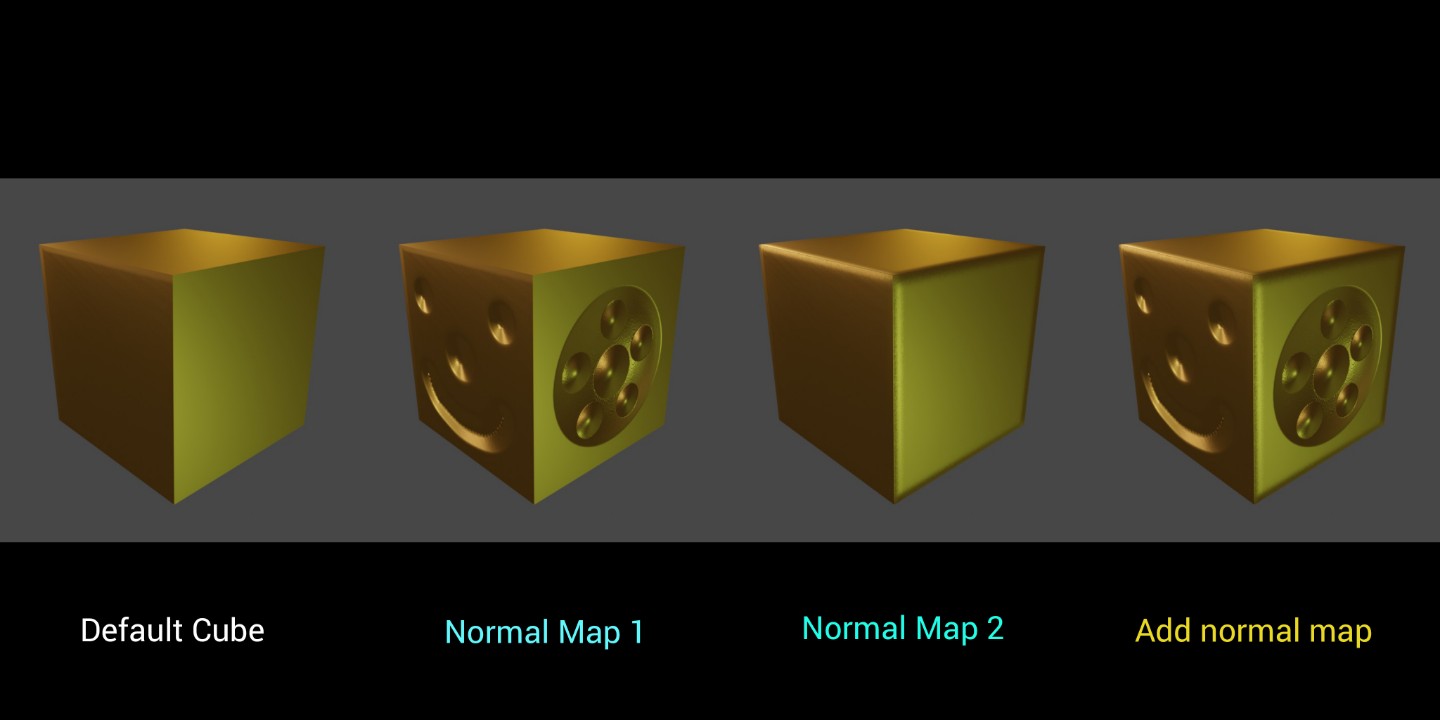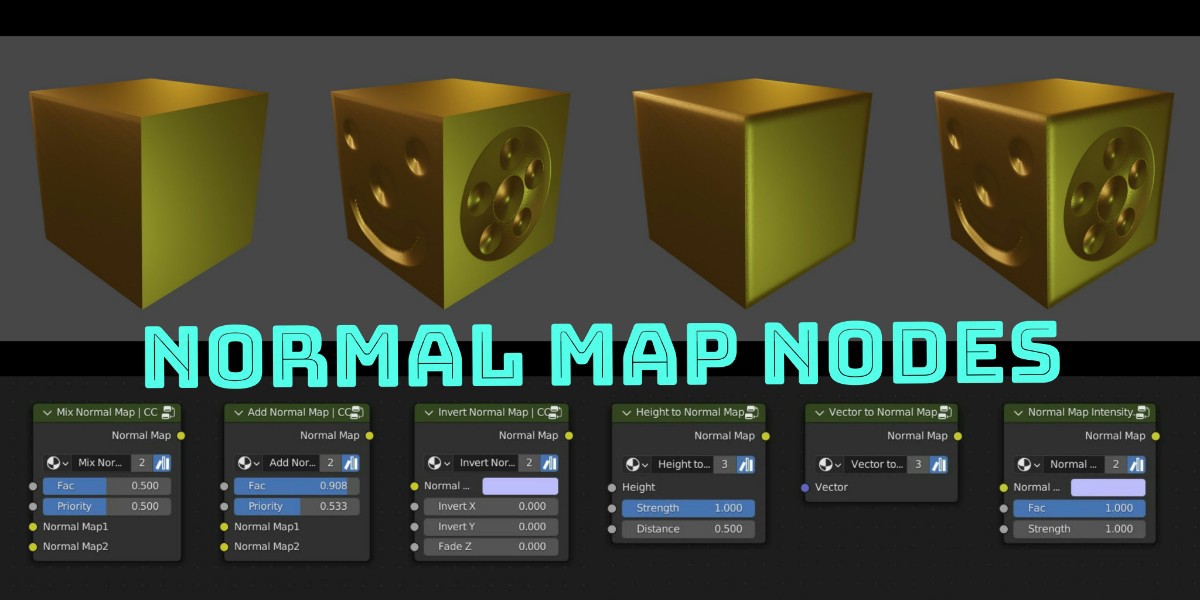
Normal Map Node Tools is a set of shader node groups for working with normal map textures in Blender. It covers operations for combining or mixing existing maps, adjusting them, and generating maps from height, vector, or image sources.
Normal map operations
For existing normal map textures, Add Normal Map handles two or more different maps, while Mix Normal Map mixes maps. Invert Normal Map flips a map, and Normal Map Intensity adjusts its intensity. The pack provides these as separate groups, so you can choose the operation that matches the material task.
Three more groups create normal maps from other sources: Height to Normal Map, Vector to Normal Map, and Image to Normal Map. The product listing names these inputs but does not describe their exact settings or connections. The Superhive product page links to its documentation.
Check Blender compatibility and terms
The seller lists Blender 4.0, 3.6, 3.5, 3.4, and 3.3 as supported. Compatibility with other releases is not confirmed in the available product details, so check the documentation or ask the developer before relying on it in a project using another version.
Superhive labels the license Royalty Free. AnyPlugins lists the item as free, but that does not establish its current price or explain all license terms. Review the seller listing for current availability and conditions.
When it may fit a Blender workflow
This pack may suit Blender artists who want named shader node groups for common normal map tasks. Before adopting it, check the documentation for the node inputs and setup steps you need, and confirm that your Blender version is supported.