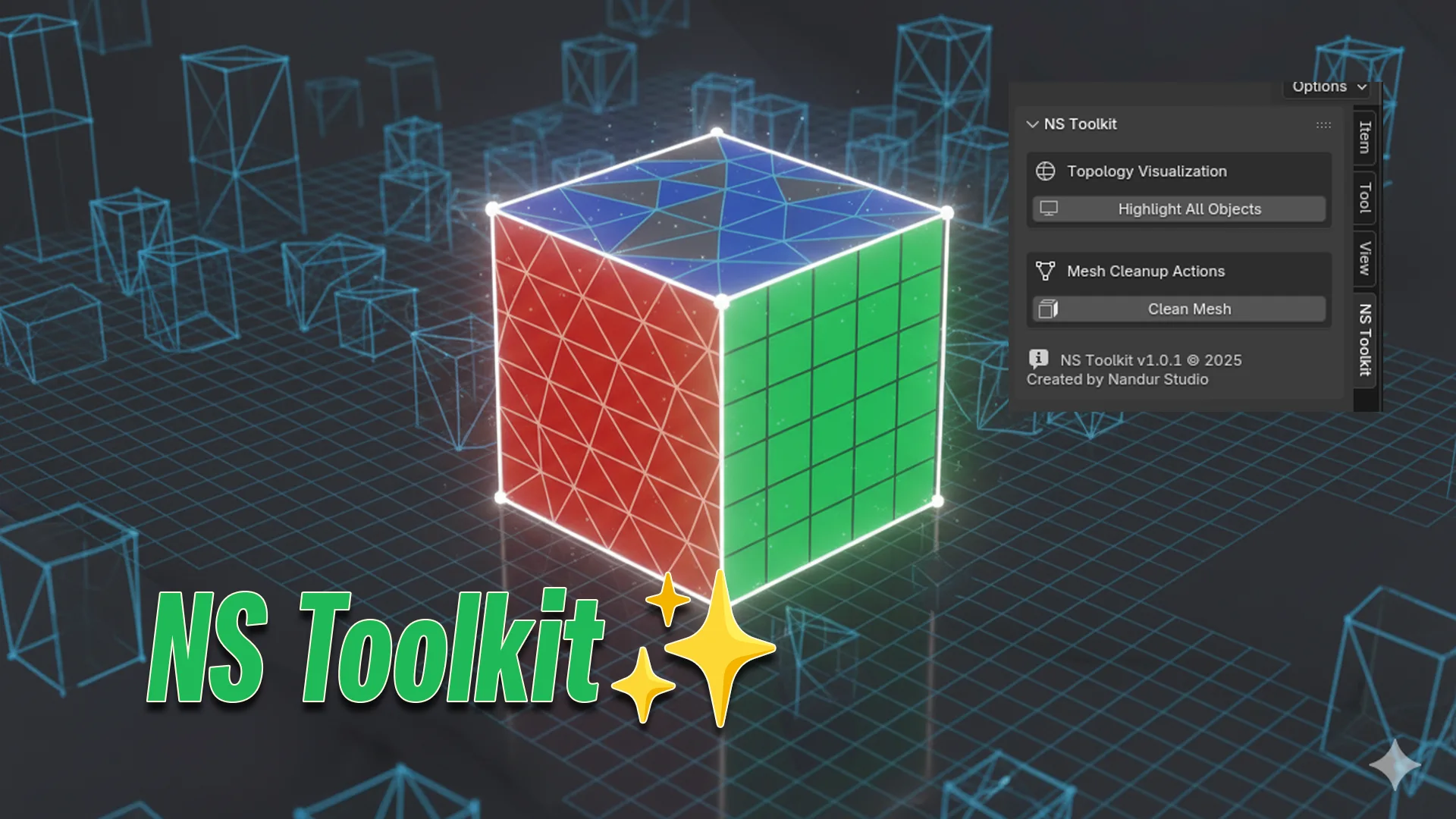
NS Toolkit - Mesh Cleanup Pro is a Blender add-on for checking mesh topology and applying cleanup operations to selected mesh objects. It pairs a scene-wide visual scan with a Clean Mesh command for artists working with imported or triangulated geometry.
Review topology across the scene
Enable Highlight All Objects in the NS Toolkit panel to color mesh objects by their face types. Blue marks an object with any n-gons. When there are no n-gons, red indicates more triangles than quads, while green indicates a quad-dominant or tied result. The highlighting updates as meshes change. It colors whole objects rather than individual faces, so treat it as a quick scan of face-type composition, not a complete mesh validation.
The highlighting toggle changes viewport colors; Clean Mesh is the command that alters the selected mesh geometry. This distinction helps when you want to inspect a scene before choosing which objects to process.
What Clean Mesh changes
Select one or more mesh objects and run Clean Mesh to join triangles into quads where their shape allows, merge vertices within an adjustable distance, and recalculate face normals. The default merge distance is 0.0001. Adjust it to suit the scale of the model, and test the setting on a duplicate before cleaning important geometry.
The triangle operation does not turn every triangulated mesh into an all-quad surface. The developer documentation describes resetting custom normal vectors, and the repository implementation also sets processed faces to flat shading. Check the resulting geometry and shading after cleanup, especially if the source object relies on smooth shading or custom normals. For very large scenes, the developer recommends processing smaller batches.
Find the controls
In the 3D Viewport, press N to open the sidebar and choose the NS Toolkit tab. Select the mesh objects to clean, then click Clean Mesh. The developer documentation also lists the Object > Convert menu and the Ctrl+Alt+J shortcut for running the cleanup. The topology highlight control is separate and evaluates all mesh objects in the scene, while Clean Mesh operates on selected mesh objects.
The Blender Extensions listing identifies release 1.0.1, Blender 4.2.0 or later, and GPL-3.0-or-later licensing. The developer documentation covers the controls and workflow, and the repository source shows the current cleanup implementation.