Oebs Node Group Manager (3 In 1) is a Blender add-on for finding, inspecting, organizing, cleaning and reusing Geometry, Shader and Compositor node groups. Its managers bring group lists and file maintenance tools into Blender's N-panel, where you can check usage and dependencies before taking action.
Find and inspect node groups
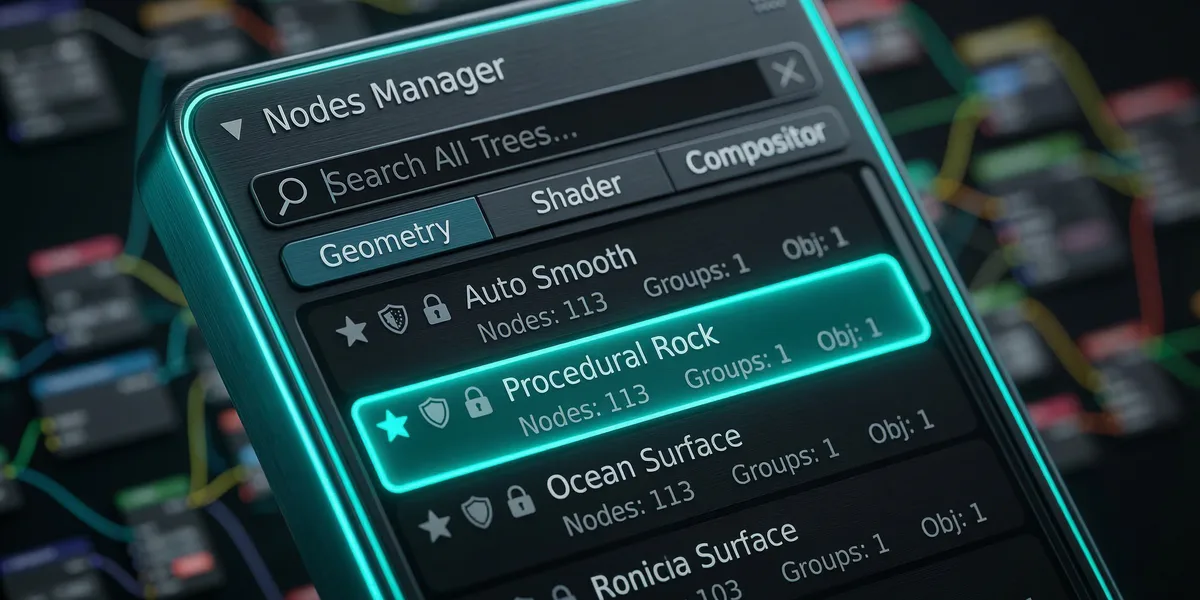
Press N in a Geometry, Shader or Compositor editor to open its matching manager. In the 3D Viewport, the Nodes Manager tab contains all three. Search with plain text or regex, filter by state, version, selection or usage, and sort by name, user count, node count, nested depth or complexity.
The Geometry Nodes manager shows node, nested-group and object-user counts. The Shader manager also shows how many materials use a group. In the Compositor manager, you can see active scenes, inspect node counts, mute individual nodes, open the relevant compositor and trace nested group usage across scenes.
Clean up and reuse groups
For individual groups, the available actions include renaming, duplicating, replacing, validating, selecting users, exporting and marking groups as assets. The Duplicate Finder compares graph topology, finds equivalent groups even when their names differ, redirects users to a primary group and removes the copies. File Health scores issues from 0 to 100 across duplicates, orphans, broken references, unused sockets and stray objects, with direct fixes for those issues.
The Library Browser indexes folders of .blend files so you can find and import a selected node group without opening its source file. Cleanup and replacement can affect file data and references; the Remove + Nested option previews the groups to be deleted, and Remove All requires confirmation.
Fit and compatibility
The feature set is aimed at Blender artists and teams maintaining larger node libraries, including Geometry Nodes, shader and compositor work. One scope limit: linked node groups from other files do not appear in the manager lists; it manages local groups.
Check compatibility against your installed Blender version before downloading. The Superhive product listing and its product FAQ give different version details. The listing identifies the add-on as GPL. The documentation page links to the full user guide and interactive demo.