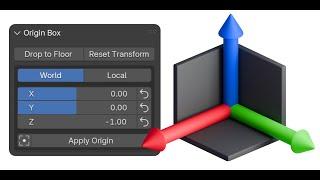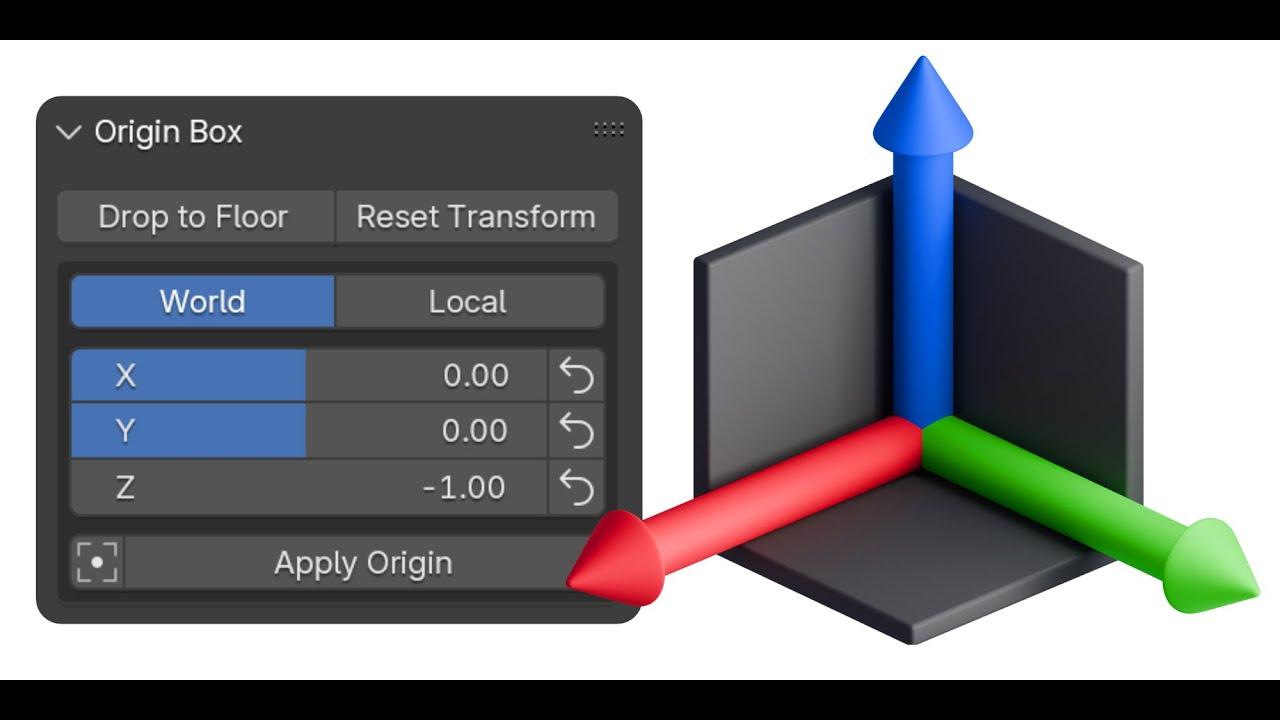
Origin Box is a Blender add-on by 3DPRS for adjusting object origins. It combines X, Y, and Z sliders with commands to apply or center an origin and drop objects to the floor. A popup menu opens with Ctrl+O, and the add-on supports working with multiple objects. The 3DPRS product listing on Superhive lists Origin Box's features and Blender compatibility.
Adjust and apply object origins
Use the origin sliders to make adjustments along the X, Y, and Z axes. Origin Box also has separate Apply Origin and Center Origin commands, so you can adjust an origin directly or use the centering operation.
Drop objects and work across multiple objects
Drop to Floor places objects on the ground. Multi-object support lets you edit origins and drop several objects at once, The add-on also provides World and Local modes for working with global or local transforms.
Open the tools with a shortcut
Press Ctrl+O to open the quick popup menu and access the origin tools. If that shortcut does not fit your setup, Origin Box lets you assign custom hotkeys in its preferences. The axis sliders provide another way to adjust origins when you want more direct control.
Compatibility and license
The Superhive listing identifies Origin Box as a Blender Extension-compatible add-on for Blender 4.0 through 5.1 and lists its license as GPL. Check the listing linked above for current compatibility and release details before installing.