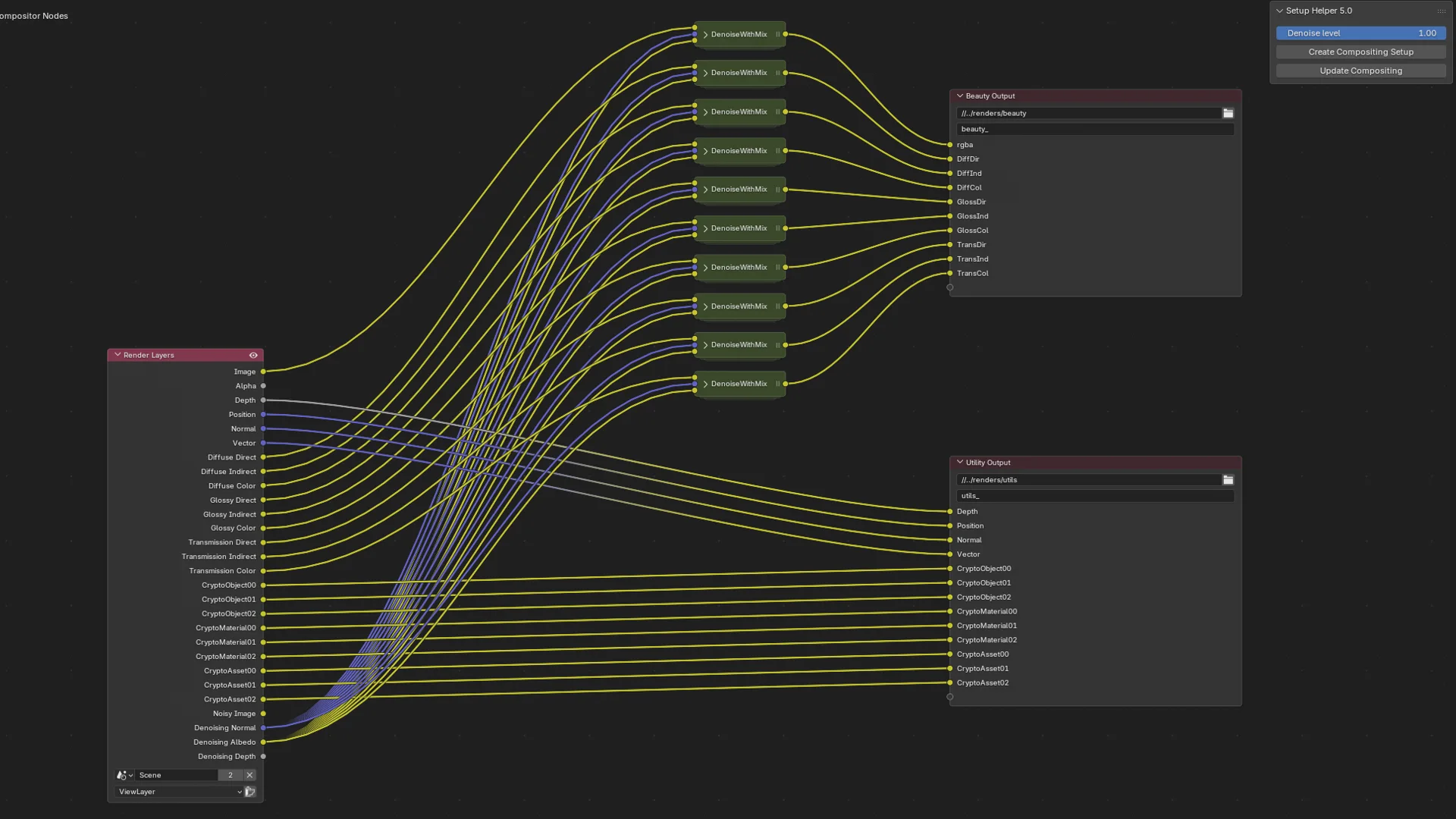
Output Setup Helper is a Blender compositor add-on designed for Cycles multi-pass rendering. It builds and maintains an output setup from the enabled Render Layer passes, including output paths, filenames and versions. The Blender Extensions listing describes separate beauty and utility multilayer EXRs. This is useful when passes change during look development or lighting work and their outputs need consistent routing.
How it organizes passes
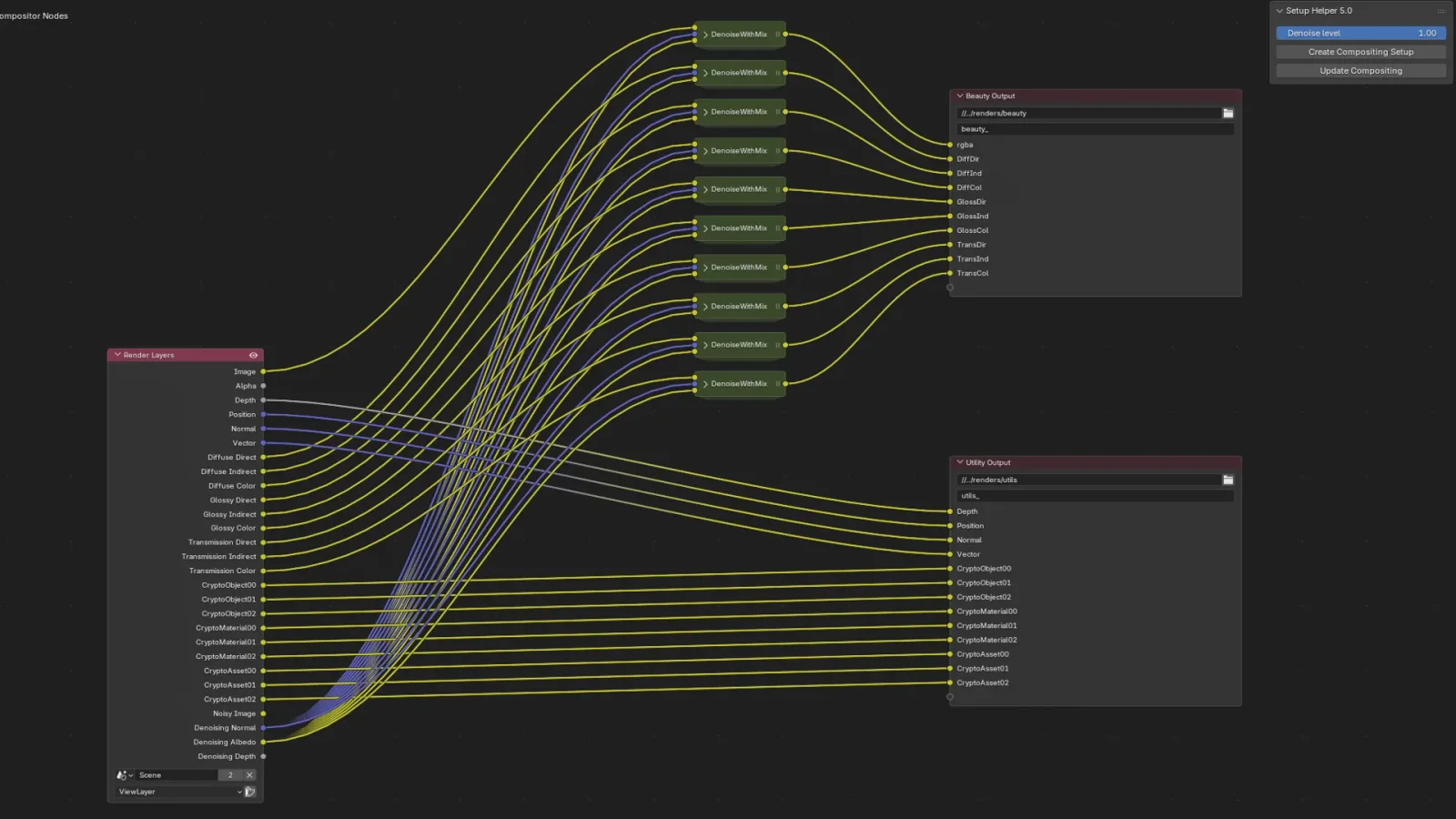
The detailed add-on listing describes a compositor tree with a Render Layers node, File Output nodes and DenoiseWithMix groups for beauty passes. Those groups use Cycles Normal and Albedo data, with a global denoise control for blending raw and denoised results. Utility passes bypass denoising.
The outputs are split into two multilayer EXRs: a denoised beauty file for compositing and a utility file for data passes such as Depth, Normal, Vector, Cryptomatte and Indices. Keeping these in separate outputs gives the beauty render and technical pass data distinct destinations in the render workflow.
Updating the compositor setup
The listing describes Update Compositing as a way to synchronize the node graph with the current Render Layer configuration. It adds outputs for newly enabled passes, removes outputs for disabled passes, clears unused denoise nodes and preserves valid existing connections. The update can be run repeatedly as the pass selection changes.
Create Compositing Setup has a different effect: it builds a fresh setup and overwrites existing compositor nodes. If a project already has a custom node graph, review it before using that control.
Versioned render folders
Output versions are derived from the .blend filename. The listing gives names such as _v003 as examples and describes folders for preview, beauty and utility renders. By default, the renders folder is placed one level above the blend file; this location can be changed in the add-on settings. Consistent version naming helps keep successive renders organized.
Compatibility and installation
The Blender Extensions listing identifies version 5.0.1 and compatibility with Blender 5.0 and newer. It lists the add-on under the GNU General Public License v3.0 or later and says it requires no special permissions. The listing provides drag-and-drop and Install from Disk options. Check the official listing for the current release and installation details.