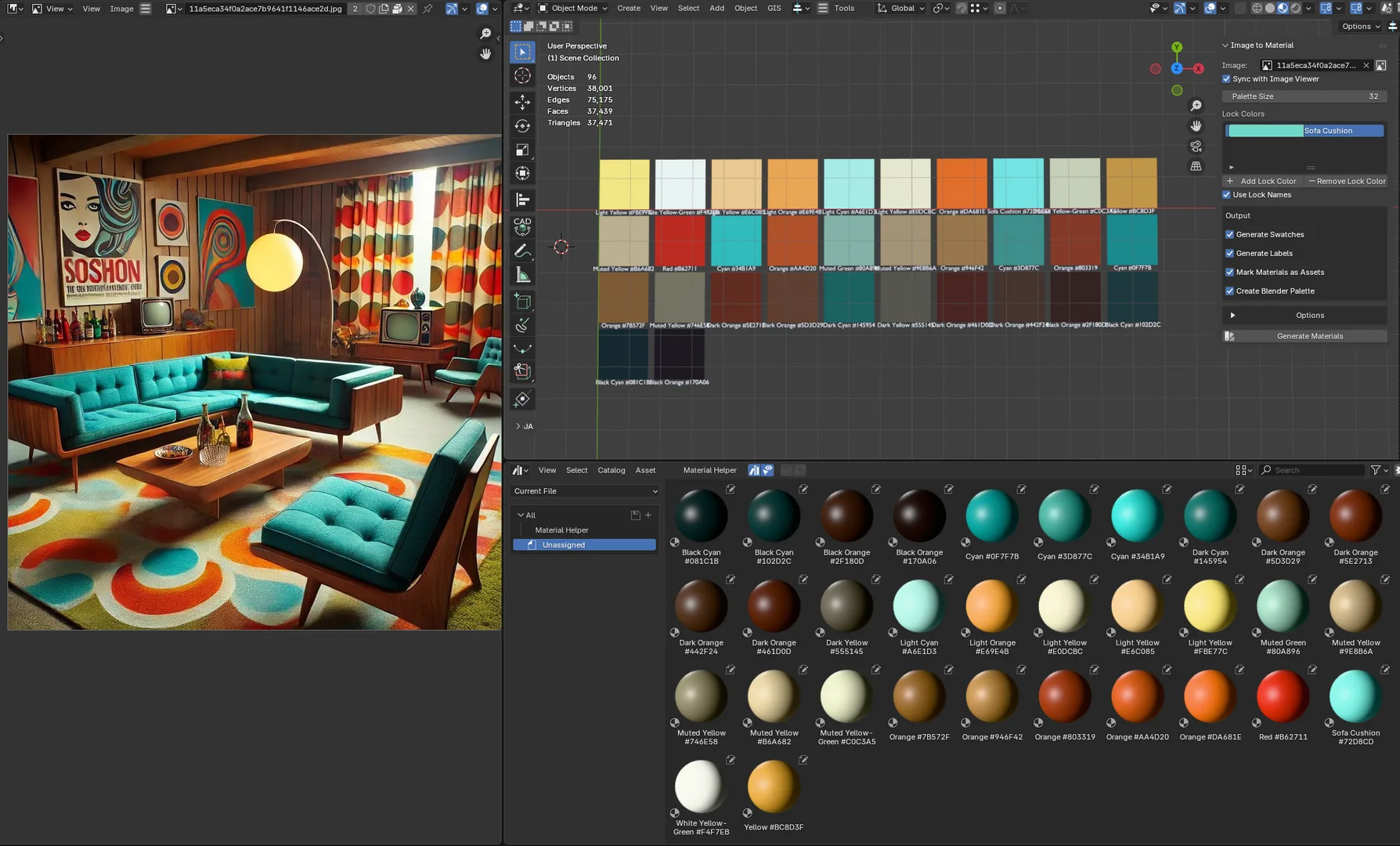
Palette Grabber is a Blender add-on for turning colors in a reference image into editable swatches and materials. It uses k-means clustering to find dominant colors, then lets you apply them to selected mesh objects from the 3D Viewport’s N-panel. A separate Color Harmony mode can build a palette from a base color without an image.
Extract colors from an image
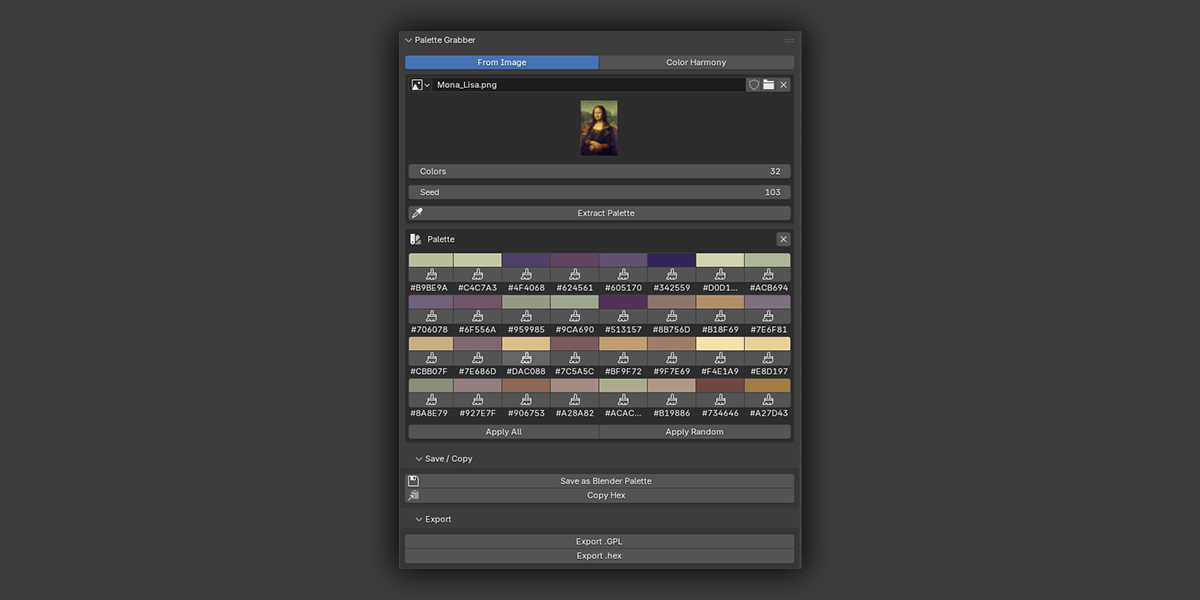
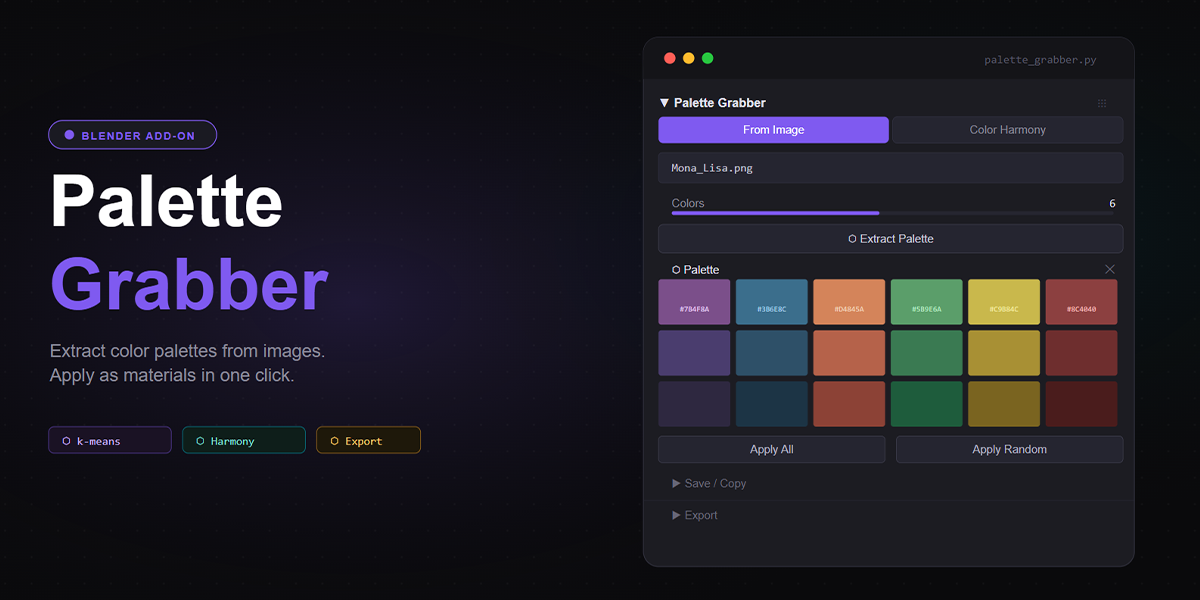
Open the N-panel in the 3D Viewport and select the Palette tab. Choose From Image, load an image Blender can read, set the color count from 3 to 32, then click Extract Palette. Palette Grabber analyzes sampled pixels and displays the resulting colors as editable swatches. Using the same image and seed produces the same palette.
Near-identical colors may be merged by the Dedupe Threshold preference. Extraction reflects the colors in the sampled pixels, rather than a perceptual ranking. The default maximum is 10,000 sampled pixels; increasing it can catch more detail in large images, but takes longer. At that default, subtle colors in small areas of very large images may be missed.
Apply swatches to mesh objects
Select mesh objects, then choose Apply All to assign swatches in order or Apply Random to shuffle the palette before assignment. Both methods wrap around when there are more objects than colors. A brush icon applies one swatch to every selected object. Palette Grabber creates solid-color Principled BSDF materials.
Applying colors clears the existing material slots on each selected mesh and assigns a single new material. This suits blockouts and color exploration, but multi-material slot setups are replaced. The action can be undone with Ctrl+Z.
Generate and reuse palettes
Color Harmony starts with a base color and generates a palette using Complementary, Analogous, Triadic, Split-Complementary, or Monochromatic rules. Complementary produces two colors; Triadic and Split-Complementary produce three. After creating a palette, you can save it as a Blender Palette for use in Texture Paint, Vertex Paint, and Grease Pencil, or export it as a .GPL or .hex file. Individual and full palette hex values can also be copied to the clipboard.
Install and compatibility
The product listing identifies version 1.0.0 and Blender 4.0 or newer, tested through Blender 5.1. The installation package is a ZIP file. In Blender, open Edit > Preferences > Add-ons, install the ZIP, and enable Palette Grabber. Its NumPy dependency is included with Blender’s Python, so the documented installation does not require a separate NumPy install.
See the Palette Grabber documentation for installation steps and preference details, and check the product listing for current package information.