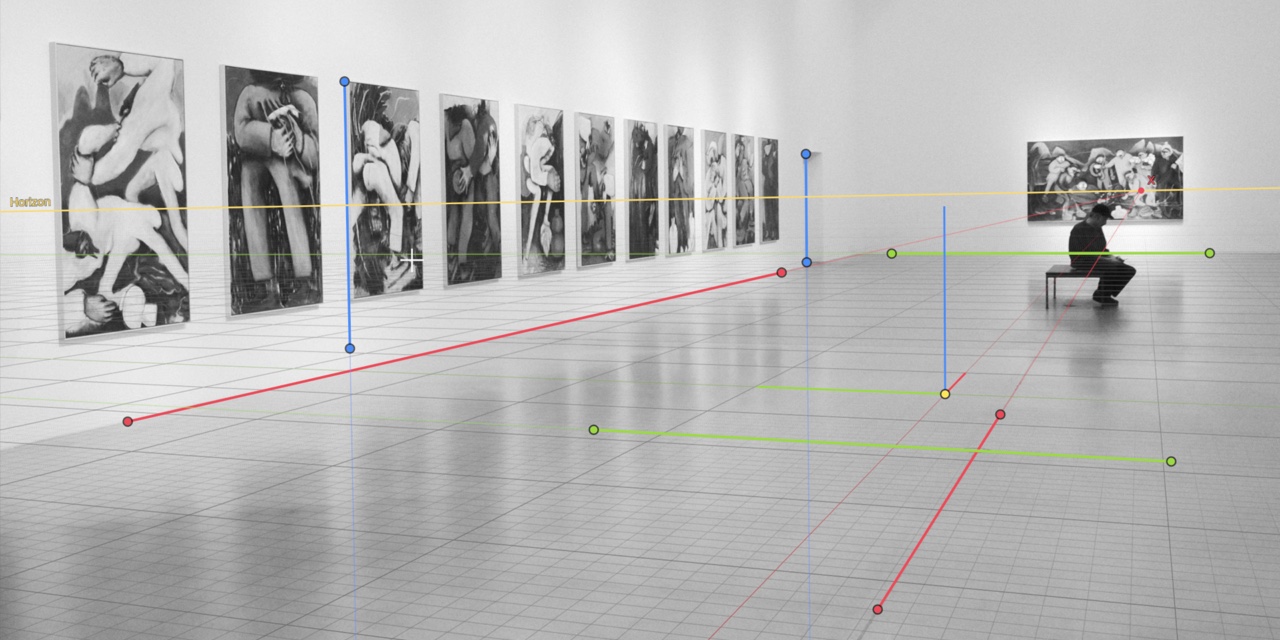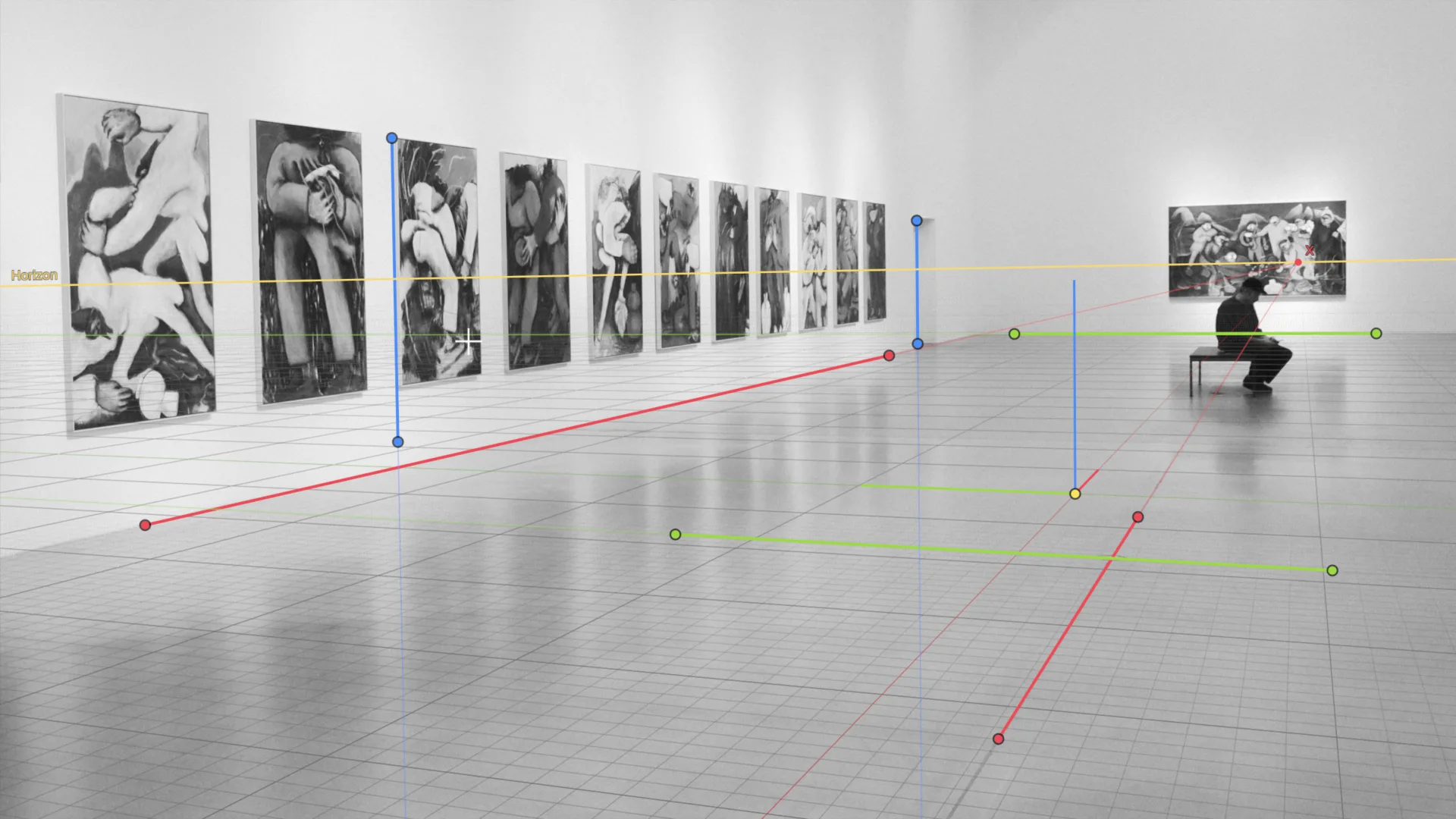
Perspective Match is a Blender add-on for matching a camera to a photo. You place perspective lines along edges in the image, and the add-on uses their vanishing points to solve the camera while you edit in the camera view. The camera remains editable as you adjust either the lines or the camera. See the project documentation for the complete workflow and mode details.
How the photo-to-camera workflow works
Open the 3D Viewport Sidebar with N and choose the Perspective tab. Click + next to the Camera field and pick a photo. Perspective Match creates a camera with the photo as its background, sets the render dimensions to the photo, and starts perspective editing.
- Place line ends along photo edges that follow the world X, Y, or Z axes.
- Move the origin marker to the point that should be the world origin.
- Adjust the lines or camera while viewing the photo through the camera.
- Press Tab or Esc to leave edit mode. Each edit is a separate undo step.
Choose a mode for the photo
The available modes fit different kinds of perspective. 2 Points suits most photos with two horizontal directions, or one horizontal direction and verticals; its two vanishing points set camera rotation and focal length. 3 Points is for views with strong vertical convergence, such as looking up or down at a building; its three vanishing points set rotation, focal length, and shift. Parallel Verticals fits photos or renders with corrected verticals. It keeps verticals upright, with the X and Y lines setting the camera's turn, focal length, and Shift Y. 1 Point fits corridors or streets with one vanishing point; it turns the camera while keeping focal length fixed.
When line detection helps
Detect Lines is an optional aid. It can find straight edges, choose a mode, and place guides; it works best with photos that show clear perspective cues. The project documentation recommends it for architectural images with long, sharp edges in more than one direction. On photos with organic shapes, blur, distortion, or few clear edges, it may refuse to make a match. You can place the lines by hand, and detected lines remain adjustable.
Set scale and keep the match editable
If the photo includes an object with a known length, Specify Scale lets you measure along an axis from the origin to set the size of the 3D scene. The photo itself stays unchanged. Perspective Match stores the photo and guides with the camera in the .blend file, so each camera can keep its own match.
Blender requirements and installation
The Blender Extensions listing identifies Blender 5.2.0 or later as the compatibility requirement. It also lists the GPL-3.0-or-later license and file access for loading the reference photo. Install the add-on through Blender's Get Extensions preferences, or use Blender's Install from Disk instructions for a downloaded ZIP.