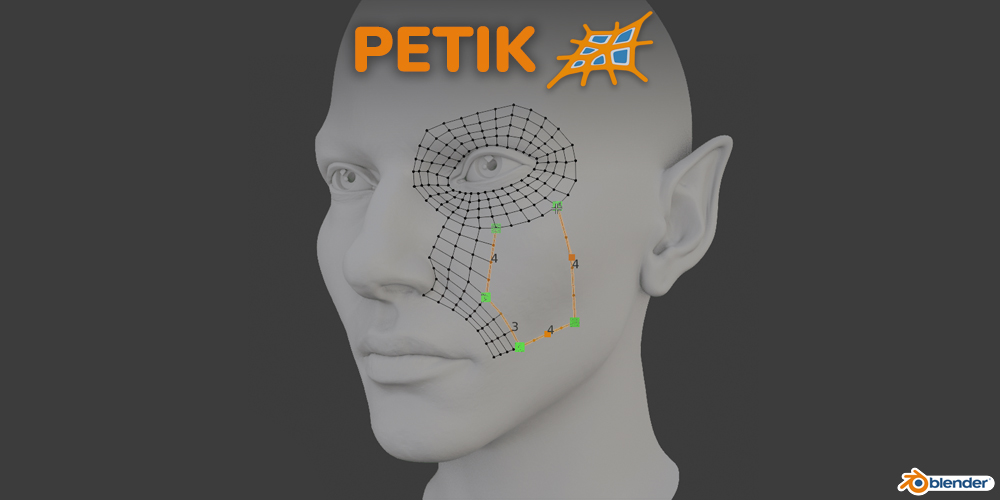
Petik is a Blender retopology add-on for building low-poly quad mesh from a high-poly surface. You place control lines to define a patch, then adjust its boundary and vertex count. The product overview describes patches with up to six sides, with the option to build from scratch or connect new geometry to an existing mesh.
Shape patches around the surface
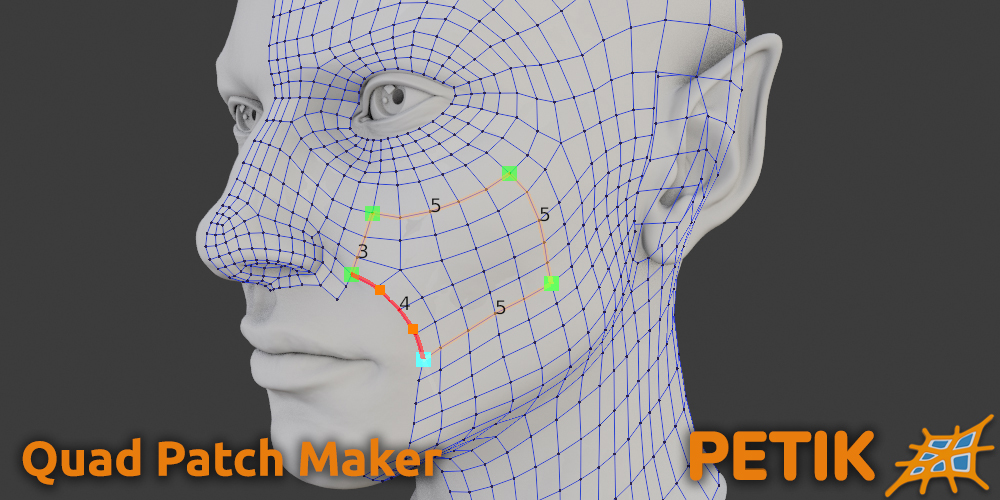
You click the high-poly surface to lay out a geometry patch rather than placing one polygon at a time. Petik can create the patch when your control lines form a loop. Each side can have a variable vertex count: scroll to change the count on a newly created side, then drag corners to adjust the patch around a feature. For more controlled edges, the listing describes curves with multiple Bezier control points.
Multi-patch and Petik Line
Petik 2.0 adds multi-patch editing, letting you create and control several patches at once. To set control lines, use Ctrl+Right Click on a point to make it active, then click for a new control point or right-click an existing vertex. Lines that form a loop create a patch. Press H to hide or show the interface.
Version 2.0.4 adds Petik Line as a separate edge-loop tool. Its shortcut is Ctrl+Shift+Alt+Z. The developer describes it as a lattice for edge loops: a few control points let you control and smooth multiple vertices along a loop. Petik Line can be used on edge loops beyond the patches you create with Petik.
Blender versions and setup
The source page has two version statements: its description says Blender 2.93 and up, while its marketplace details list Blender 3.6 to 5.0. For Blender 4.0, the seller directs users to the 1_2_x build for single-patch work and 2_0_x_b4 for multi-patch work. Check the current product page to choose a package for your Blender version. The description also labels Petik 2 as beta and asks users to report bugs.
From Petik 2.0.3 onward, installation does not require running Blender as Administrator. The seller says to install it like another add-on or extension.
Documentation and introduction
Petik is aimed at Blender users creating low-poly quad geometry from a high-poly model or joining new mesh pieces to existing geometry. For controls and setup, see the developer's documentation. The quick introduction video shows Petik in use, and the product listing links to developer support on Discord.