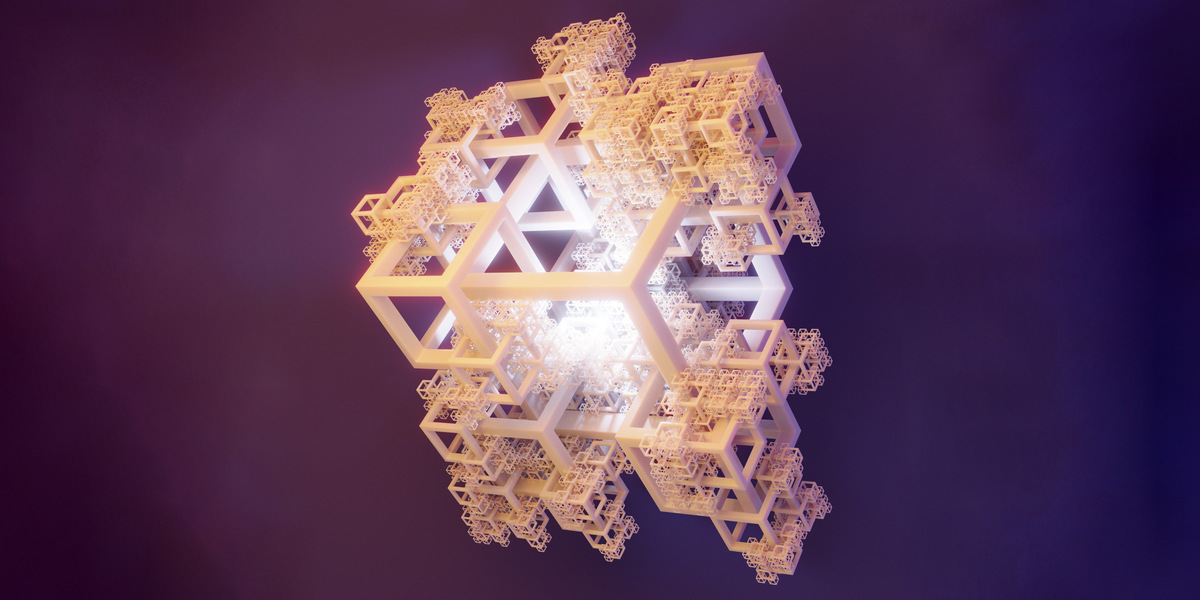
Pgt Fractal Generator is a Blender add-on by Jonas Mangelschots for building fractals from two selected meshes. Set one as the Structure Object and the other as the Seed Object, choose how the pattern grows, and check the estimated vertex count before generating. It also includes a Geometry Nodes workflow and a Studio tool for scene setup. The Superhive product listing has release downloads and the included Cycles render files.
Generate from a structure and seed
In the Fractal Generator tool, choose the Structure Object and Seed Object, then set the number of iterations. The panel estimates the vertex count before generation. Set Max Verts to limit the result; the developer suggests a guide of up to 300,000 vertices per gigabyte of RAM and recommends lowering it if Blender still crashes. Treat that figure as a starting point for your system, not a guarantee against crashes.
Chance To Spread can stop branches at random when set below 100 percent. Add Rotation applies fixed or random rotation to each branch, and the listing notes this can make generation about ten times slower. Scale can be fixed or random, with one value or separate values per axis. Separate Layers puts each layer in its own object. Use Particle Render for detail beyond what a single mesh can hold; Convert Part To Inst turns those particles into editable instances. The product examples also show a fractal made from the default cube.
Adjust fractals with Geometry Nodes
Geo Fractal generates with Geometry Nodes, so you can keep adjusting the result. Its controls include rotation, scale, spread chance, seed and material settings. The tools also include Randomize All Parameters and Reset All Parameters. Presets save and load settings, while Copy Seed and Paste Seed let you bring a parameter setup back later.
Set up a scene with Studio
Select your objects and choose Build Studio to add a lit scene and camera around them. Pick a look and framing, then adjust the lights, camera and scene settings. The selected objects remain unchanged. Remove Studio deletes the added scene and restores your previous camera, world and color settings. Building a studio does not change render settings. A separate Set Crystal Render Settings button configures Cycles with high light bounces and caustics, using a GPU if one is available.
Install the add-on and choose a release
Download the ZIP without unzipping it. In Blender, open Edit > Preferences > Add-ons, use the arrow menu in the upper-right corner, and choose Install from Disk. On Blender 4.0 and 4.1, the listing says to use Install. Enable Procedural Generation Toolkit in the add-ons list. If you have installed a PGT product before, restart Blender. Then open the 3D Viewport sidebar with N, select the PGT tab and choose a tool.
The listing identifies version 6.0 for Blender 4.0 to 5.2 and directs users of older Blender releases to version-numbered ZIP files. Older archives may not include the newest tools, so check the product listing for the package that matches your Blender version.