The Photographic Composition guides tool by Atelier Bump draws photographic grids, references and perspective lines in the 3ds Max viewport to help compose a shot. Autodesk lists it as free. See the Autodesk App Store listing for current product details.
Grid and proportion references
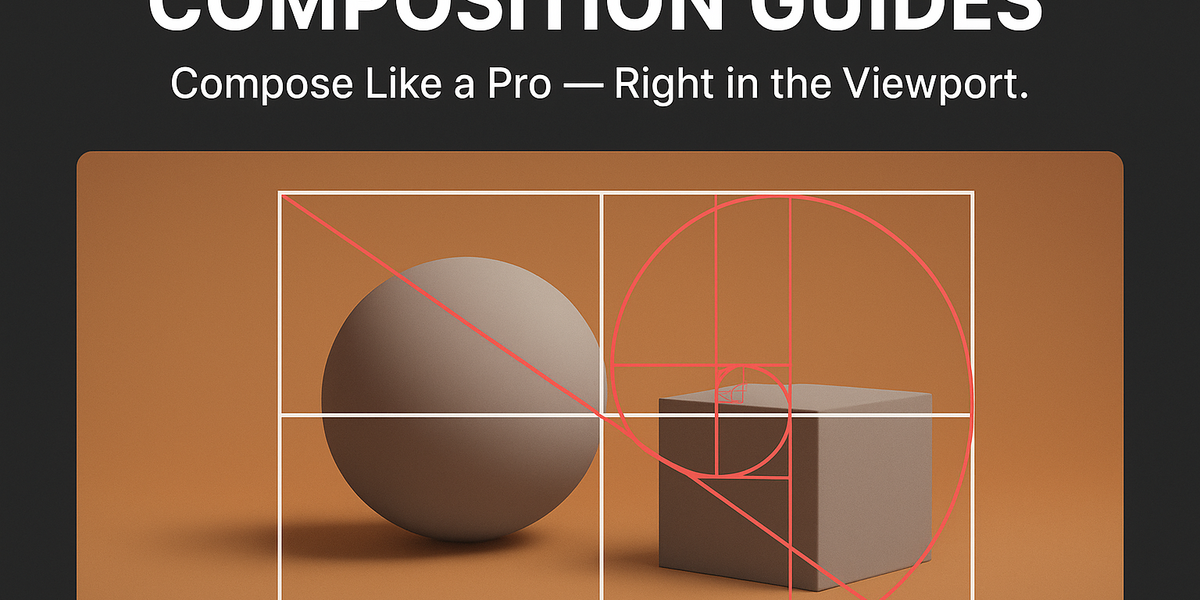
Choose quadrants (2×2), a rule-of-thirds grid (3×3), or a custom grid defined as n×N. The tool also includes golden proportions and golden-ratio rectangles and spiral. These guides give you different reference patterns to compose a shot in the 3ds Max viewport.
Position guides and perspective lines
Position a guide with the mouse using vertical, horizontal, cross, or from-a-point placement. For perspective work, the tool can place multiple two-point-aligned lines from a common base point. Autodesk describes this as useful for drawing lines from a vanishing point or following the same perspective line. Guide color is selectable.
Known issue in 3ds Max 2018
Autodesk's listing notes that the golden-ratio spiral utility does not work under 3ds Max 2018. The listing does not state a broader supported-version range, so check the current product details if version compatibility matters to your setup.