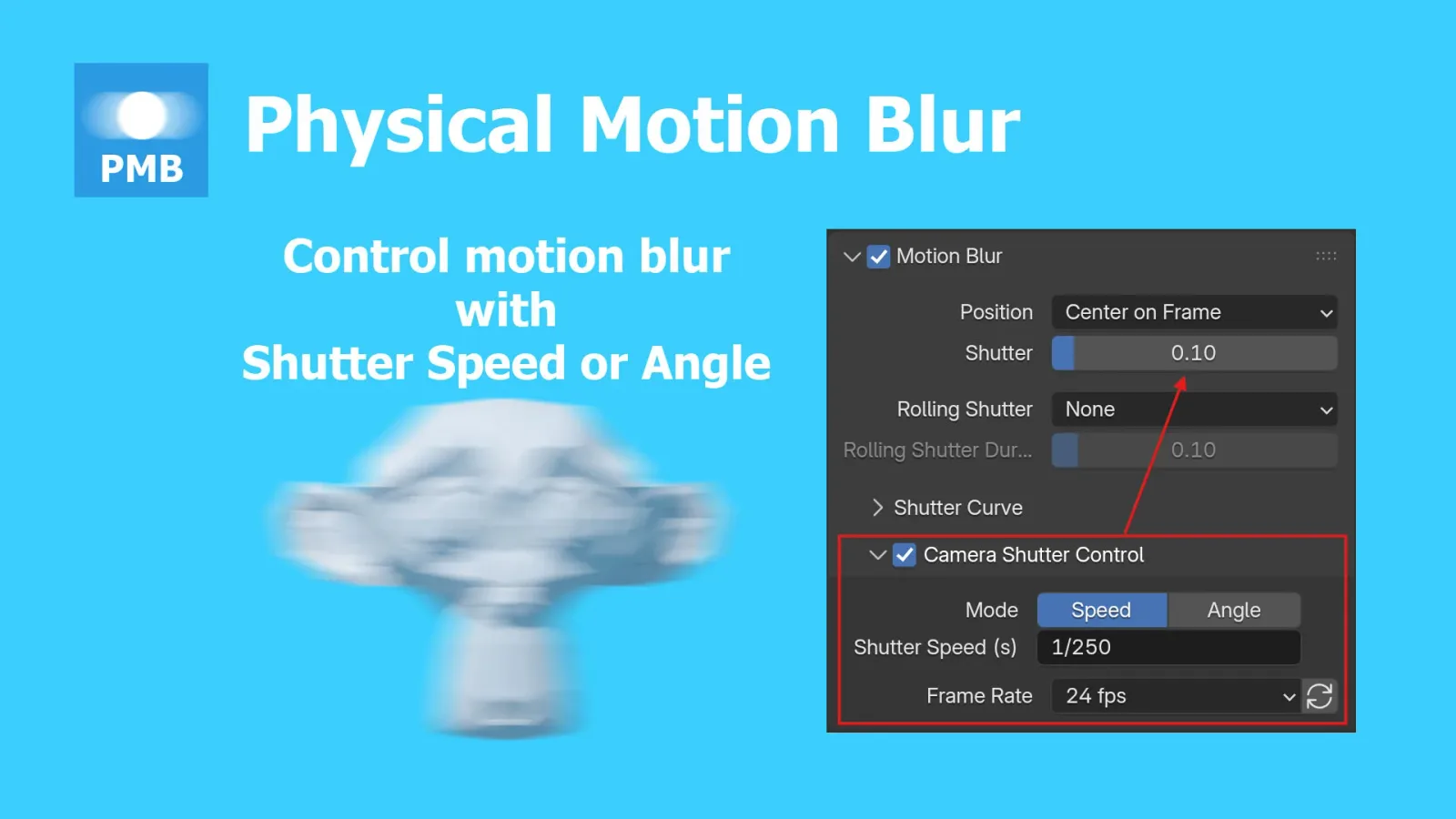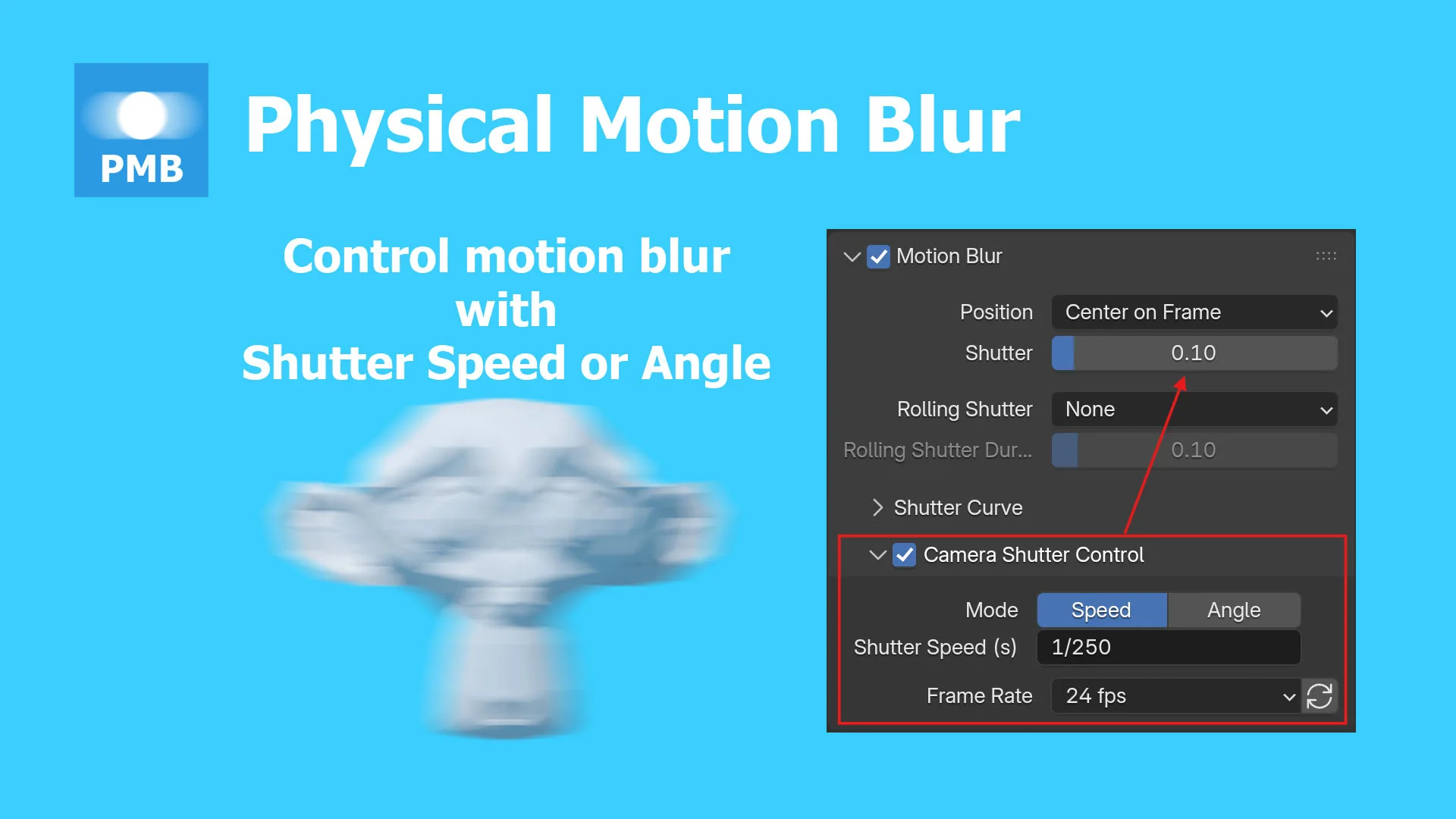
Physical Motion Blur is a Blender add-on for controlling motion blur with a camera's shutter angle or shutter speed. It supports Eevee and Cycles and is intended for filmmaking and photorealistic still image creation.
Angle and speed modes
Angle mode sets shutter open time as a share of one frame. For example, 180° equals half a frame. Blur length follows how far an object moves between frames. If keyframes stay at the same frame numbers, changing the scene's frame rate does not change that per-frame distance. If you retime keyframes to preserve real-world speed, a higher frame rate means less movement per frame and shorter blur.
Speed mode sets shutter open time as an absolute duration, such as 1/50 second. Blur length follows how far an object moves during that exposure. With keyframes at the same frame numbers, increasing the frame rate raises the object's effective physical speed and lengthens the blur. If you retime the animation to preserve real-world speed, blur length stays the same across frame rates because the object's speed and exposure time stay fixed.
Choose Angle when you want shutter duration defined relative to each frame. Choose Speed when you want to set an exposure duration in seconds. The result depends on whether the animation keeps its keyframes at the same frame positions or is retimed to preserve real-world speed.
Controls and setup
Enable Blender's standard Motion Blur setting first. Then open Properties > Render > Motion Blur > Camera Shutter Control, choose Angle or Speed, and set the corresponding shutter value. The Frame Rate field displays and sets the scene's FPS. After changing FPS, click the refresh icon to update the calculation.
The listed release is version 1.1.0, compatible with Blender 4.2.0 and later, and licensed under the GNU GPL version 3.0 or later. Check the Blender Extensions listing for current release details.