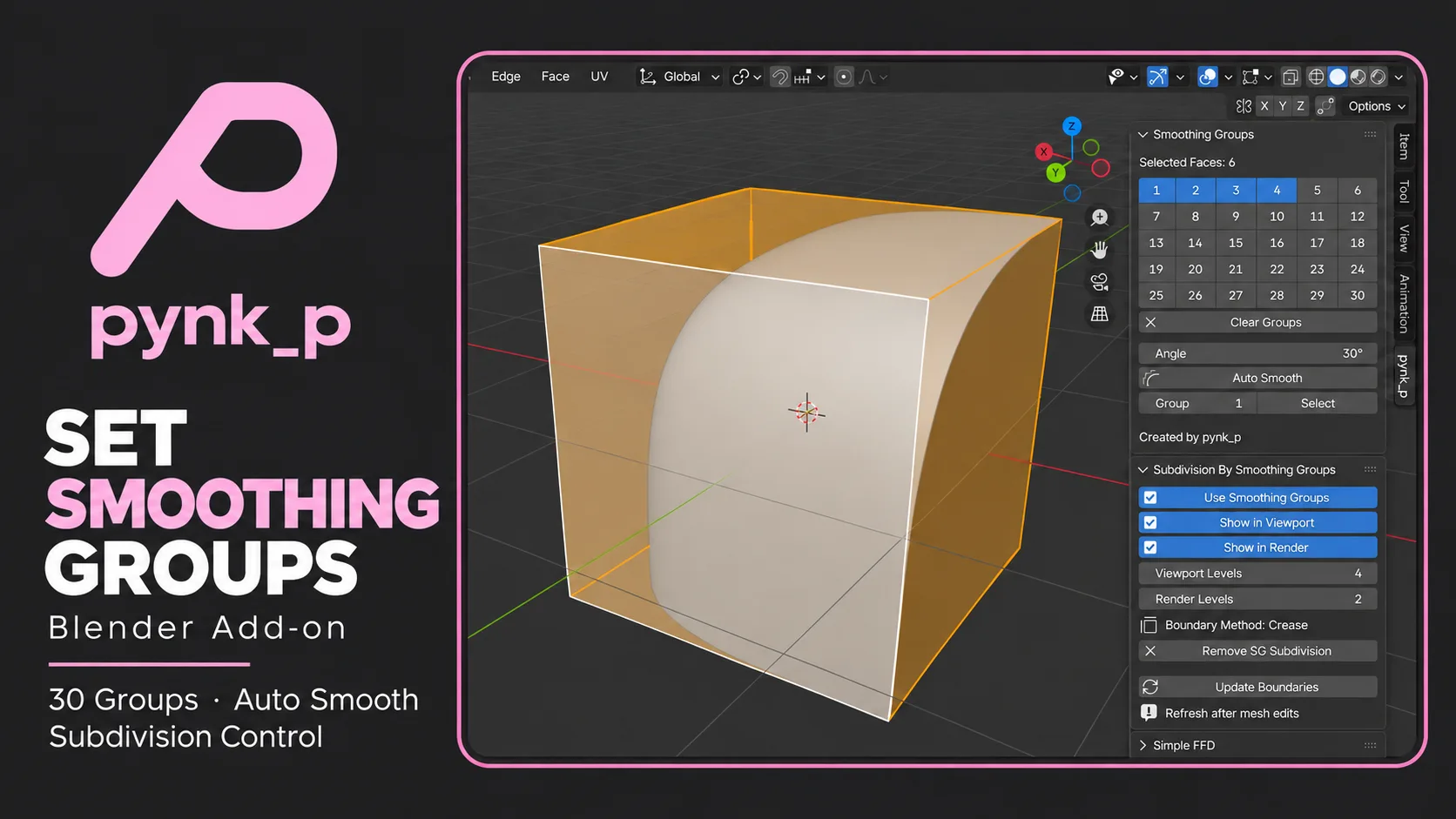
pynk_p Smoothing Groups adds 30 numbered smoothing groups for Blender mesh faces. Inspired by the 3ds Max Smoothing Groups workflow, it lets each face belong to multiple groups and provides controls in the 3D Viewport sidebar.
Assign groups across selected faces
The group buttons show the union of groups assigned across the selected faces. Click an active group number to remove it from all selected faces, or click an inactive number to add it. You can also select visible faces by group number.
Classify faces by normal angle
Auto Smooth by Angle assigns selected faces to groups using a normal angle threshold. The default threshold is 30 degrees. The operation respects boundaries with unselected neighboring faces.
Update normals and control subdivision
Assigning, clearing, or automatically smoothing groups updates custom normals immediately through a non-destructive Geometry Nodes modifier called Set Mesh Normal. A separate panel provides a crease-based Subdivision Surface workflow driven by smoothing group boundaries. It does not overwrite the mesh's existing creases, sharp flags, or custom normals.
Refresh boundaries after mesh edits
After topology changes such as extruding, beveling, or transforming vertices, use Update Boundaries to refresh normals and group boundaries. The add-on also includes a dedicated panel for the smoothing group and subdivision controls.
Compatibility and access
Version 1.0.2 is listed for Blender 4.5.5 and newer. Open the 3D Viewport sidebar with N, then find the controls under pynk_p. The add-on is available from the Blender Extensions listing, which identifies its license as GNU GPL version 3.0 or later. The developer also links the source repository.