QOL Tools: Ground Objects is a Blender add-on for placing selected objects on the ground with a menu command. It can save the repeated pivot adjustments and snapping that often come with positioning groups of objects.
Place selected objects
- Select the objects you want to place.
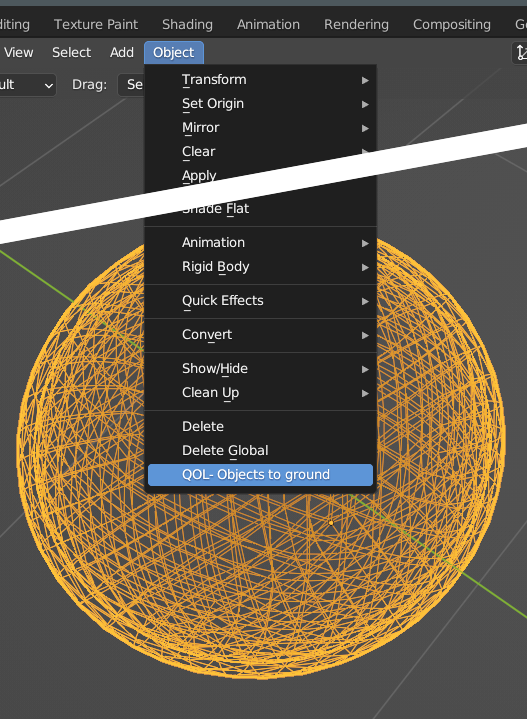
- Open the Objects menu and choose QOL-Objects to ground.
A tweak menu lets you adjust how placement works. The catalog listing describes options to ground objects in place or at world zero, handle them as a group or individually, and place pivots or leave them unchanged. It also lists sitting and swimming modes. The Ground Objects product listing includes a video demo, which can help you review the controls before installing.
Compatibility and license
The listing names Blender 3.0 to 3.6, plus 4.0, 4.1, and 4.2. It describes the add-on as available in Blender 4.2 Extension format, marks it Blender Extension compatible, identifies its extension type as Add-on, and lists a GPL license. Check the linked documentation and version history for details relevant to your Blender release. Ground Objects is also available in the QOL Tools: Full Collection.