Instant Placer is a Blender add-on from Blender.Fun that positions newly added objects at the location of a selected object. Select the object that marks your target, then add another object through Blender's standard Shift+A menu. The new object appears at the selected object's location.
Keep placement in the add workflow
This workflow suits scenes where an existing object marks the intended position for another object. Placement happens as you add the new object, which can avoid moving it into place afterward.
Control which transforms carry over
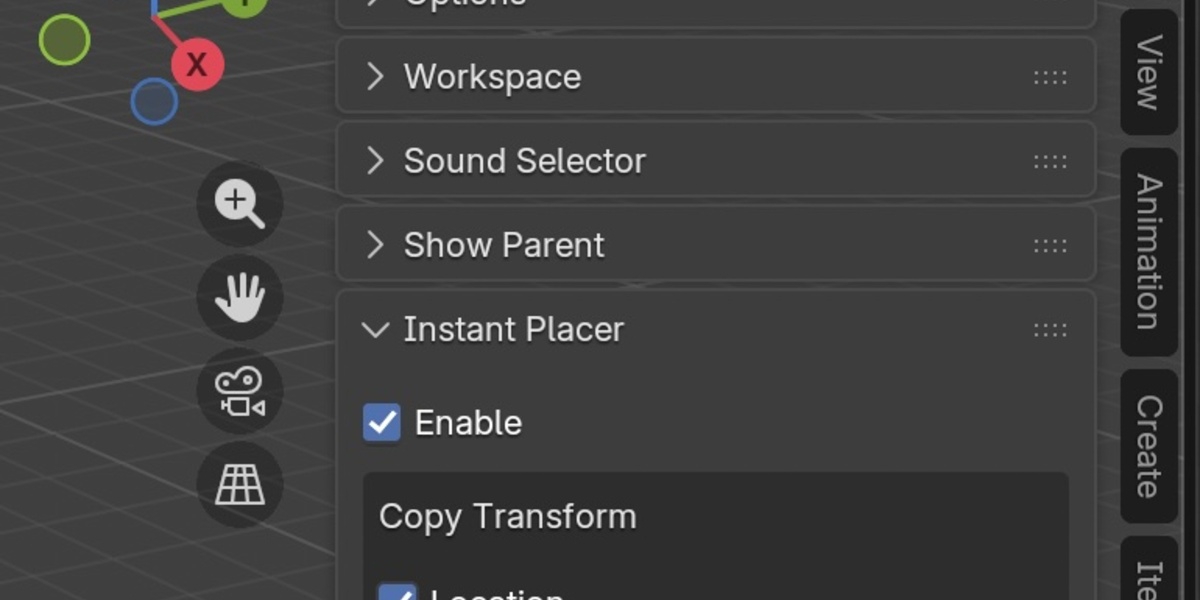
In the viewport, open Tools > Instant Placer to choose whether to copy location, rotation, and/or scale to the new object. You can turn the behavior off whenever you want to use Blender's standard object-add behavior.
Time-saving estimate
Superhive's product copy estimates one second saved per object. It projects roughly four hours over a year using assumptions of 40 objects per file and one file each day. Treat this as an estimate based on that usage pattern; actual time saved depends on how often you place objects this way.
Compatibility and license
The Superhive product listing identifies Instant Placer as a Blender extension compatible with Blender versions 3.2 to 5.0 and lists the MIT license. It also links to documentation and a demo video. Check the listing for current details before installing.