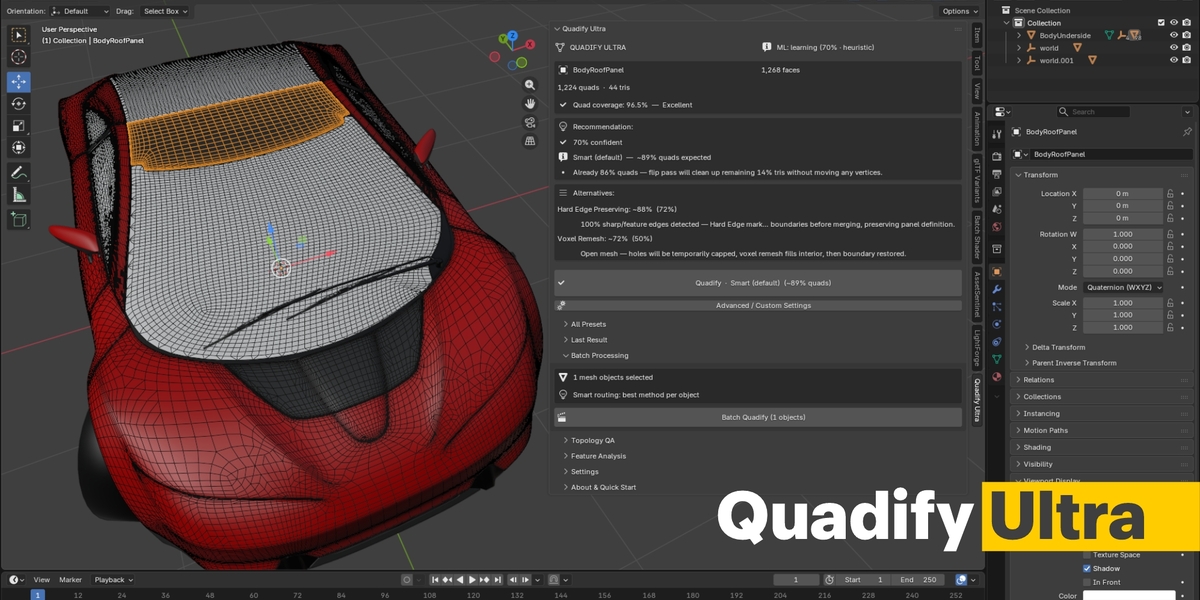
Quadify is a Blender add-on for cleaning up triangulated imports, scans, and AI-generated meshes. It can recover likely original quads on hard-surface models or build new quad topology for meshes that have no useful quads to recover. Smart Convert can preserve hard-surface shape by leaving some triangles; a full rebuild can produce all quads but may soften details.
Recovery or rebuild, depending on the mesh
For triangulated hard-surface models, Smart Convert looks at planarity, edge proportions, boundaries, creases, and likely original diagonals when pairing triangles. It avoids joining across UV seams, material boundaries, and sharp edges. The seller reports that this can preserve the shape while leaving some triangles, typically producing 75–95% quads. A full rebuild may make hard edges or bevels softer.
Scans and AI-generated meshes usually have no original quad layout to recover. Quadify checks mesh health, welds seam splits, removes debris, then rebuilds topology on the source surface and measures the result before accepting it. Premium 3.2 and higher editions can rebuild large parts of multi-piece AI models separately. Base handles single objects and may leave loose or thin components as triangles when rebuilding them together could change their shape.
What the editions add
Superhive's listing presents four editions as cumulative. Quadify's current documentation describes separately packaged tiers and says higher editions may expose workflows through different controls; it identifies Pro as the dedicated Asset Compiler and Ship Gate edition, while Ultra focuses on adaptive strategy routing. Compare the specific workflow against the documentation for the edition you plan to use.
- Base 3.2 handles one object at a time with Smart Convert, mesh health checks, safe repair, a backup, and poly reduction. It supports hard-surface quad recovery and single-piece scan or AI mesh rebuilds.
- Premium 3.2 adds batch tools, regions, density presets, LODs, and Production Rebuild. It also rebuilds multi-piece AI models part by part.
- Pro 3.3 adds Target Faces for game assets and the Asset Compiler, with texture, engine packing, baking, collision, and Ship Gate tools.
- Ultra 4.7 adds Adaptive Solver Search, confidence scoring, and Agent Studio. The seller says mesh geometry stays local when using Agent Studio; instructions, compact statistics, and tool results go to the provider you choose.
Shape checks and limits
Quadify keeps a backup of the original, and Blender undo remains available. The listing says Base rejects a rebuild if more than 1% of the model's size would move. Ultra 4.7 measures surface loss and can run Pro 3.3's engine as a challenger when its own engine loses more than 1%. These checks reduce the chance of accepting a visibly changed result, but thin parts still need inspection. The developer reports about 11% surface loss on its tree test for Pro and Ultra.
When a rebuild changes vertex count, shape keys cannot be preserved on the rebuilt mesh. The listing says the original, including its shape keys, remains as a backup. Quadify-generated quads also do not guarantee hand-placed edge loops for facial animation or joints; the seller recommends manual refinement for hero characters.
Blender versions and operating systems
Superhive's listing labels the editions Base 3.2, Premium 3.2, Pro 3.3, and Ultra 4.7. It says Base 3.2, Premium 3.2, and Pro 3.3 were tested on Blender 4.2 LTS and 5.2 LTS, with versions between supported; Ultra 4.7 requires Blender 5.0 or newer. Quadify's current documentation instead lists Base 3.0.0 for Blender 5.0+, Premium 3.0.8 for 4.2+, Pro 3.0.0 for 5.0+ on Windows x64, and Ultra for 5.0+ with solver requirements tied to the installed package. Superhive's separate marketplace metadata lists Blender 3.6–5.0. Its listing says Base and Premium Smart Convert work on Windows, macOS, and Linux, but Premium Production Rebuild and the Pro and Ultra solvers use Windows x64 executables; on macOS and Linux, Premium Production Rebuild falls back to Smooth Remesh. Quadify's current documentation lists Base on Windows, macOS, and Linux, no platform restriction for Premium in its extension manifest, and package-specific Ultra binaries. These version and platform details conflict, so check the requirements for the exact edition and installer before installing.
The seller describes the editions as one-time purchases with updates included. Check the current Quadify listing for pricing, terms, and edition details, and consult the Quadify documentation for workflow guidance.