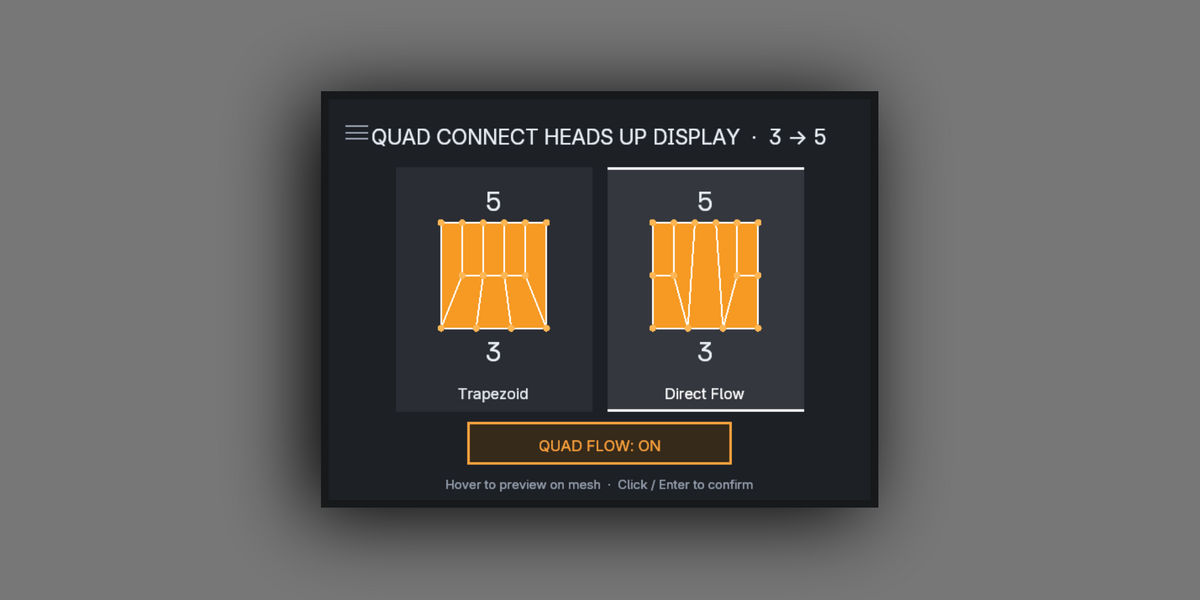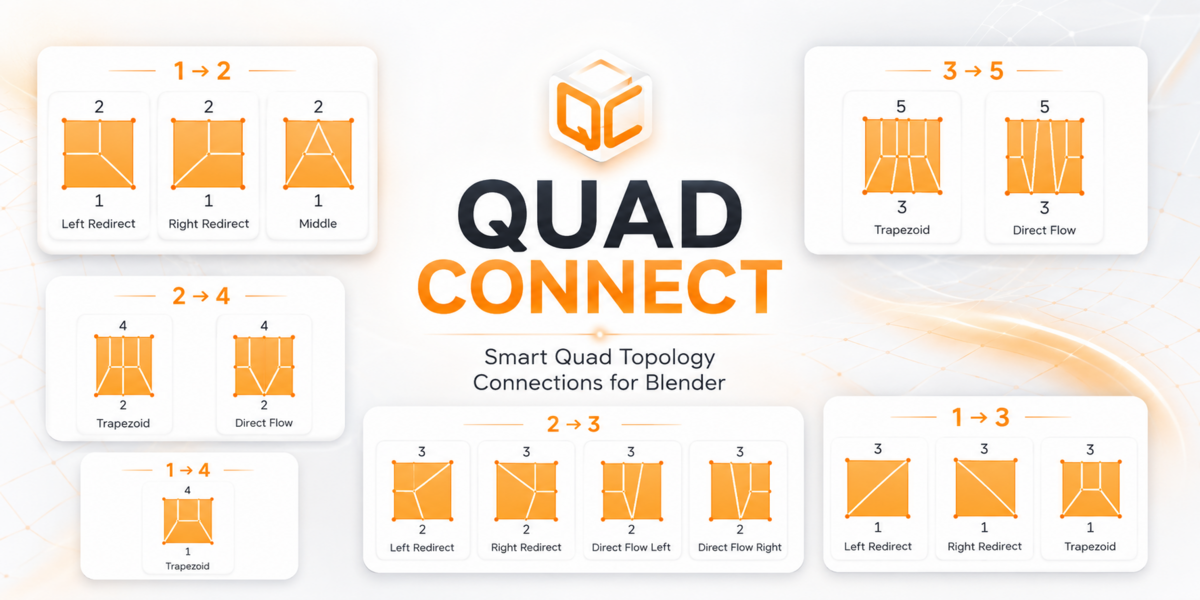
Quad Connect is a Blender modeling add-on for joining uneven edge chains with quad-based transitions. Its product listing describes intelligent edge detection, automatic vertex ordering, and clean quad generation to reduce manual cutting, sliding, and cleanup. It targets mismatched edge counts when a modeler needs to carry loops across a transition.
Patterns for uneven edge counts
The listed connection patterns cover 1 to 2, 1 to 3, 2 to 3, 2 to 4, 3 to 5, 3 to 6, 4 to 6, 4 to 9, 5 to 10, and 6 to 8 edge transitions. Before choosing a tool, compare the counts of the edge chains you want to connect with the patterns on the product page. If your pairing is not listed, check the product documentation for details on supported setups.
Redirect, direct flow, and trapezoid tools
Quad Connect also includes Left and Right Redirect Connect tools, Direct Flow Connect operators, and Trapezoid Connect variants. These options cover different transition types: redirection to either side, direct flow connections, and trapezoid-based bridging. An optional Quad Flow alignment system is available for edge-flow alignment.
The operators work directly in Blender Edit Mode on edge selections. The published feature list does not give detailed selection instructions or geometry requirements for each operation. If a particular mesh depends on exact selection conditions, check the documentation before planning the workflow around it.
Where Quad Connect fits
The publisher positions Quad Connect for hard-surface modeling, subdivision-ready topology, controlled edge flow, and topology cleanup. It is relevant when uneven edge chains need a quad-oriented connection and the listed pattern or tool matches the intended transition.
The Superhive listing identifies Quad Connect as a Blender extension and lists Blender versions 5.0 to 5.1. Check the product page or documentation for current compatibility if you use another version.