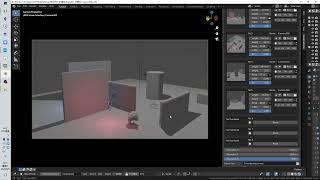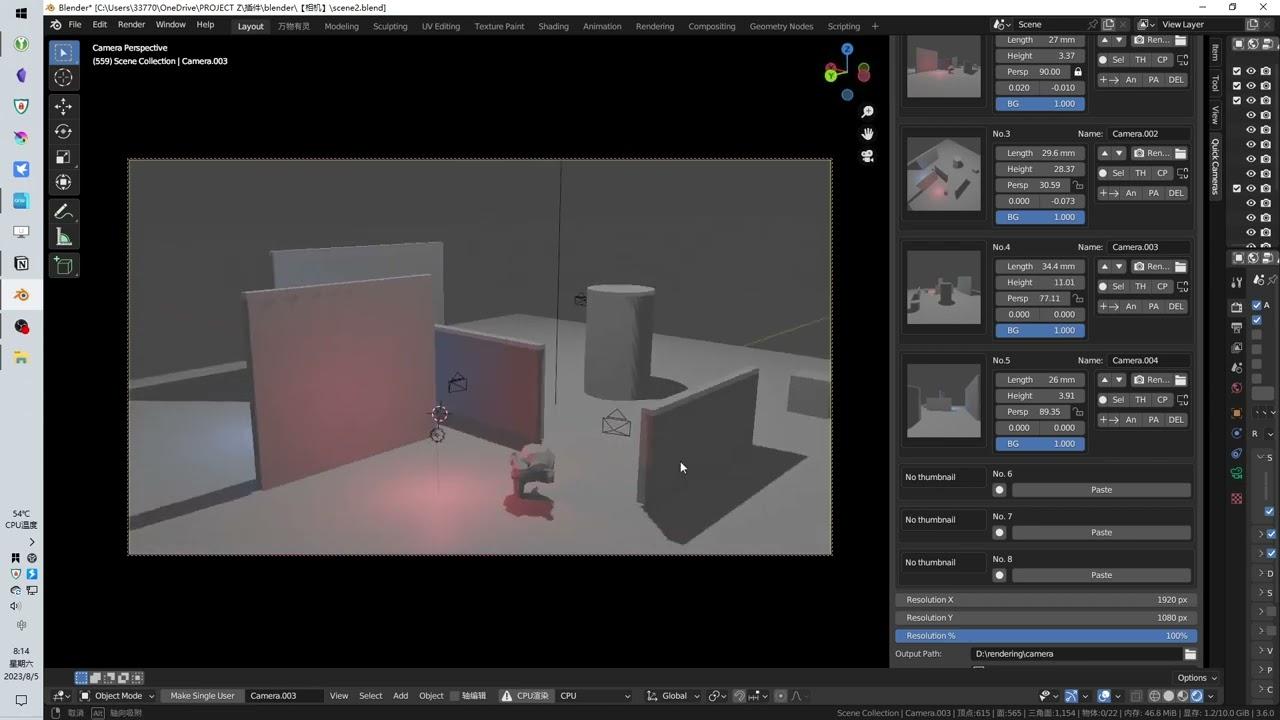
Quick Camera is a Blender add-on for creating and organizing cameras. Its Photo, Animation and Panorama modes bring camera selection, lens adjustments and rendering tools into one workflow. The Superhive listing names Blender releases 2.93, 3.0, 3.1, 3.2, 3.3, 3.4, 3.5, 3.6, 4.0, 4.1, 4.2 and 4.3 as supported; check the current listing and add-on package for compatibility with your setup.
Photo mode and camera selection
Photo mode provides camera thumbnails, quick camera creation, selection and camera management. Lens parameters can be adjusted from the add-on, and the product listing notes that the camera viewport can be used with Shift+`. These controls are useful when a scene has several views to review or update.
Animation cameras
Animation mode creates animated cameras based on an existing camera. Quick Camera has camera animation properties and interval-time and lens-time controls. An update added per-frame focal length saving for animation cameras. Consult the developer documentation for details about how those controls fit your scene and animation.
Panorama and rendering
Panorama mode supports fast panorama rendering through Cycles. Quick Camera also includes rendering management and quick rendering. Its interface provides rendering icons and a control for opening a render folder with a click.
Camera organization and setup
Saving the file also saves camera positions; Quick Camera links scene names to camera object names. Quick Camera also has pie-menu functionality for switching between camera menus; shortcuts can be configured in Blender Preferences under Add-ons for QuickCamera.
Documentation and license
Superhive lists Quick Camera under the GPL license. The developer provides Quick Camera documentation and separate walkthroughs for Photo Mode, Animation Mode and Panorama Mode.