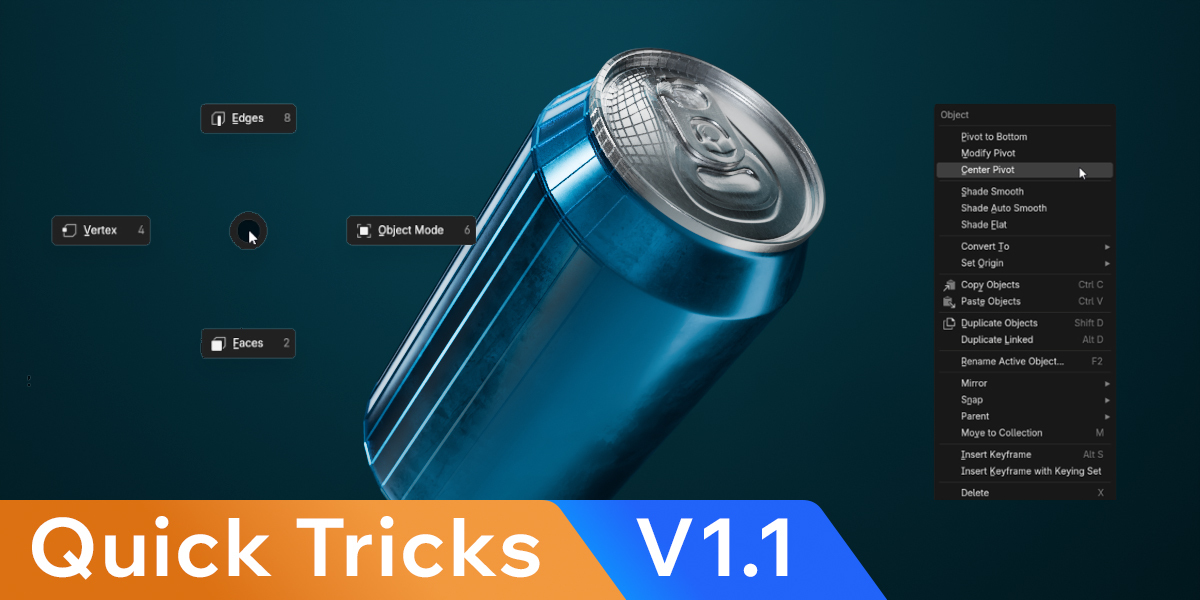
Quick Tricks is a Blender add-on from Bright Future 3D LLC, with tools for pivot changes, selection, grouping, primitive editing, rotation snapping and viewport keyframing. Its product page lists Blender 4.0–4.5 support, the Cycles and Eevee render engines, and a GPL license. The Quick Tricks documentation describes where to find each tool.
Tools for common Blender tasks
In Object Mode, the right-click menu includes Center Pivot, Pivot to Bottom and Modify Pivot. Pivot to Bottom is also available from the add-on panel. In Edit Mode, the right-click menu adds Invert Selection and Grid Fill. The Maya-inspired pie menu opens with Alt+right-click in Object or Edit Mode and provides quick access to selection modes.
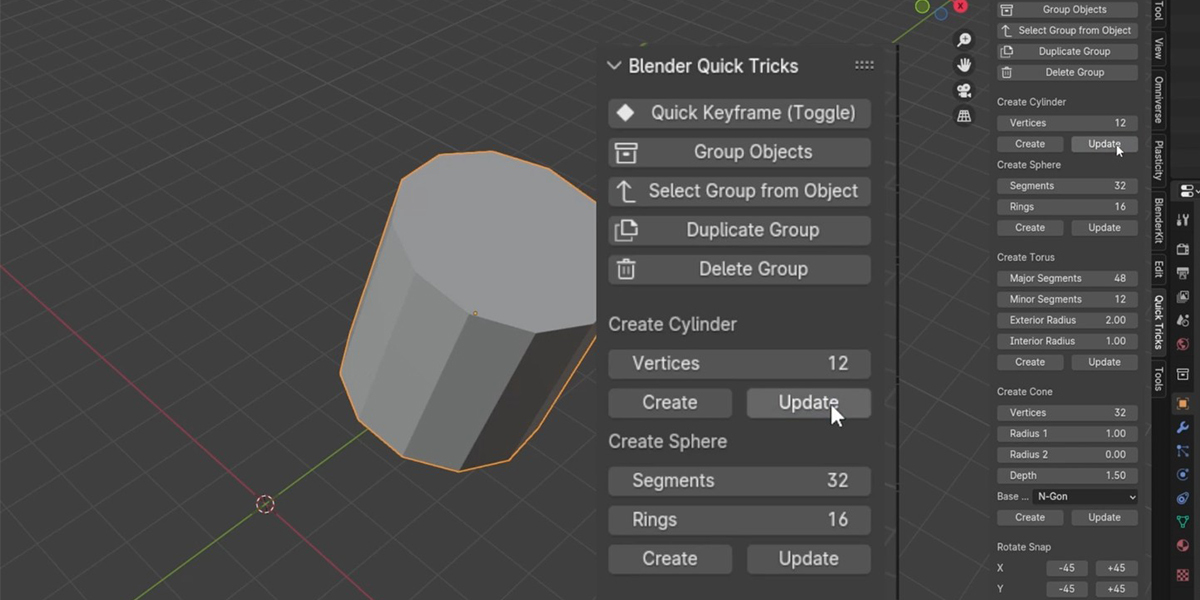
Quick Tricks also provides buttons to create, duplicate and delete groups, or select a whole group from one of its objects. For cylinders, spheres, toruses and cones, you can create a primitive or change its vertex or segment count. The documentation recommends adjusting these values before adding detail to the base mesh.
Rotation controls snap the selected object in 45-degree steps along a chosen axis. Auto Key in Viewport is listed for Blender 4.0–4.2. When enabled, pressing I with the pointer over the 3D View adds nine keyframes for the selected object's transform values.
Install and open the add-on
- Download the ZIP file for your Blender version. Leave it zipped.
- In Blender, open Edit, then Preferences, and choose Install.
- Select the ZIP file and click Install Add-on.
- In the Add-ons section, search for Quick Tricks and enable it.
- Press N in the viewport to open the Quick Tricks panel.
Check the version-specific Auto Key limit if you plan to use that feature. The product page lists overall support through Blender 4.5, while the documentation lists Auto Key only through Blender 4.2.
License and commercial use
The product page lists Quick Tricks under the GPL license. Its product FAQ says the add-on can be used for personal and commercial work.