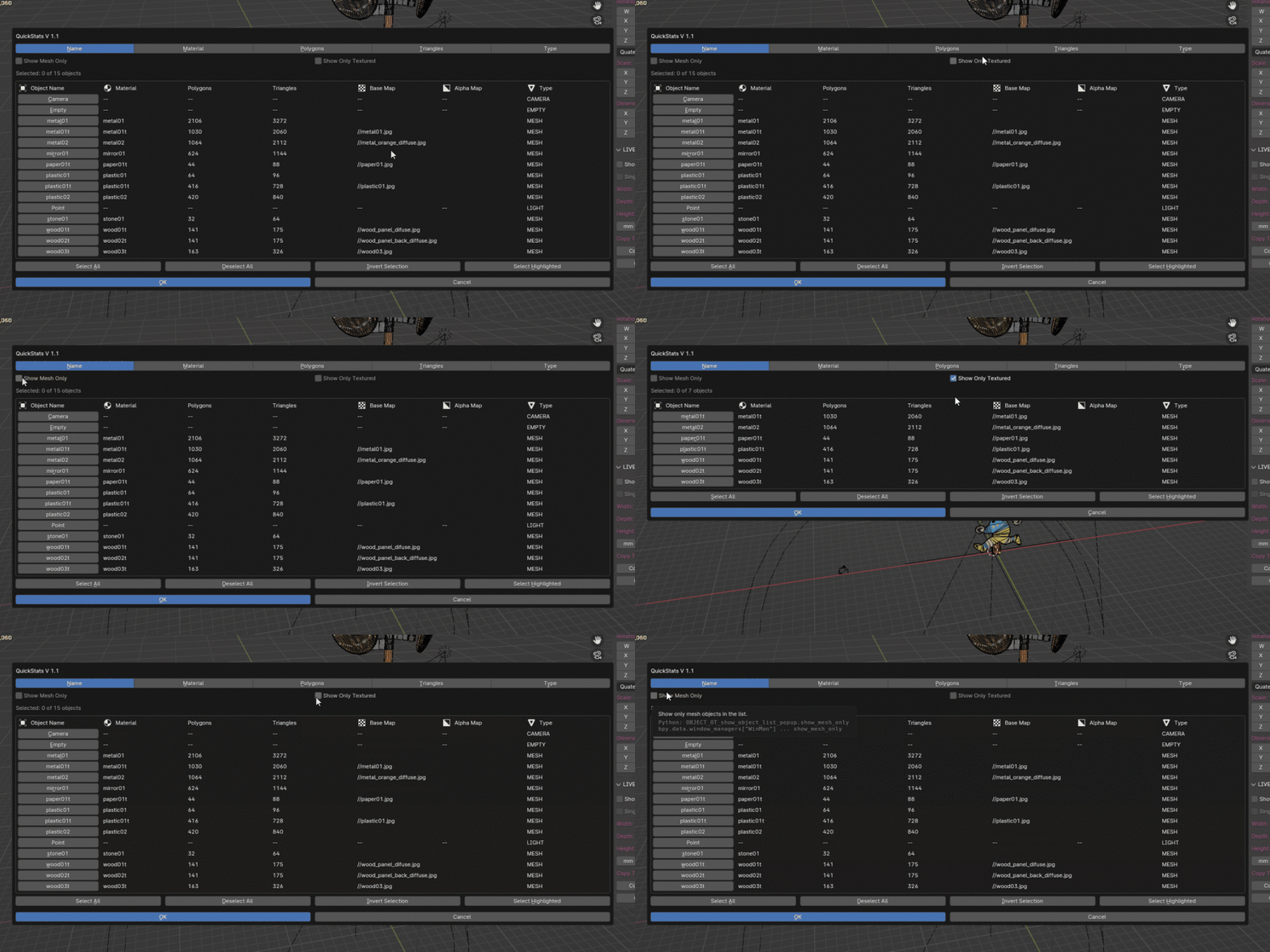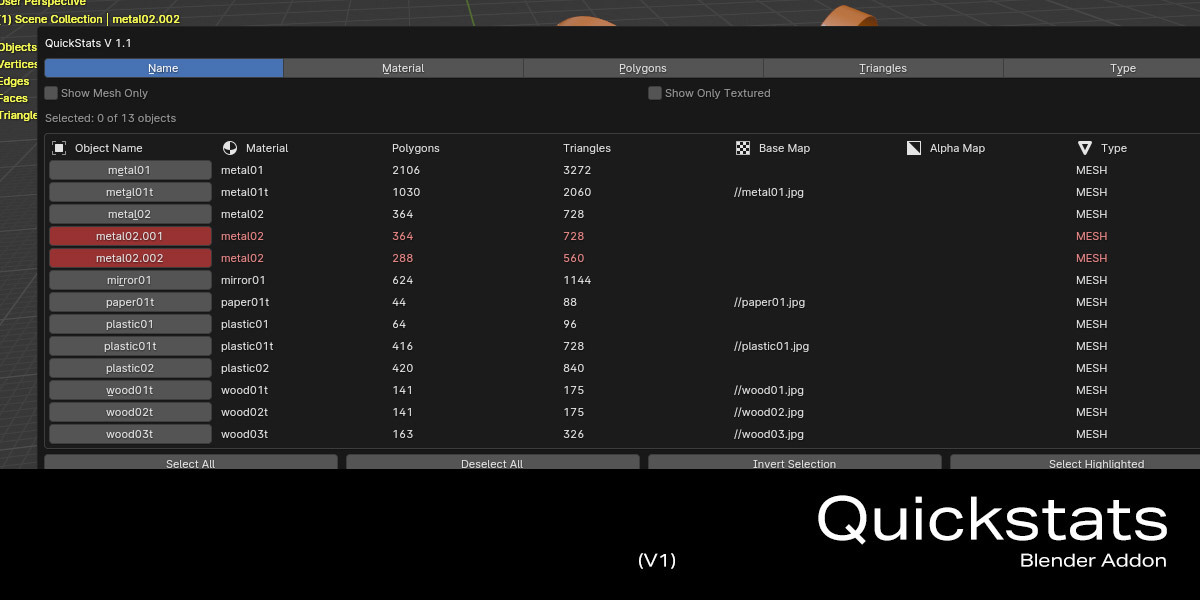
Quickstats is a Blender add-on from atelier ToK for reviewing scene statistics and checking asset organization. It brings object, material, and texture information into one dialog, with polygon and triangle counts for scene review.
Inspect objects and scene counts
Sort results by name, material, polygon count, or type. Filters narrow the list to mesh-only or textured objects, and the dialog tracks selected-item counts alongside the total object count. This helps when reviewing a scene by asset type or locating objects with high polygon counts.
Find naming and texture-path issues
Quickstats flags naming inconsistencies between objects and materials and validates texture paths to catch broken links. Problem entries are highlighted, and Select Highlighted selects them together so you can inspect and fix names or paths in Blender. These checks may suit game asset artists, technical artists, production teams, and QA workflows that use structured naming or asset-compliance rules.
Access and setup
Open Quickstats from the View3D editor menu or the right-click context menu in Object mode. During installation, choose whether its button appears in the toolshelf menu, the context menu, or both. The Superhive product listing has installation details, identifies the license as GPL, and provides creator support through its messaging system.