Rename Uv Maps is a Blender add-on that renames UV maps on selected mesh objects to match the UV map name of the active object. It is intended for preparing objects before joining them, exporting to a game engine, or handing a project into a shared pipeline.
Match UV map names before joining
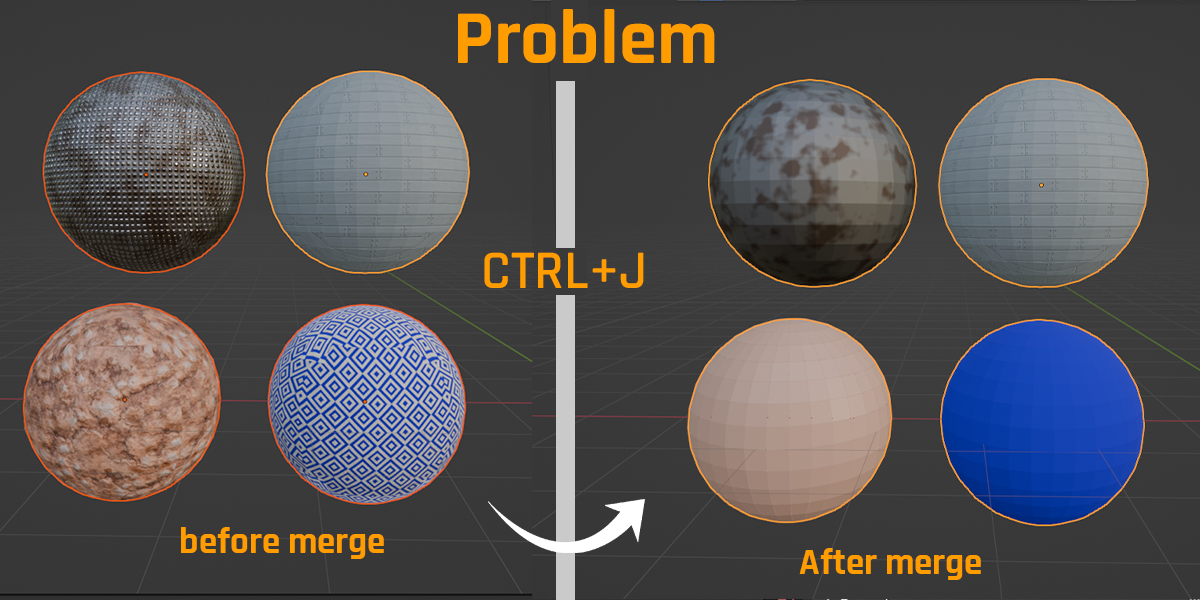
When selected meshes use different UV map names, this operator gives them a consistent name based on the active object's map. The Superhive product listing describes mismatched names during a Ctrl+J join as a source of lost or zero-scale UVs and broken textures. Rename Uv Maps is designed for the naming step before that operation.
Selection and location
The add-on works on mesh objects. If the selection also contains lights, empties, cameras, or other non-mesh objects, those are skipped silently. The active object needs a valid UV map selected so the other selected mesh objects have a name to match.
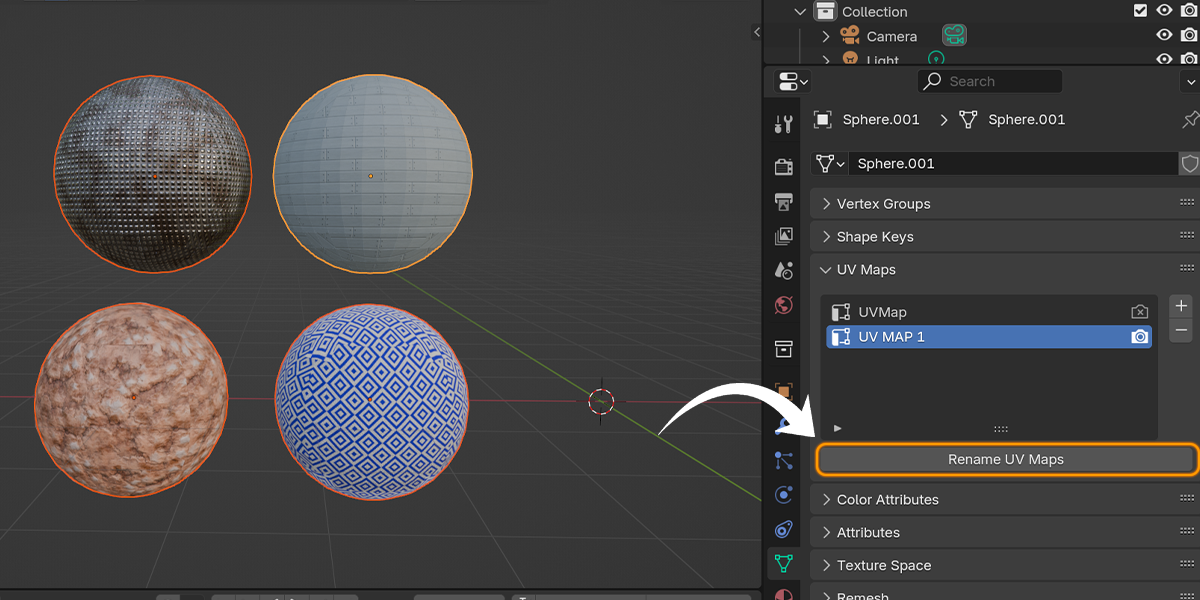
The operator is available from the UV Maps panel in Blender's right-hand Properties sidebar. It adds no separate interface panels and includes undo support.
Installation and compatibility
Download the ZIP, then in Blender open Edit > Preferences > Add-ons, choose Install, select the ZIP, and enable the add-on. The package includes Rename UV Maps.py, manifest.toml, a license, and a README.
The marketplace marks it as Blender Extension compatible and lists Blender versions 2.93, 3.0 through 3.6, and 4.0 through 4.4. Check the current product listing for compatibility details before installing on another release. The marketplace lists a GPL license, and AnyPlugins lists the add-on as free.