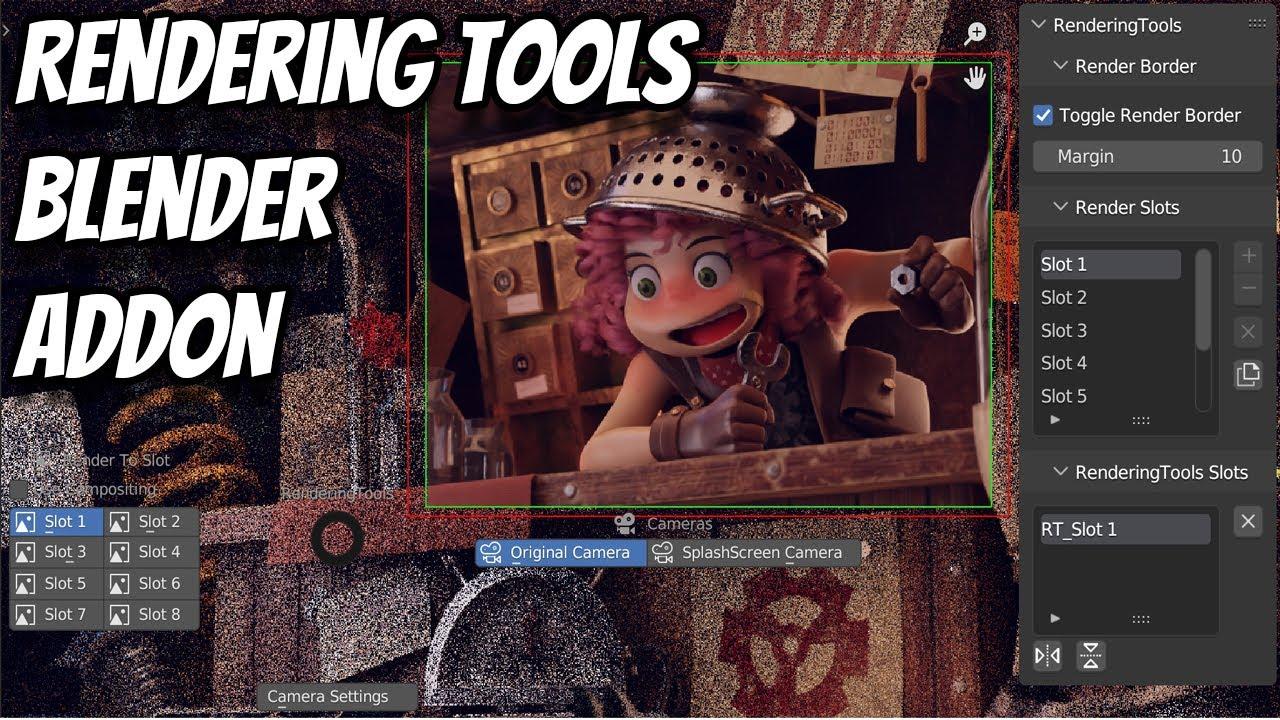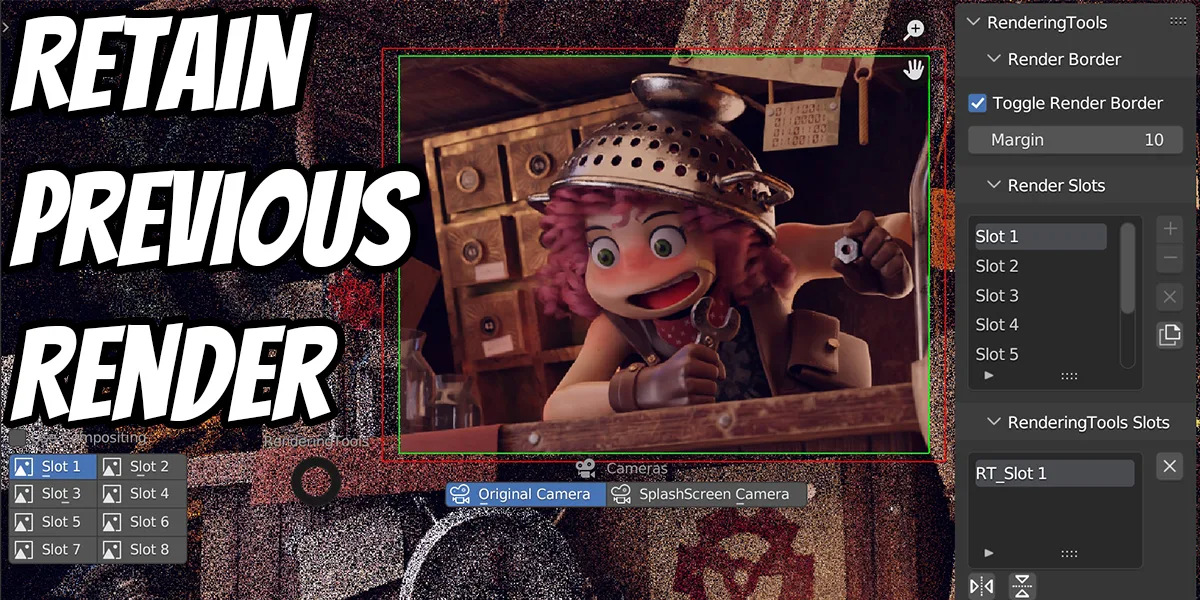
Renderingtools - Retain Previous Render is a Blender add-on with camera and render-slot controls in a pie menu over the 3D View. It can retain the earlier render image when you use a render border, and the menu shows which camera is active and whether an RT_Slot contains an image.
Camera and render controls
Open the pie menu with Shift + Ctrl + Alt + Q. You can change this hotkey. From the menu, switch to any camera in the scene, set a local camera for a 3D View area, or render to a slot. These controls are available from the 3D View.
Previous renders and render borders
The add-on can retain the previous render image when a render border is in use. It can also display the render border in Blender's Image Editor. The product listing says a render is saved to an RT_Slot when it completes, or when you close the render window before it finishes.
Setup and compatibility
Some features use a workaround for the Blender Python API: render pixels are saved to disk, loaded back into Blender, then removed from disk. The product notes say to save the blend file first. The listing names Blender 3.0, 3.1, 3.2, 3.3, 3.4 and 3.5, and identifies the license as GPL. It does not state compatibility with later Blender versions, so check the product listing before installing into a newer release.