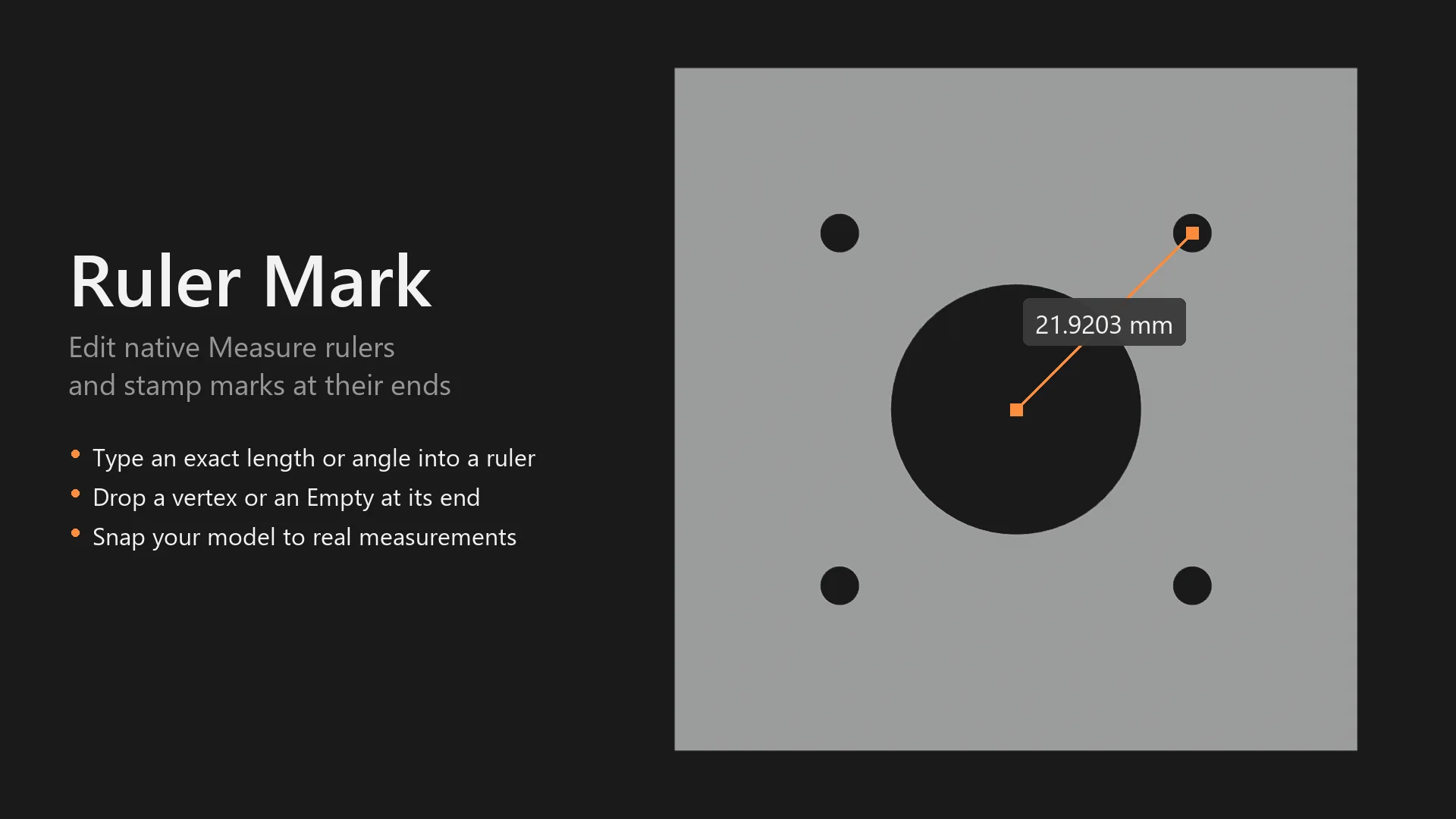
Ruler Mark adds editing and geometry tools to Blender’s built-in Measure tool. You can change a ruler’s exact length or horizontal or vertical angle, then preserve its endpoints as construction references or convert the measurement into a mesh line. The controls are in the Ruler tab of the 3D Viewport sidebar, which opens with N. Ruler Mark works alongside the Measure tool.
Change an existing ruler
Arm Pick mode to select a ruler in the viewport, or use the previous and next controls to move through existing rulers. Blender highlights the selected ruler. Enter a length or angle in the Ruler panel and the on-screen measurement updates live. This is useful when you need to adjust a ruler to a known dimension or direction. Ruler Mark edits the native Measure ruler, so you can keep working with the measurement already in the scene.
Keep ruler endpoints as geometry
You can place a vertex or an Empty at one endpoint or at both ends of a ruler. Vertices can go into a Marks mesh; Empty markers are created as Mark objects. These construction points can be snapped to in the 3D Viewport. If you need a line through the measurement, convert the ruler to a RulerLine mesh. Its edges connect the points along the ruler, giving you scene geometry to use as a modeling reference.
Read curve and mesh-edge lengths
Ruler Mark can report the arc length of the active Bezier, Poly, or NURBS curve, as well as the total length of selected mesh edges. Copy either measurement to the clipboard to paste it into another field or app. The add-on requests clipboard permission for copying measured lengths.
Blender tool behavior and compatibility
Blender shows rulers only while the Measure tool is active. When you edit a ruler, Ruler Mark reactivates Measure internally to refresh its cached gizmo, and the tool may blink for one frame. The Blender Extensions listing identifies compatibility with Blender 4.2.0 or later and a GNU GPL v3.0 or later license. See the official Blender Extensions listing for the current release and installation information.