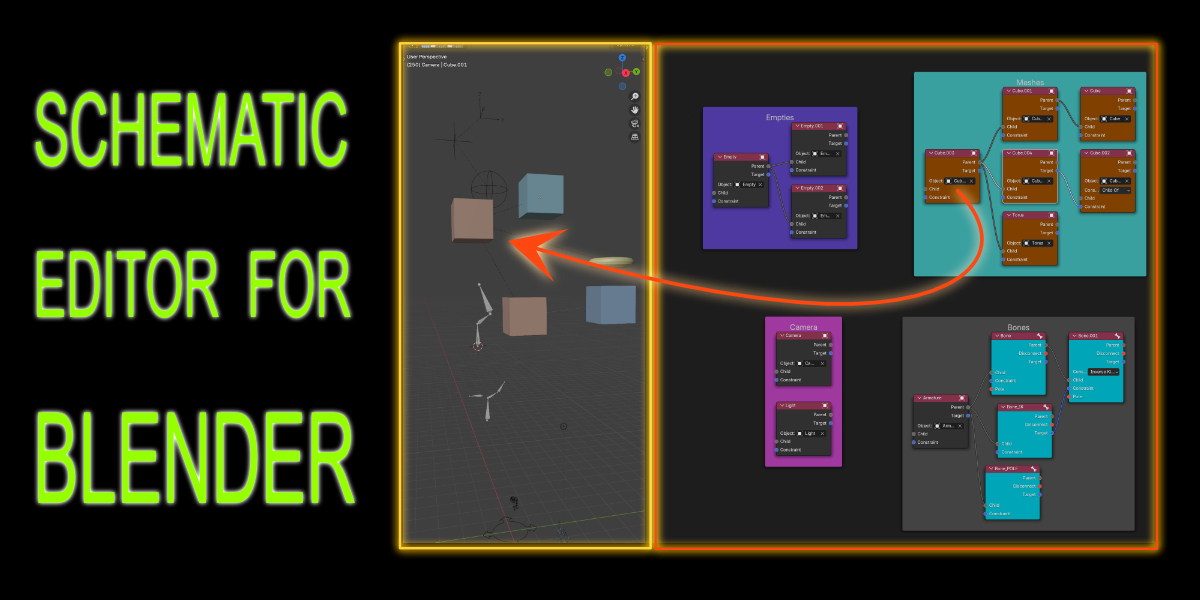
Schematic Editor, also called wk_Schematic on the product listing, is a Blender add-on for viewing and editing rig relationships as a node graph. It shows parenting and constraint links between objects and bones, so you can inspect a hierarchy without opening each level in the Outliner. The Schematic Editor documentation covers its controls and workflow.
Inspect and edit rig relationships
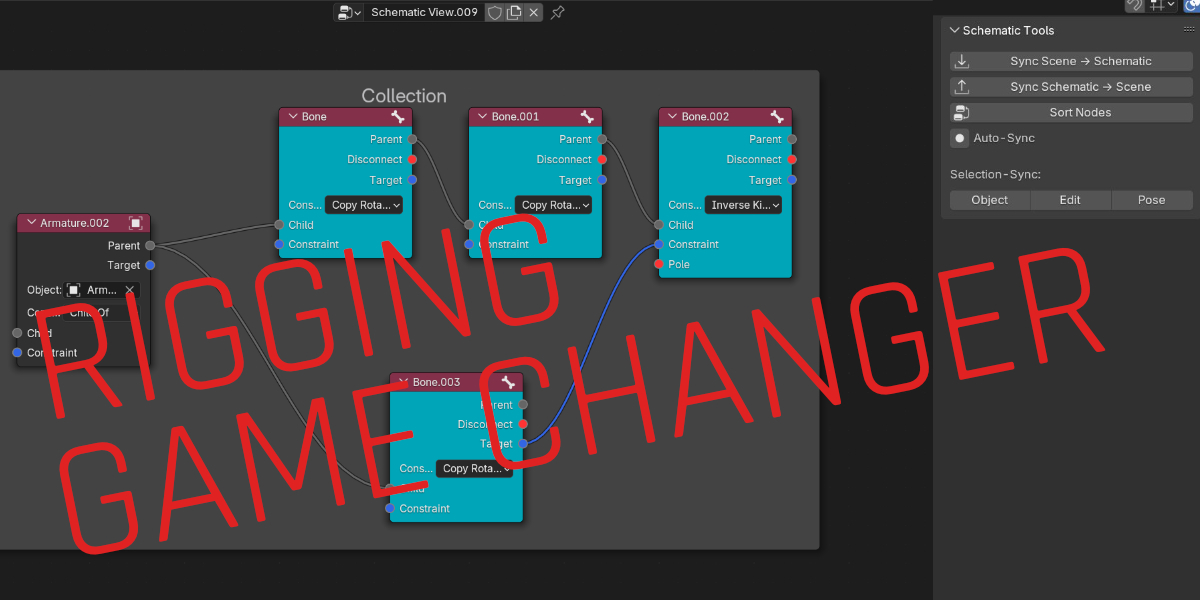
In the schematic, nodes represent scene objects and bones. For object parenting, the N-Panel offers Keep Transform and Without Inverse modes. Connect a Parent socket to a Child socket to set parenting, or connect constraint and target sockets to create a constraint. The product listing names Child Of, Copy Rotation, IK and Pole Vector as examples. The documentation describes a dropdown for constraint types and support for object and bone constraints, with IK constraints for bones, including pole vectors.
A side panel exposes constraint parameters. You can add constraint sockets, remove empty ones and work with multiple constraints on a node. The documentation also describes selection sync: selecting a node can highlight its object in the scene, and controls can switch the selected object or bone into Edit or Pose mode.
Sync changes with the Blender scene
Start with Sync From Scene to bring the current objects, bones and supported relationships into the schematic. Make structural edits there, then use Sync To Scene to apply them. If you change the rig in the 3D view, run Sync From Scene again to refresh the schematic.
Auto-Sync can reflect schematic edits live, but the documentation says it is not recommended for heavy rigs because it can cause slowdowns. For large setups, manual syncing gives you a clear point at which the changes are applied.
Group collections and navigate hierarchies
Collections appear as framed groups around their nodes. To move an object between collections, press Alt+P to unparent its node from the current frame, drag it into another frame, then sync the change to the scene. Collection colors appear on the frames.
The selection shortcuts help move through a rig: L selects the direct parent, Shift+L selects direct children, and Ctrl+L selects the full parent-child hierarchy.
Compatibility and known limits
The product listing identifies version 1.6.7 as compatible with Blender 5.1 and lists Blender versions 4.2–5.1 in its version details. Check the product listing for current release information.
The documentation lists data display and drivers as unsupported in the current version. It also warns that large hierarchies, including full Rigify rigs, may affect performance. Renaming a node in the schematic does not rename the corresponding scene object, and changes made directly in the 3D view do not automatically refresh the schematic.
Who it suits
Schematic Editor is intended for Blender riggers who need to inspect or change parenting and constraint structures visually. Its node links, collection frames and selection shortcuts can help when an Outliner hierarchy is difficult to follow. Check the documented limits if your work depends on drivers, displayed object data or editing a large rig at once.