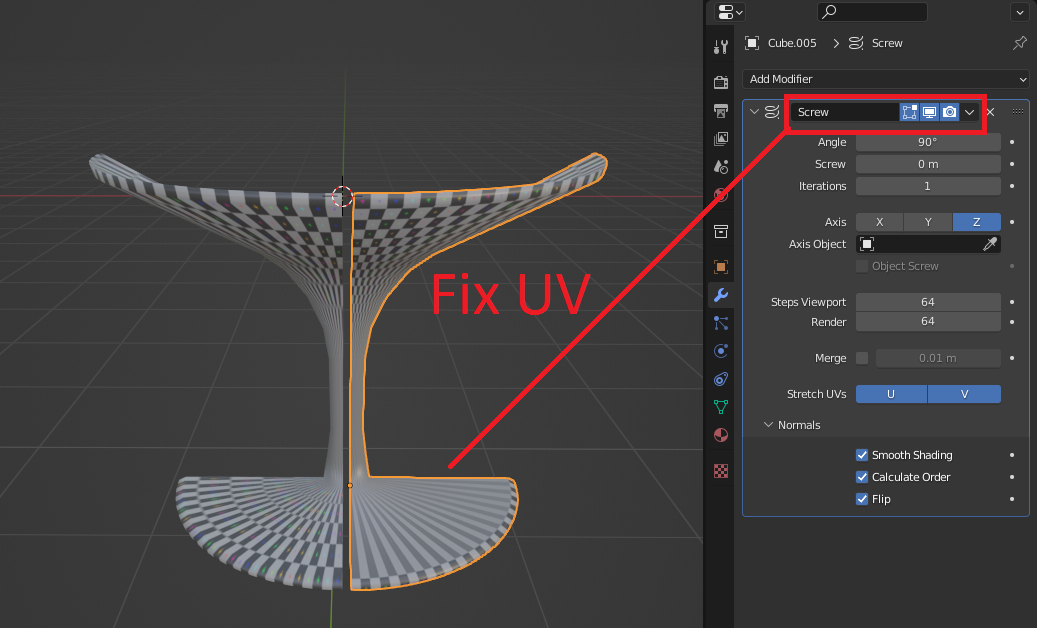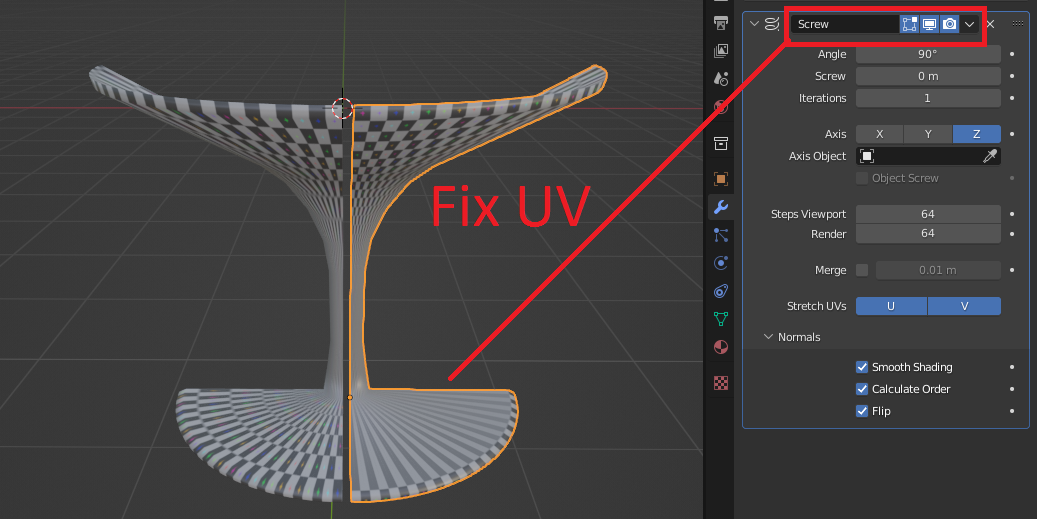
Screw Modifier UV Fix addresses a specific UV mapping problem in Blender: the Screw modifier uses cylindrical projection, which can leave UV islands on faces parallel to the ground with zero area. The add-on is intended for meshes created by applying the Screw modifier.
How the UV repair works
After you apply the modifier, run the correction from Edit Mode. The add-on creates new UVs scaled proportionally to the lengths of edges in the main edge loop.
- Apply the Screw modifier to the mesh.
- Switch to Edit Mode and right-click to open the context menu.
- Choose
Fix Screw Modifier's UV.
This targets the UV issue caused by the Screw modifier's cylindrical projection. It is not intended as a general-purpose UV repair tool for meshes made another way.
Installation and compatibility
The installation instructions say to open Edit > Preferences > Add-on > Install, select the add-on ZIP file, then find and enable Styriam Screw Modifier UV Fix. In Blender 4.2 through 5.0, use Preferences > Get Extensions > Install from Disk for a ZIP; Blender's manual says that menu also installs legacy add-on ZIPs. Enable the add-on after installation.
The Superhive product listing names Blender 3.0 through 5.0 as its supported range and lists the license as GPL. If the UV result causes problems, the developer recommends checking that the mesh normals face the right direction.