Run custom scripts from the N-panel
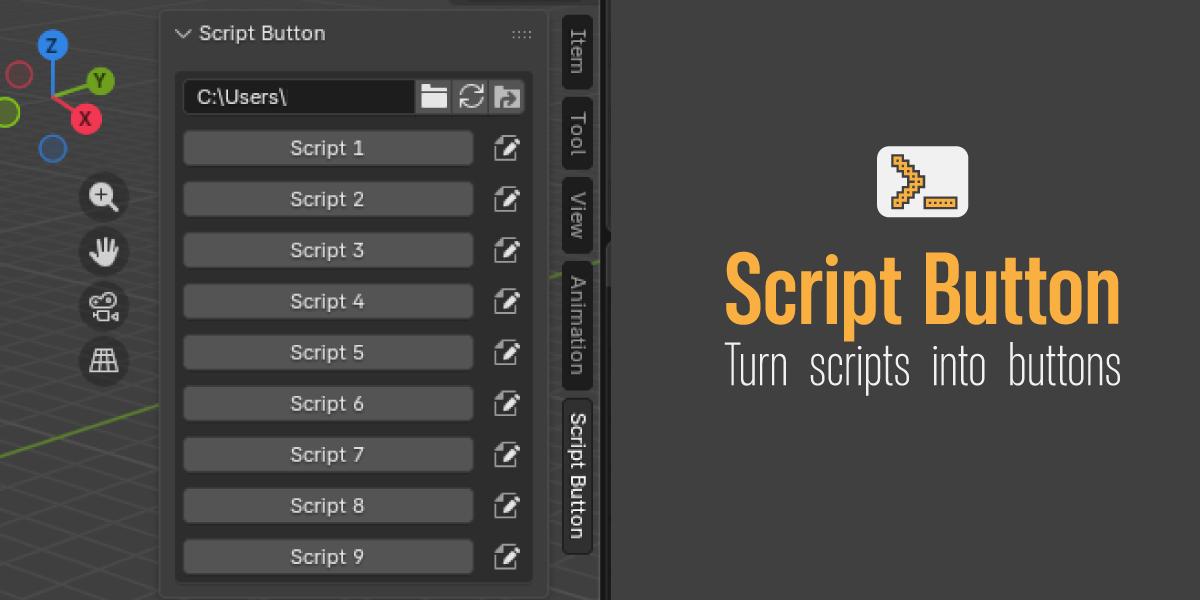
Script Button - Turn Scripts Into Buttons is a Blender add-on for custom Python scripts. Its N-panel buttons make those scripts easier to launch without returning to the Text Editor. folder’s .py files appear immediately as buttons in the N-panel after you choose it.
- Choose the folder that holds your scripts.
- Script Button finds its .py files and adds buttons to the N-panel.
- Select a button to run its script.
A custom panel category controls where Script Button’s buttons appear in the N-panel, while Quick Favorites gives selected buttons another shortcut.
When you need to revise a script, open it in your default code editor from Script Button and edit the .py file there.
The add-on is aimed at Blender users who rely on multiple custom scripts. If you use one script only occasionally, a dedicated button list may add little to your workflow.
Compatibility and license
Superhive lists Blender versions 3.0 through 5.0 and identifies GPL as the license. If you use another Blender version, check the Superhive product listing for compatibility details before installing.