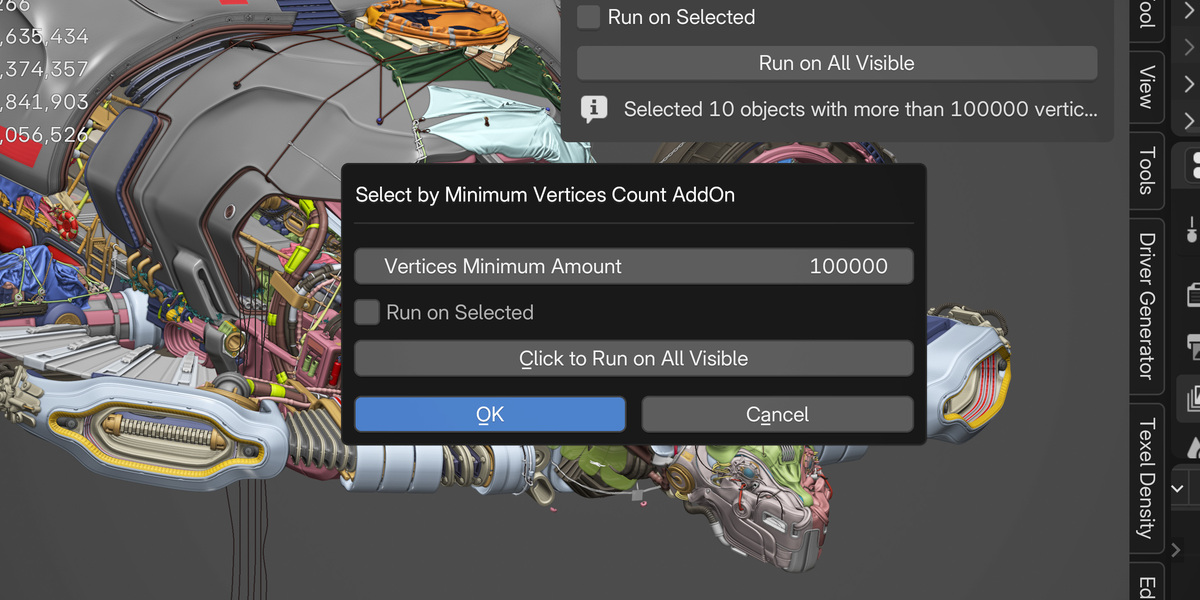
Select By Minimum Vertices Count Add-On is a Blender tool for finding objects that meet a viewport vertex-count threshold. Enter a minimum count, run the check, and the add-on selects objects at or above that number. This can help you locate complex objects during scene cleanup or before reviewing assets for a project.
What the vertex count includes
The count takes added modifiers into account, including Subdivision, so the check reflects modified viewport geometry. The add-on also works with Curves and Geometry Nodes. It identifies matching objects for you to inspect; the listing does not describe tools for simplifying or changing their geometry.
Choose a selection and run the check
- Install the add-on in Blender's Add-Ons panel using its ZIP or updated .py file, as described in the usage instructions.
- Open the Side Panel with N and find Vertices Counter, or search for the add-on's command to open a popup with the same settings.
- Enter the minimum vertex count. Leave Run on Selected enabled to check the current selection, or turn it off to check all visible objects, then run the check.
When it may help
Game developers, 3D artists, and animators can use the selection to find objects that deserve a closer look when managing scene complexity. The threshold lets you focus on geometry at or above a count you choose, while the selected-only mode narrows the check to a group you have already picked.
Compatibility and license
The Superhive listing names Blender 4.0, 4.1, and 4.2, and lists the license as GPL. Check the product page for current compatibility details before installing.