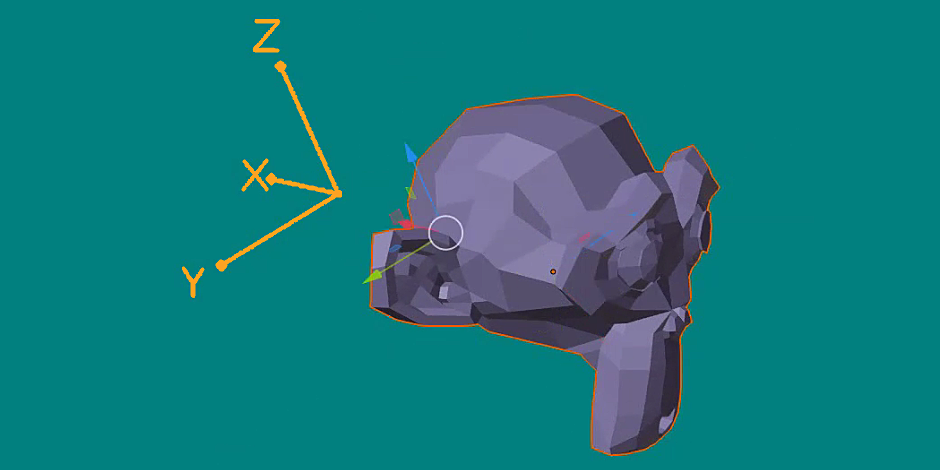
Set Origin & Local Axes is a Blender add-on by 3D OPERATORS for changing the origin and local axes of mesh objects. The Superhive product listing identifies Blender 3.0 through 5.0 in its version field. Its controls cover origin placement, axis orientation, and 3D cursor alignment.
Origin placement options
Choose a reference point for the origin based on the mesh or scene:
- Copy the origin from another object, or place it at the average of the mesh selection, the object center, or the 3D cursor.
- Place it at the top or bottom vertex of the object, using global or local coordinates.
- Place it at the top or bottom of the object, centered in the XY plane, also using global or local coordinates.
The selection average is useful when the chosen mesh elements should define the origin position. The top and bottom options let you use the object's extent as the reference.
Local axis controls
Origin placement changes the reference point; local axis controls change orientation. The geometry-based options set the local Z-axis to a face normal or vertex normal, or parallel to an edge or the line between two vertices. A separate Y-axis option preserves Z only when the new Y-axis is perpendicular to it. You can also copy local axes from another object or from the 3D cursor.
- Invert an axis, such as changing X to -X.
- Swap axes, such as exchanging X and Y.
Use a normal when the Z-axis should follow a face or vertex direction. Use an edge or vertex pair when it should follow a line in the mesh.
Selected objects and the 3D cursor
Several origin options apply to selected objects, and the documentation says copying an origin or local axes uses the active object as the source for the other selected objects. Geometry-based local Z-axis setting begins with one selected object. A separate command aligns the 3D cursor's location and rotation to the active object.
The listing says the add-on is only for mesh objects.
Compatibility and license
The listing's Blender Version field gives Blender 3.0 through 5.0, while its description says Blender 3.0 and further releases, but does not define which later releases that includes. It identifies the GPL license. If you use a Blender release beyond 5.0, check the product listing for current compatibility details. The listing identifies 3D OPERATORS as the creator and links to the developer website.