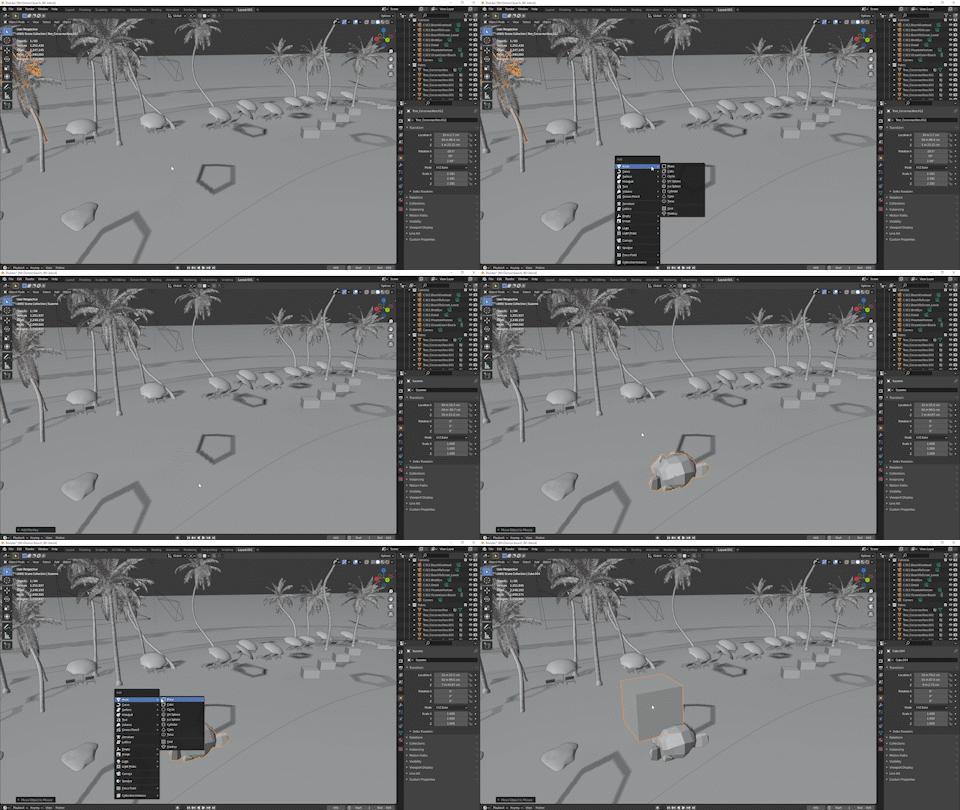
SetIt - Object to Mouse is a Blender add-on from EBTRR for placing the active, unparented object at the mouse position in the 3D viewport. When you add an object, its shortcut lets you use the pointer position instead of repeatedly moving the 3D cursor.
Place objects from the viewport
SetIt can position an object at the mouse position. To change its distance, move it along the viewport mouse vector. Moving the object along that vector can bring it nearer in the view.
Set an object on a surface
For placement on another object's surface, SetIt uses the nearest vertex by default. You can use the other object's location, or origin, as the target instead.
Change the shortcut
You can change the shortcut key in Add-on Preferences. The product listing does not name the default key, so check the preferences rather than assuming a particular binding. The listing does not describe how it handles parented objects.
Check the listed Blender versions
The Superhive product listing names Blender 2.93, 3.0, 3.1, 3.2, 3.3 and 3.4, and lists the license as GPL. It does not confirm compatibility with newer Blender releases. For current compatibility or support, check the listing or contact EBTRR through its Discord channel.