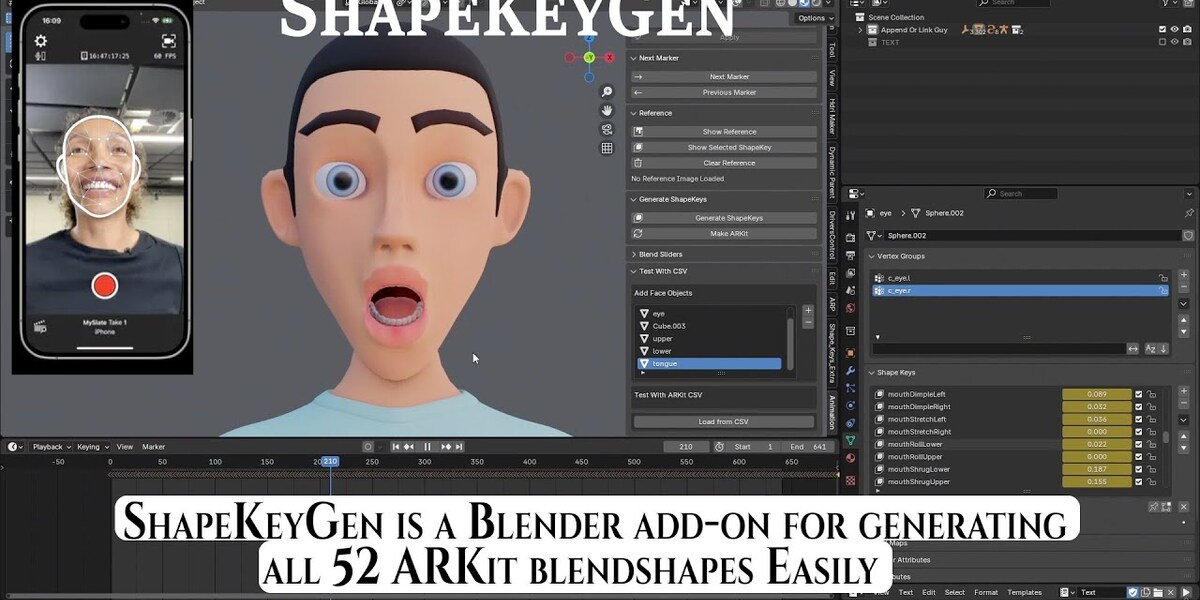
Shape Key Gen is a Blender add-on by Wee Learn From Mobile for creating facial shape keys on a rigged character. It generates all 52 ARKit blendshapes, plus additional facial expressions for AutoRig. It supports AutoRig Pro, Rigify (MetaRig), and custom rigs.
Set up the rig and face parts
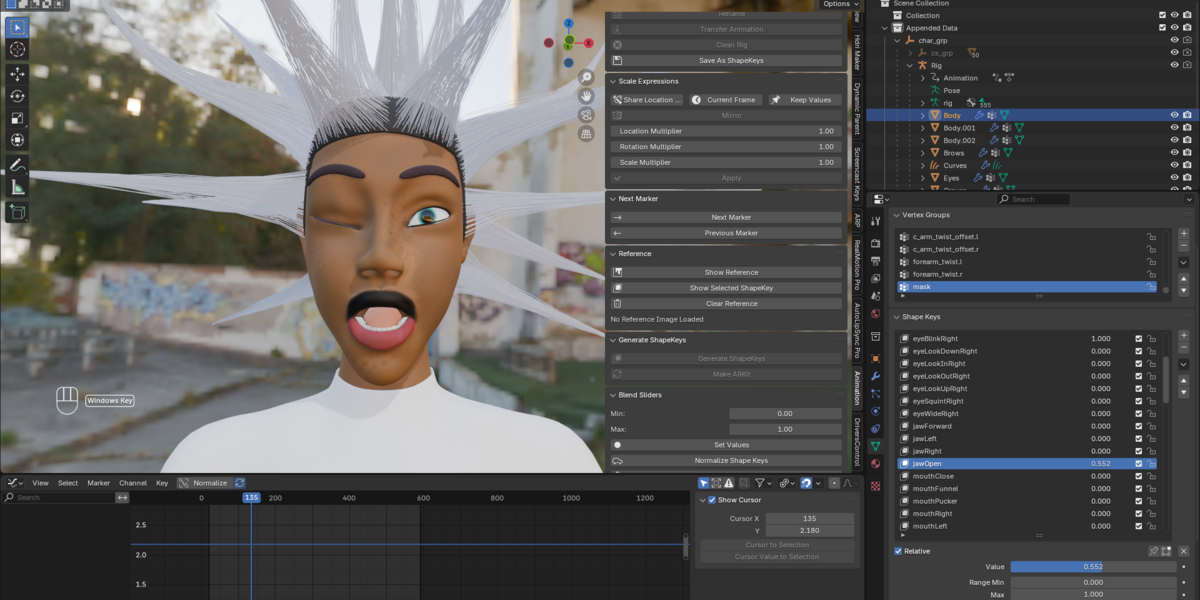
Open the add-on from the Animation tab in the 3D Viewport sidebar. Select the character rig and click Rename; the add-on renames it to R_ShapeKeys and sets it as the target rig. Add the character’s face objects to the Register Face Collection. Face objects can include eyes, teeth, tongue, and eyebrows; the eyes may be joined or separate. Then choose the rig type from the Source Rig menu and click Transfer Animation.
If expressions need adjustment, the multipliers work differently by rig type: AutoRig Pro uses the Location Multiplier, while Rigify uses both Location and Rotation Multipliers. Values above 1 increase expression strength; values below 1 decrease it. Click Apply to finalize the adjustments.
Check expressions and generate shape keys
To view a pose reference, go to a frame with a marker, open an Image Editor, and click Show Reference. The image updates as you move between frames or markers. Show Selected ShapeKey displays a reference for the selected key. You can also use Pose Mode to adjust individual expressions before generating the keys; expressions such as eye blinks may need minor adjustments.
Click Generate ShapeKeys to create keys for the objects in the registered collection, then use Make ARKit to rename them to ARKit naming conventions. The Clean Rig button deletes the rig’s timeline keyframes and markers, so check the timeline before using it. Test the generated keys afterward.
Test animation from a CSV file
Shape Key Gen can load CSV animation onto objects that already have ARKit-compatible shape keys. Add those objects to the Add Face Objects collection, click Load From CSV, and choose a file. The add-on includes a CSV file for testing. The Superhive product listing gives the full feature details and currently lists Blender 3.6–5.3. It also links to a setup video for custom rigs.