Shape Key Manager Pro is a Blender add-on for shape key rigging. It duplicates and mirrors keys, copies and retargets their drivers, and includes tools for transferring shape keys between objects. It is suited to workflows where you need related deformations on both sides of a character or want to manage many keys together.
Duplicate, mirror, and convert objects to shape keys
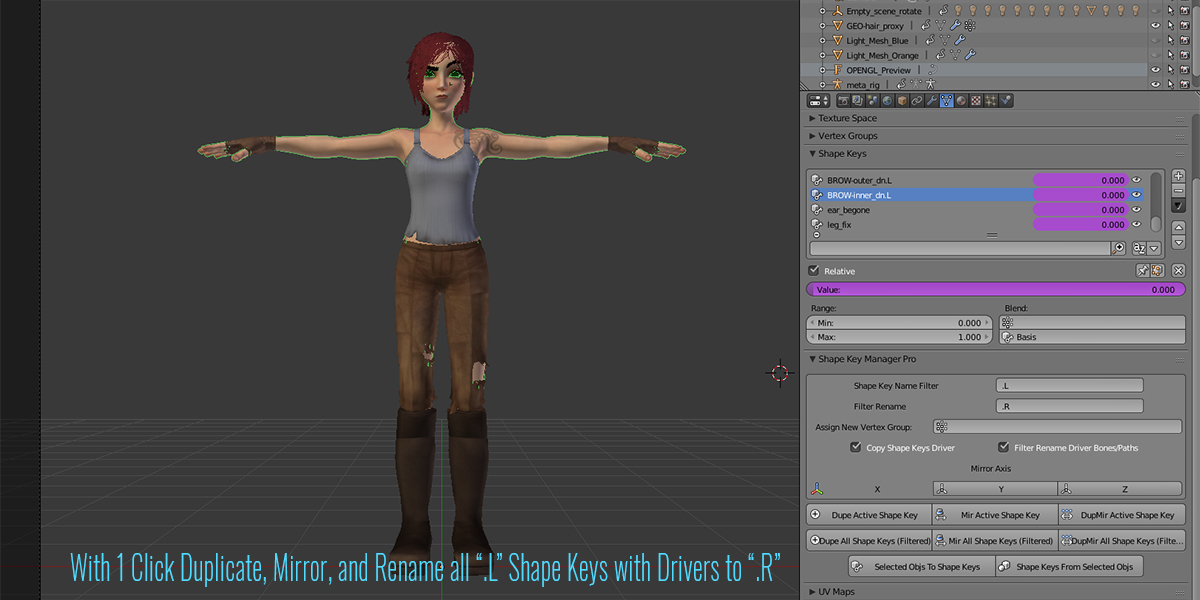
The add-on can duplicate a selected shape key or process multiple keys that match a name filter. Its mirroring operators can mirror keys, or duplicate and mirror them together. You can assign a vertex group to new duplicates, which helps when separate groups should control the influence on each side of a mesh.
Shape Key Manager Pro can also turn selected objects into shape keys on the active object when their vertex indices match. This is useful when another application has supplied morph targets as separate objects.
Copy drivers across a character
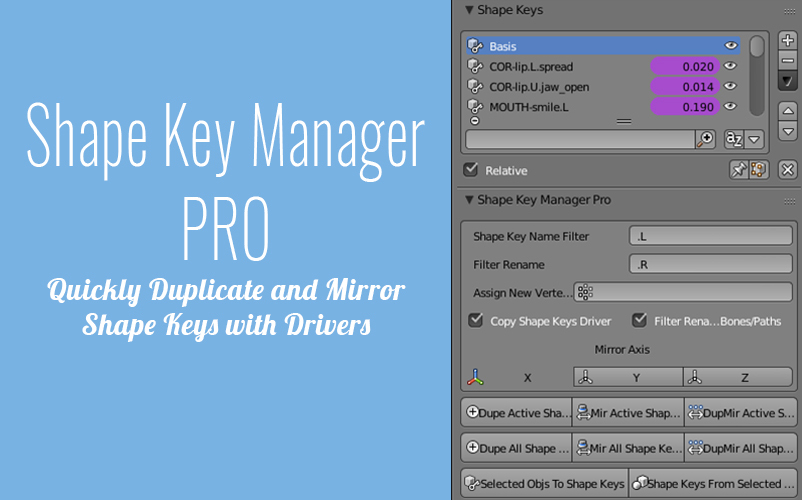
When shape keys use drivers, the add-on can copy a key's driver and rename its bone targets or data paths. A naming convention such as .L and .R gives it a pattern to use when adapting names from one side to the other. The documentation describes controls for filtering shape key names, renaming matches, assigning vertex groups, copying drivers and setting the mirror axis. See the Shape Key Manager Pro documentation for those settings.
Transfer keys between different meshes
A separate transfer option handles objects with different vertex counts. The documented workflow uses a temporary shape key on the target object; you move the target toward the source with proportional editing, then the add-on maps each target vertex to the nearest source vertex. You can limit the operation to selected target vertices and apply corrective smoothing iterations. The developer recommends making the source denser with a subdivision surface modifier for smoother results. Since this method relies on nearest-vertex mapping, inspect the transferred deformation on your mesh.
Keep related keys in sync or separate them
Parent-child relationships let you edit a parent deformation and use the Refresh Relationship operator to push those changes to a child key. This can help maintain separate left and right corrective shapes when the keys use different vertex groups. Another operator separates each shape key into its own object; it can apply the key's vertex group weights during that conversion.
Compatibility and documentation
The product listing includes Blender 2.79 and versions through 4.3. Check the current product listing for compatibility with your Blender release. The listing identifies the add-on as GPL-licensed. Its documentation covers installation and the shape key controls.