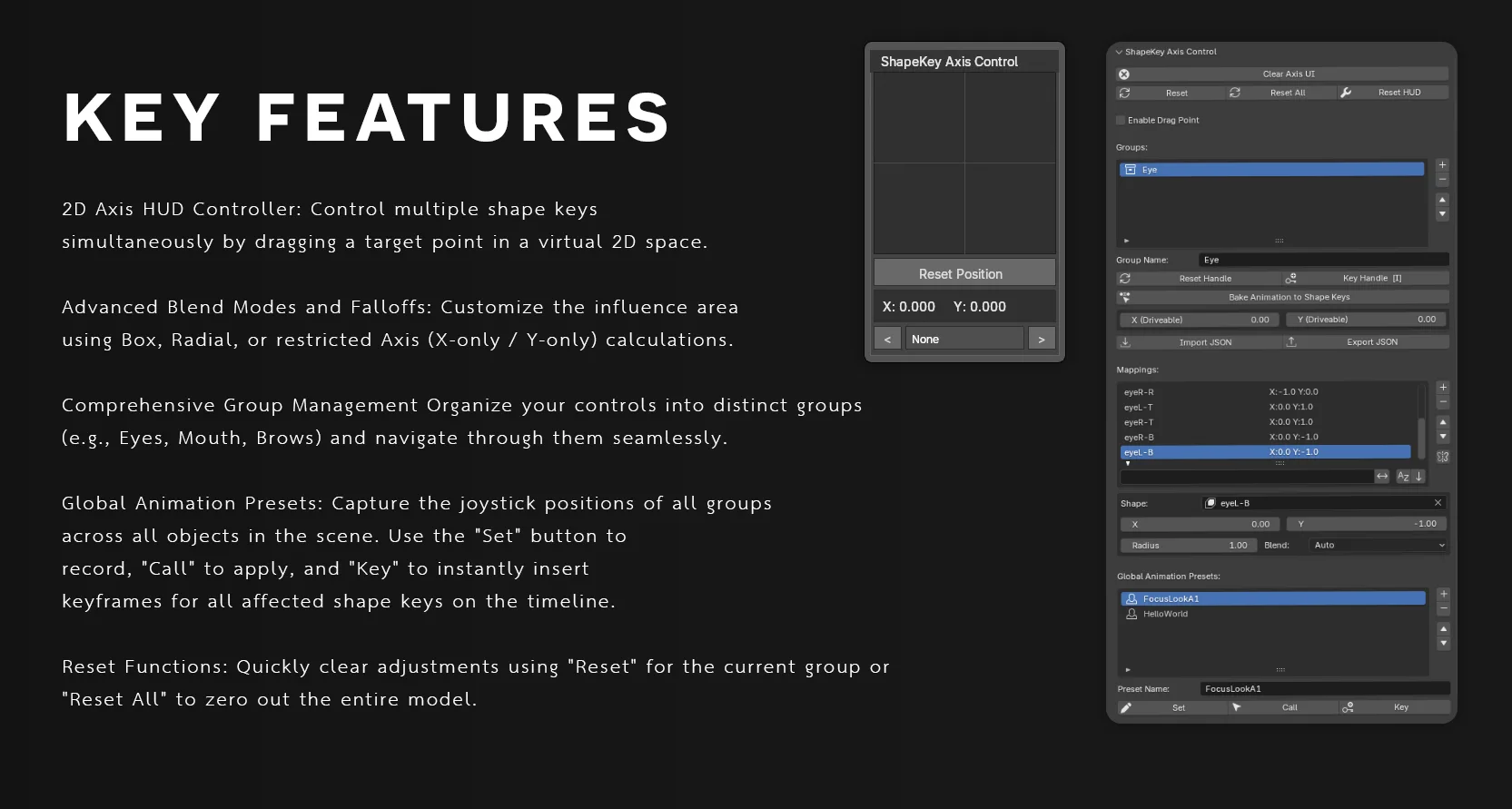
ShapeKey Axis Control is a Blender add-on that maps shape-key values to a draggable joystick on a 2D Axis HUD. Moving the point across X and Y blends its mapped keys according to their configured positions. It suits rigs that use shape keys for facial controls, eye tracking, lip sync, or mechanical animation. The Blender Extensions listing identifies Axnise as maintainer.
Map shape keys to the joystick
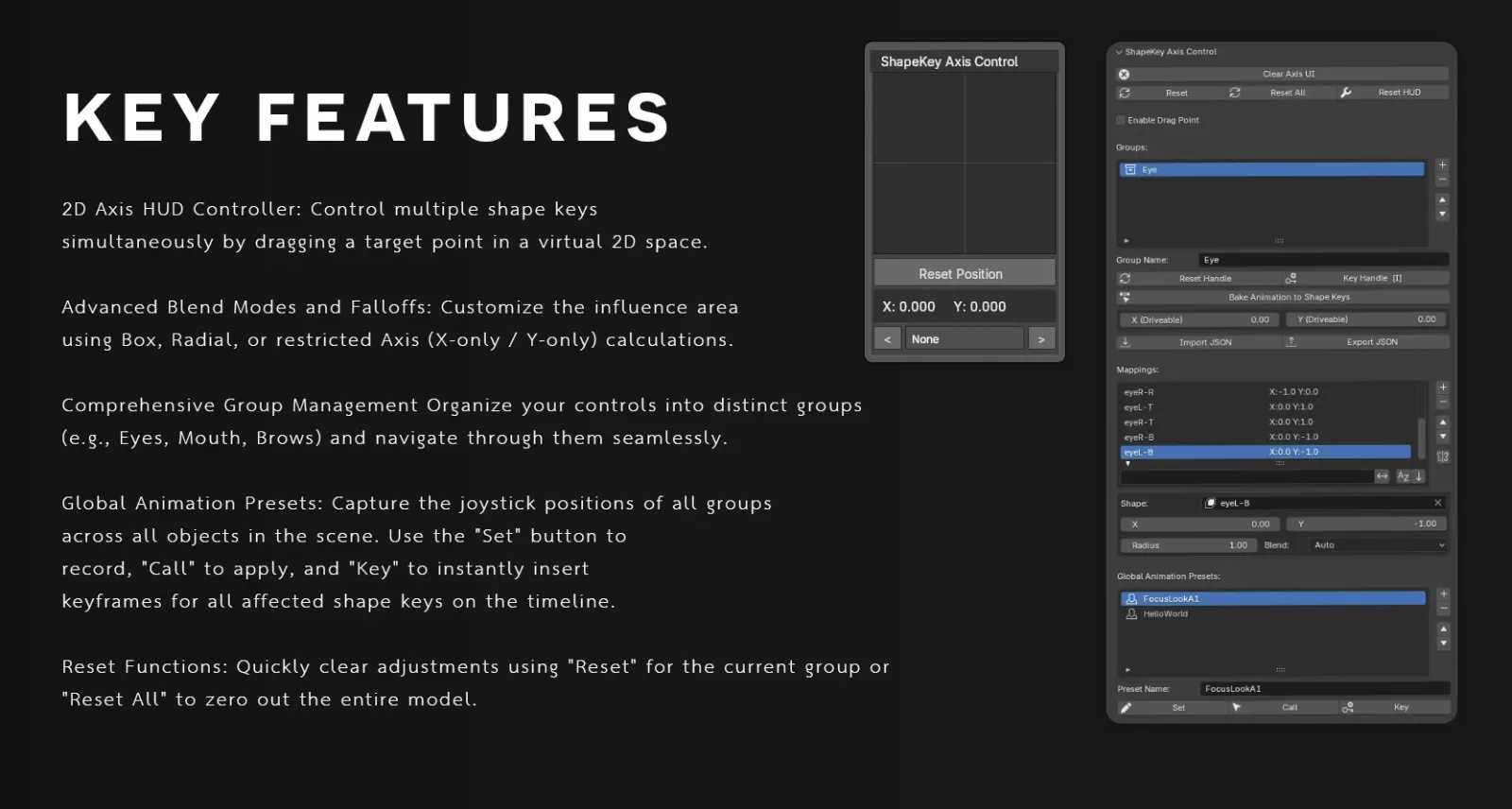
To set up a control, select an object with shape keys, open Blender's Sidebar with N, and choose Shape XY. Create a group, add shape-key mappings, assign each to the X or Y axis, and set its range. Start the HUD, then drag the target point to test how the keys respond together. This gives a set of authored shape-key variations a shared control space.
Box and Radial modes define different ways mappings respond across the joystick area. Axis mode restricts control to X or Y, and falloff settings tune the influence area. Use a two-dimensional mode when motion across both coordinates matters, or an axis-restricted option for one-direction control. The resulting blend depends on the keys, ranges, and mode assigned to each mapping.
Keep rig controls organized
Groups can organize mappings around rig controls such as eyes, mouth, or brows, so related shape keys stay together as a setup grows.
Version and installation
The Blender Extensions catalog lists version 4.0.44, Blender 4.2.0 as the minimum, and GPL-3.0-or-later licensing. Install it through Blender's Extensions system, or download the ZIP from the official listing and follow Blender's Install from Disk instructions. The developer's GitHub repository provides the project source and issue tracker.