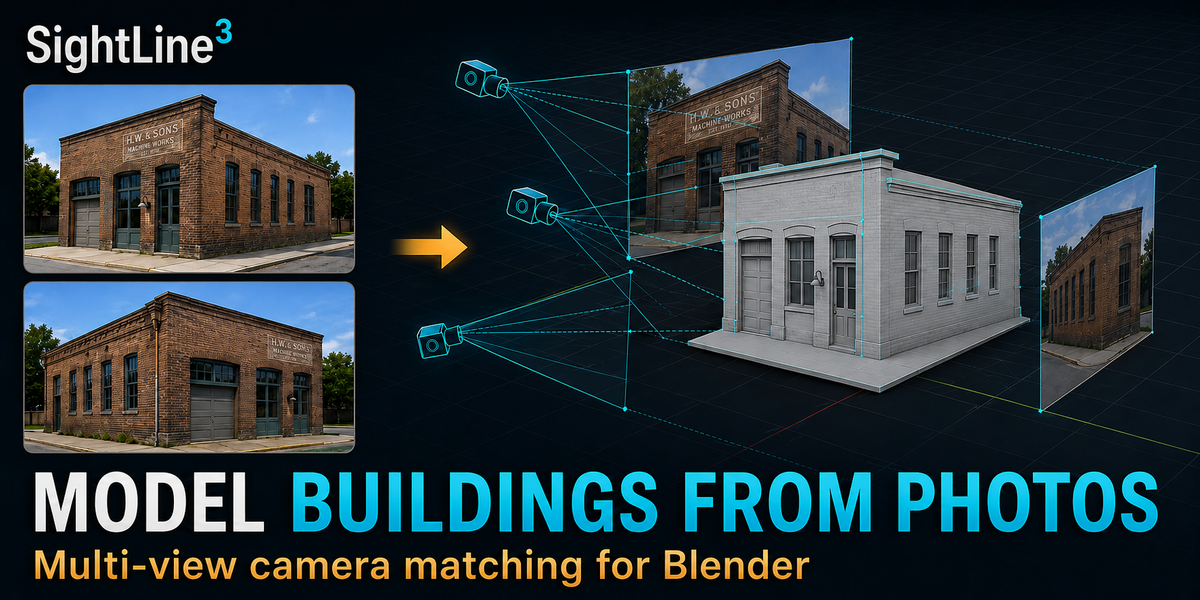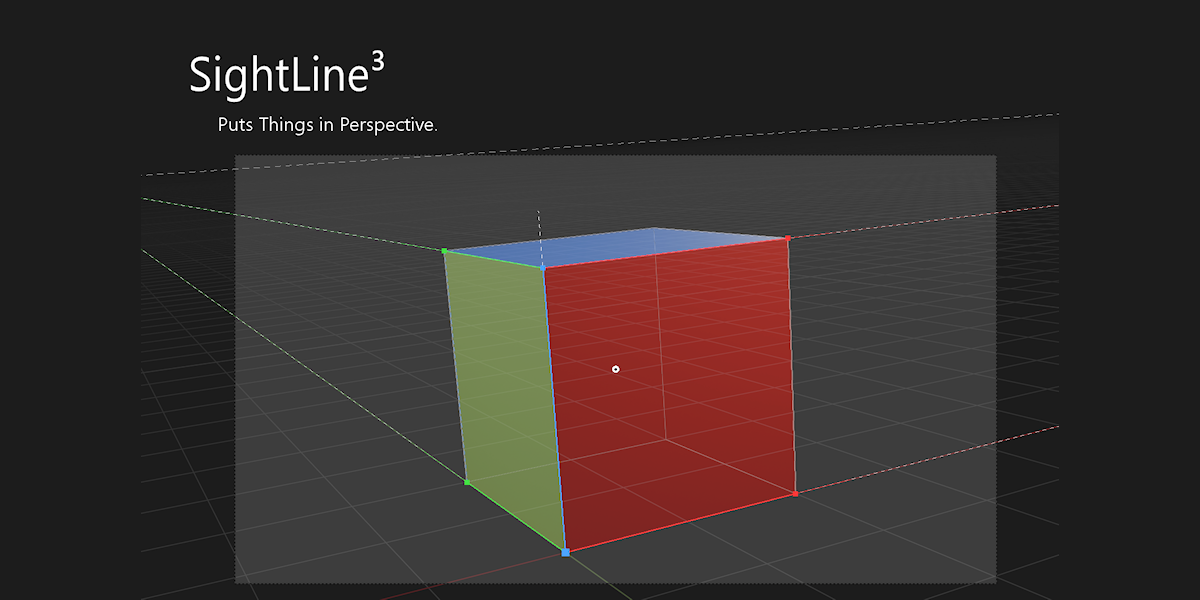
SightLine³ is an interactive camera solver for Blender by Momentum Creative Technology Inc. It uses the TwinRay™ system to derive a camera from the geometry in a reference image, for work such as architectural visualization, matchmoving, set extensions, and modeling from photographs.
How TwinRay camera solving works
TwinRay uses paired, hinged rays along the X, Y, and Z axes. You place the guides against visible geometry in the image, and the solver uses those constraints to calculate camera placement and rotation. The product documentation also describes solving focal length from the image geometry. This gives you a structured way to match perspective when visual alignment alone leaves edges or planes inconsistent.
A typical solving workflow
- Before solving, note the compatibility scope: the documentation limits official support to Windows 11 and says Blender 4.4 or later, while the product listing shows Blender 4.4 through 5.0. Install and enable SightLine³ through Blender Preferences → Add-ons, select an existing scene camera, and open the add-on from the 3D Viewport N-Panel (Sidebar). Load the reference image into its background and choose a stable geometric anchor. Set approximate Camera Distance and Reference Height values to establish scene scale. A scene type can guide focal-range suggestions.
- Align the TwinRay guides with corresponding edges in the image. Clear, straight lines and well-defined planes give the solver useful geometric cues.
- Review the camera and make production adjustments with the dolly, zoom offset, lens micro-adjust, or roll controls. Solve Lock can freeze the guides and refinement parameters after you validate the result.
Applications and image limits
A solved camera can support modeling from photographic reference, product placement, photogrammetry cleanup, and visual effects integration. The same camera can be used in scenes rendered with Cycles or Eevee. SightLine³ is constraint-driven and requires the artist to place the guides; it is not a one-click automatic match.
The solver works from the geometry present in the image. It cannot remove lens distortion or reconcile contradictory perspective cues. If the image is warped, stylized, or has inconsistent lines, those conditions can affect the result. Correct lens distortion before solving when needed, and use the refinement controls for practical alignment after the geometric solve.
Compatibility and documentation
The Superhive listing shows Blender 4.4 through 5.0, while its documentation says Blender 4.4 or later. The documentation limits official SightLine³ support to Windows 11; other operating systems have not been formally tested. Check the SightLine³ product listing for current compatibility and license details, and consult the product documentation for setup and workflow guidance. The SightLine³ FAQ covers image requirements and solving questions.