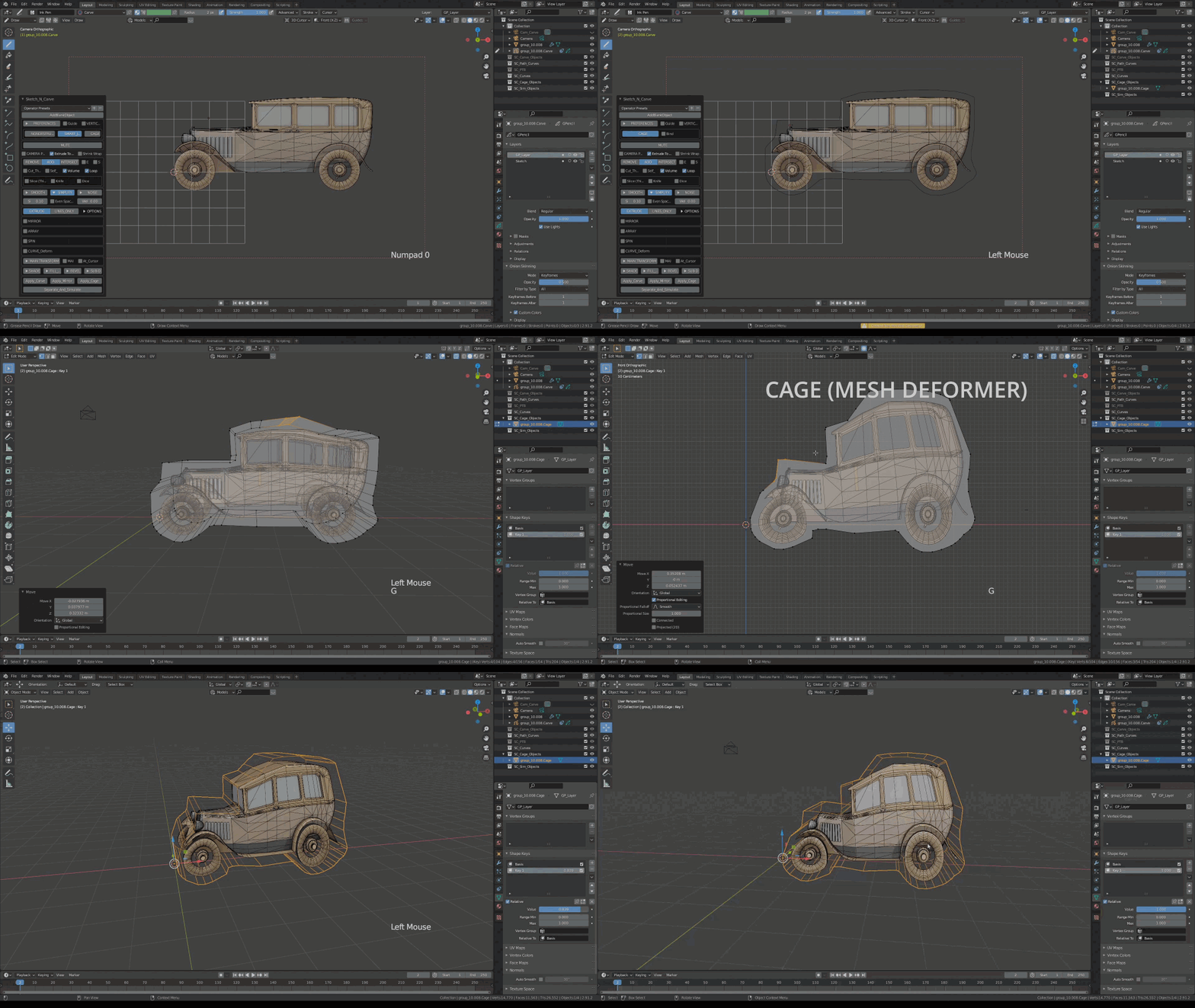
Sketch N' Cage is a Blender mesh and surface deformation tool that turns Grease Pencil drawings into Cage Deform objects. It creates shape keys automatically, ready for animation. A cage can follow an arbitrary shape and bind to its target object 1:1, which can suit rigging work where a lattice does not fit the shape you need.
Build a cage from a Grease Pencil sketch
Draw one or more strokes, then use Join Strokes to make a more complex cage. Extrude with subdivisions or use Symmetric Extrude. The Fit feature adjusts cage depth to match the deformed object, while the Simplify slider controls cage resolution. For flat setups, 2D Cage (Face) and 2D Cage (Side) provide simple cages with infinite depth.
Edit the cage and prepare it for animation
Edit the cage in its final form in real time. The Mute button returns you to the sketch so you can make changes at any stage. The Spin tool creates circular cage shapes, the Mirror Tool makes symmetrical shapes along any axis, and a Remesh modifier creates lattice-like geometry. You can also scale, rotate and translate the cage for placement.
Compatibility and documentation
The available listings differ on the build for Blender 4.3 and later. Superhive lists version 1.2.0a for Blender 4.3 and later, plus version 1.0.5 for Blender 4.2 and before, while the AnyPlugins listing gives version 1.1.0e for Blender 4.3 and later. Superhive lists Blender 3.1 through 5.2 overall, so check the current seller page to choose a build for your Blender version. The product includes SketchN Camera Controls. See the product documentation for Cage (Mesh) Deform details and the product FAQ for setup notes.