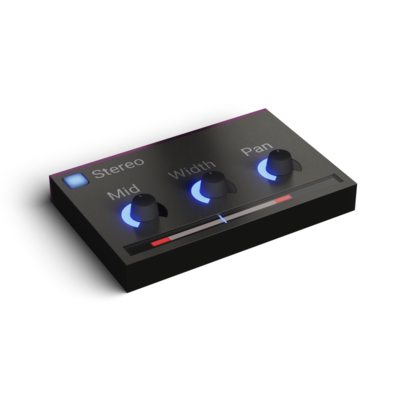
Kilohearts Stereo is a Snapin for adjusting stereo width and panning while monitoring channel balance and correlation. Use it to change a track’s stereo placement and check how its left and right channels relate.
Width, mid and pan controls
Mid controls the level of the mono portion of the signal. Width adjusts stereo width, but needs some stereo information in the input to have an effect. Pan moves the signal left or right. The Stereo Meter displays balance and channel correlation. Its red area indicates correlation below zero, which Kilohearts identifies as a possible mono-compatibility problem.
Using Stereo in a DAW or Snapin Host
You can load Stereo as a regular plugin in a DAW or use it as a Snapin inside Phase Plant, Multipass or Snap Heap. In a Snapin Host, it can be combined with other Snapins. Kilohearts’ control guide explains that right-clicking most controls opens a parameter menu; depending on the parameter, this can include numeric entry, MIDI CC assignment and DAW automation.
Compatibility and availability
Kilohearts lists DAW support for VST2, VST3, AAX or Audio Unit, with x86-64 processors that support SSE3 and Apple M-series processors on macOS. Stereo is included in Kilohearts Essentials, which is listed as free with an account. Kilohearts’ system requirements list no licensing hardware for its plugins. Versions installed through Slate Digital installers require an iLok USB dongle or iLok Cloud and a valid Slate Digital license.