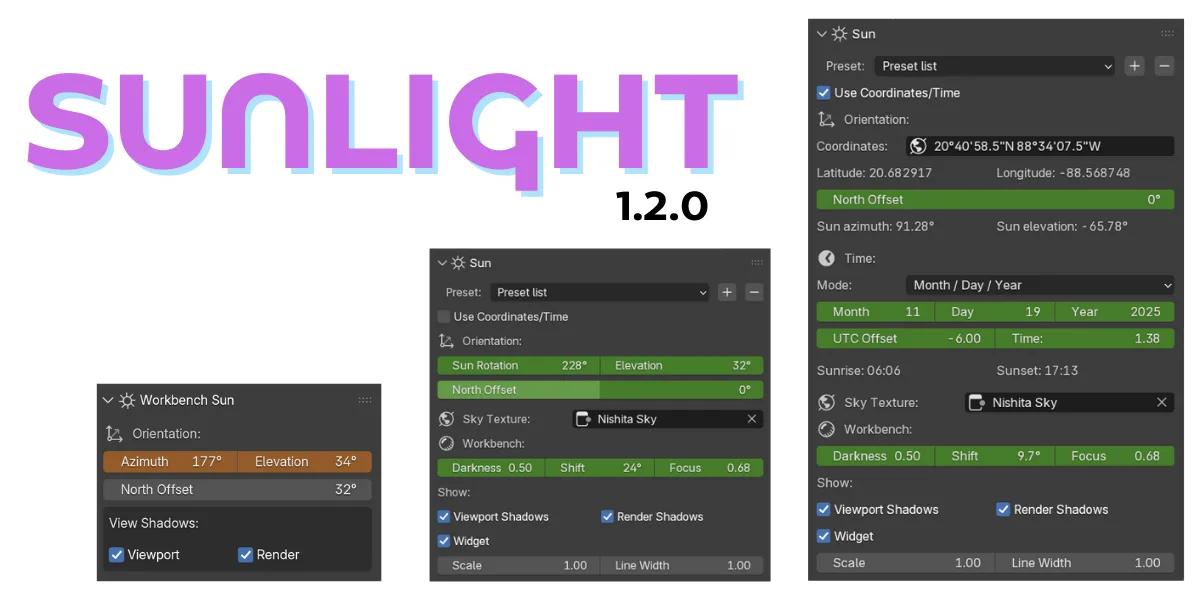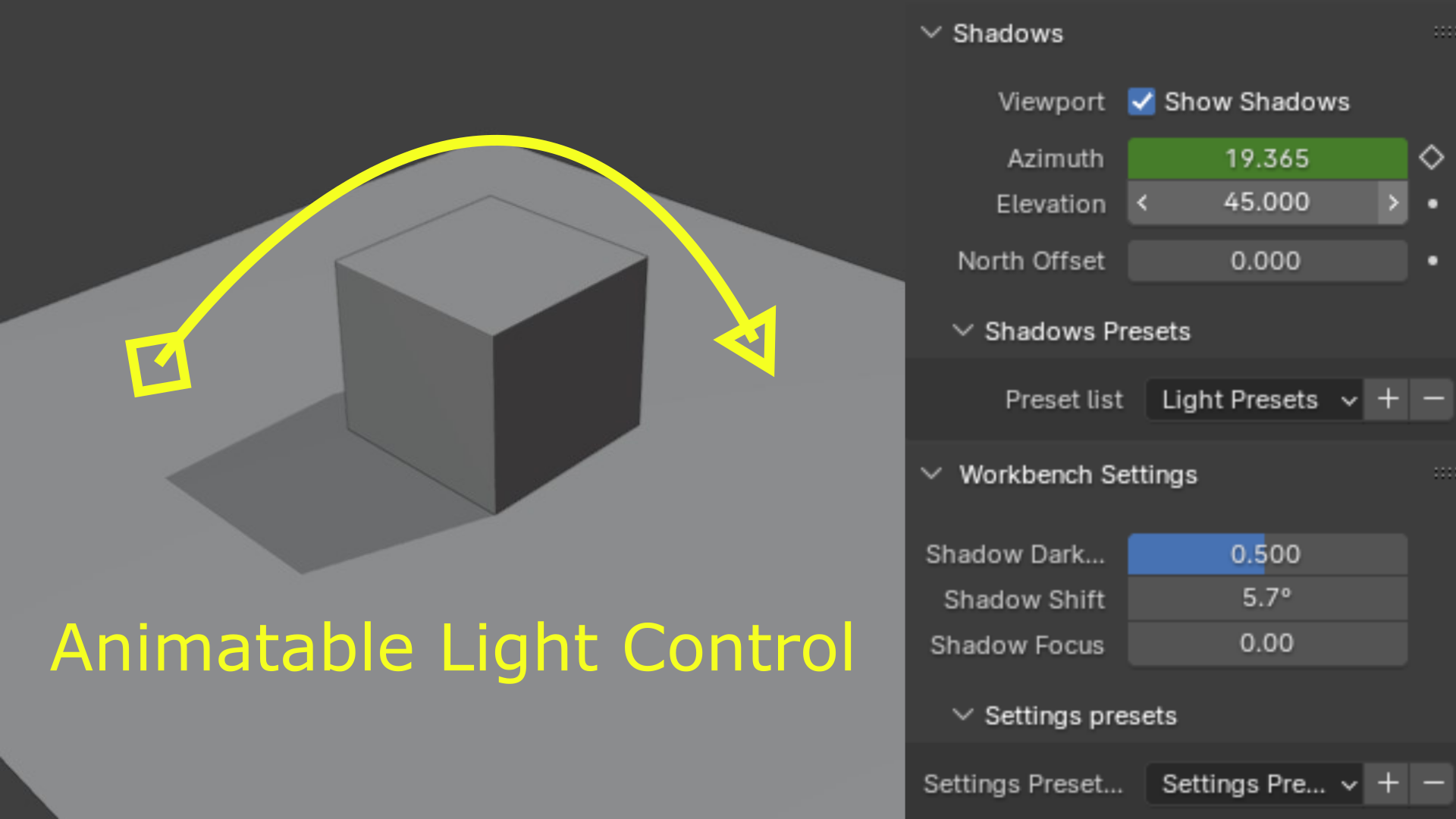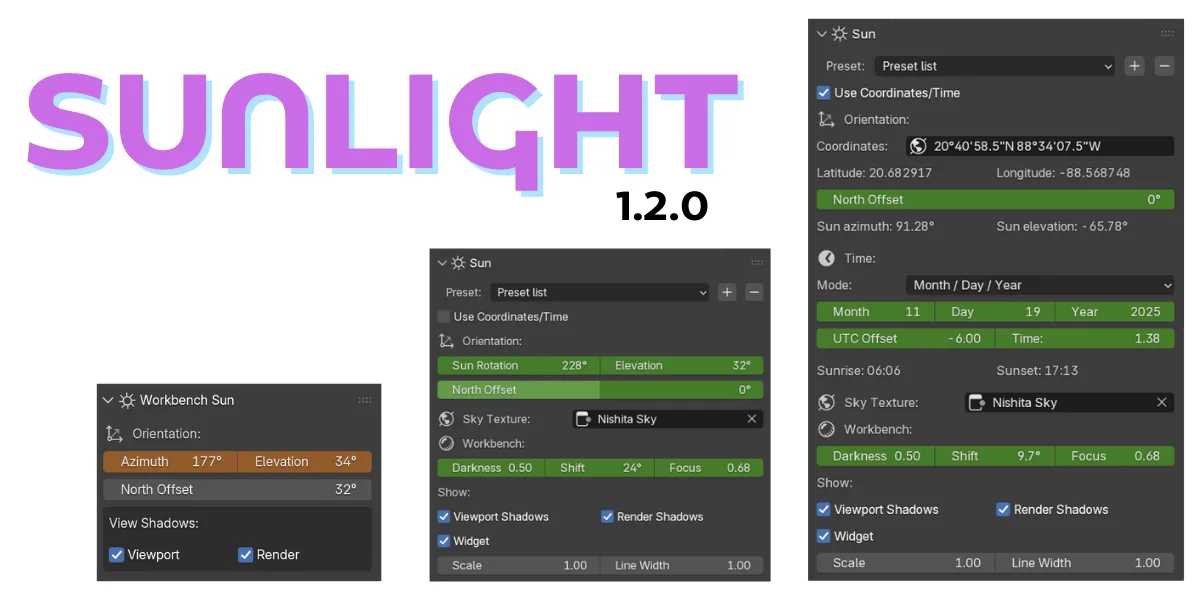
Sunlight Control for Blender links the sun in a sky texture to the Workbench Render Sun. It replaces the default trackball with animatable sliders, so you can set sun direction and adjust Workbench shadows from the add-on's panel.
Set sun direction with sliders or location and time
Azimuth sets the sun's horizontal position, while Elevation adjusts its height above the horizon. North Offset rotates the scene's relative north when it is not aligned with the Y axis. For a location-based direction, enter coordinates, a date, and local time. The sliders are animatable for scenes where the sun changes over time.
Sync a Nishita sky and adjust Workbench shadows
The Sky Texture control selects a Nishita Sky Texture to illuminate the scene and sync with the Workbench sun. Workbench shadow controls include Darkness for intensity, Shift for direction, and Focus for sharpness. Separate toggles control whether shadows appear in the 3D viewport and the final render.
Save presets and use the north widget
Save and load sun settings as presets for use in different scenes. The optional north widget shows north in red, the sun direction in yellow, and the cardinal midpoint in violet. You can change its radius in Blender units and its line width in screen pixels. The widget is a visual guide and does not appear in renders.
Blender version and license
The product listing identifies Blender 4.5, lists the extension type as an add-on, marks it as Blender Extension compatible, and gives the license as GPL. Check the Sunlight Control documentation for the panel details.