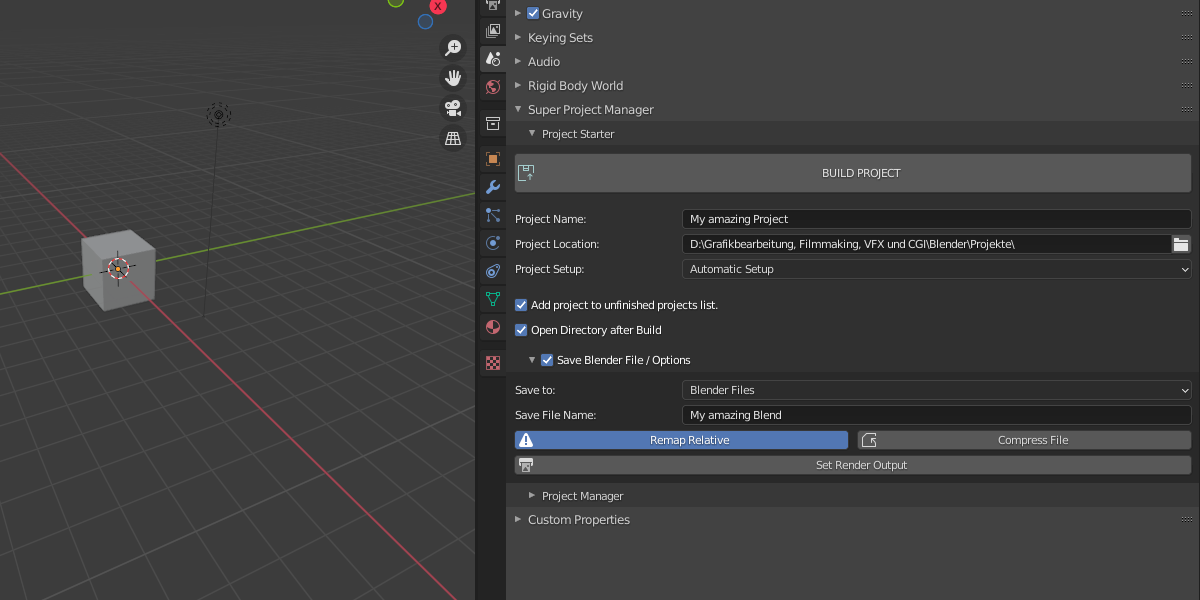
Super Project Manager (SPM) is a Blender add-on by Blender Defender for routine project setup and organization. It creates folders with project files, saves the project, names the project and its folders, and keeps track of unfinished projects. The listing says one click can create the folders and their files, save the project, and name the project and its folders, making SPM relevant to Blender users who repeat setup tasks or need to keep work in progress organized.
Project setup and unfinished work
SPM focuses on the steps around preparing and tracking a Blender project. Its listed functions include:
- Creating project folders together with their files.
- Saving the Blender project.
- Naming the project and its folders.
- Keeping track of unfinished projects.
The listing does not describe configurable folder structures, naming rules, or which information SPM records for unfinished projects. The version 1.4.0 product documentation covers installation, not these settings.
Installation
For version 1.4.0, use these installation steps:
- Open Blender 4.2 or newer.
- Drag
blenderdefender_spm-1.4.0.zipinto Blender. - Press “Okay” to install the add-on.
- Open the Scene tab to find Super Project Manager.
The installation documentation is the place to check for any changes to this process or package.
Blender compatibility and license
The Superhive listing marks Super Project Manager as Blender Extension compatible and gives a Blender version range of 4.2 through 4.5. The version 1.4.0 documentation says to use Blender 4.2 or newer. If you use a Blender release later than 4.5, check the current product listing for the latest compatibility details. The listing identifies the add-on's license as GPL.
If your studio relies on a particular project structure or file-naming convention, verify that SPM fits those requirements before adopting it.