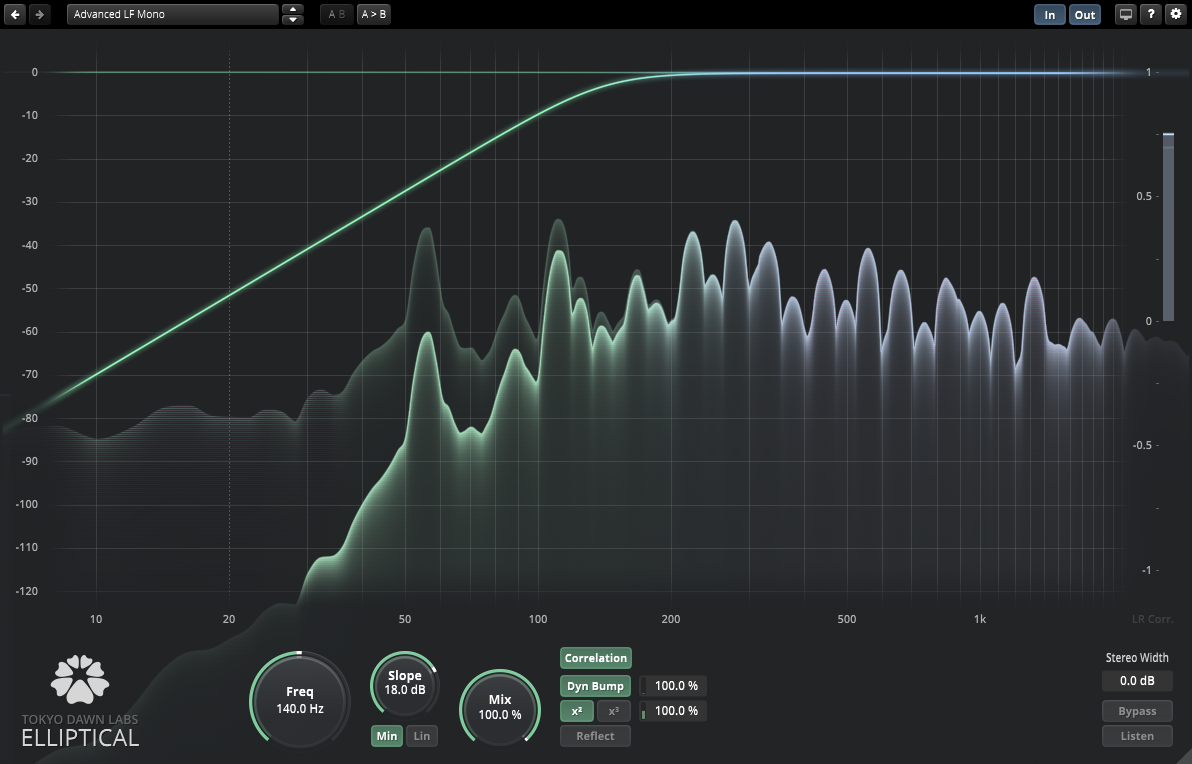
TDR Elliptical controls stereo width in the low frequencies by filtering the stereo difference channel. Its workflow suits disk mastering and mixes where low-frequency positional information needs adjustment. Choose whether to process all stereo difference or only negatively correlated material.
Choose what the filter targets
In Stereo Difference mode, processing affects components with correlation below +1. That includes uncorrelated material, such as hard-panned mono sources, as well as negatively correlated signals. In Stereo Correlation mode, it affects only components below zero correlation, leaving zero- and positively correlated material, including hard-panned mono sources, unchanged. Choose the mode based on which parts of the mix you want the filter to affect. The target also applies to the Stereo Diff control, which adjusts wider-band stereo width.
Set the cutoff, slope and phase
The Freq control sets the high-pass cutoff, defined where the filter reaches -3 dB. Slope is continuously variable from 3 to 24 dB per octave. Minimum phase has zero latency but introduces phase distortion relative to the filter's magnitude curve; the plug-in also shifts the Sum channel's phase to avoid a phase difference between the Sum and Difference channels. Linear phase adds latency and keeps phase distortion linear with frequency. The official manual explains the controls and the Fixed Latency option for comparing filter modes with consistent latency.
Inspect and monitor the result
The analyzer displays input and output stereo-difference spectra down to DC, alongside the filter response. A separate meter estimates DC in the input and output difference signals; the manual cautions that measurements on finite-length signals can produce false positives. The phase correlation meter shows the relationship between the left and right channels across the full signal bandwidth. Listen isolates the low-frequency stereo-difference band and sums it to mono, so you can monitor the plug-in's delta in mono.
Optional compensation controls address energy removed by filtering. Dyn Bump adds a dynamic bump in the Sum channel. Even and Odd generate the respective harmonic series from the Difference channel and add them to both Sum and Difference. Reflect uses a short delay to repeat removed stereo information into the Sum channel. Mix blends dry and processed audio, while Stereo Diff adjusts the difference-channel level for wider-band stereo-width control.
Compatibility and license
Tokyo Dawn Records lists Windows Vista or later, macOS 10.9 or later, and Linux x86-64 with GLIBC 2.14 or later; OpenGL support is required. The host must support VST2, VST3, Audio Unit or AAX.
The vendor lists a personal/small-business license with free updates. The EULA grants a perpetual, non-exclusive license for one user on up to five single computers. Each person using the software on a multi-user platform, server or network needs a separate license. The demo has no time limit, but automatic recall is blocked. The vendor asks buyers to confirm the demo runs on their system before purchase and states that sales are final.