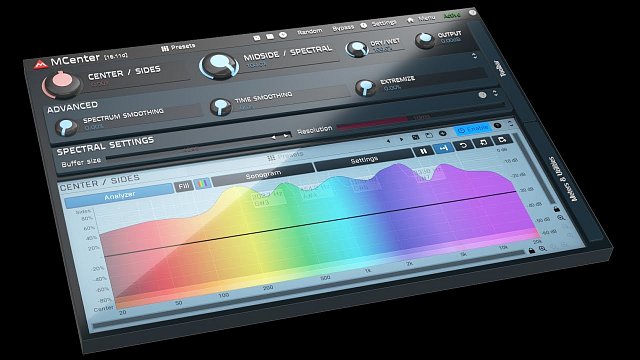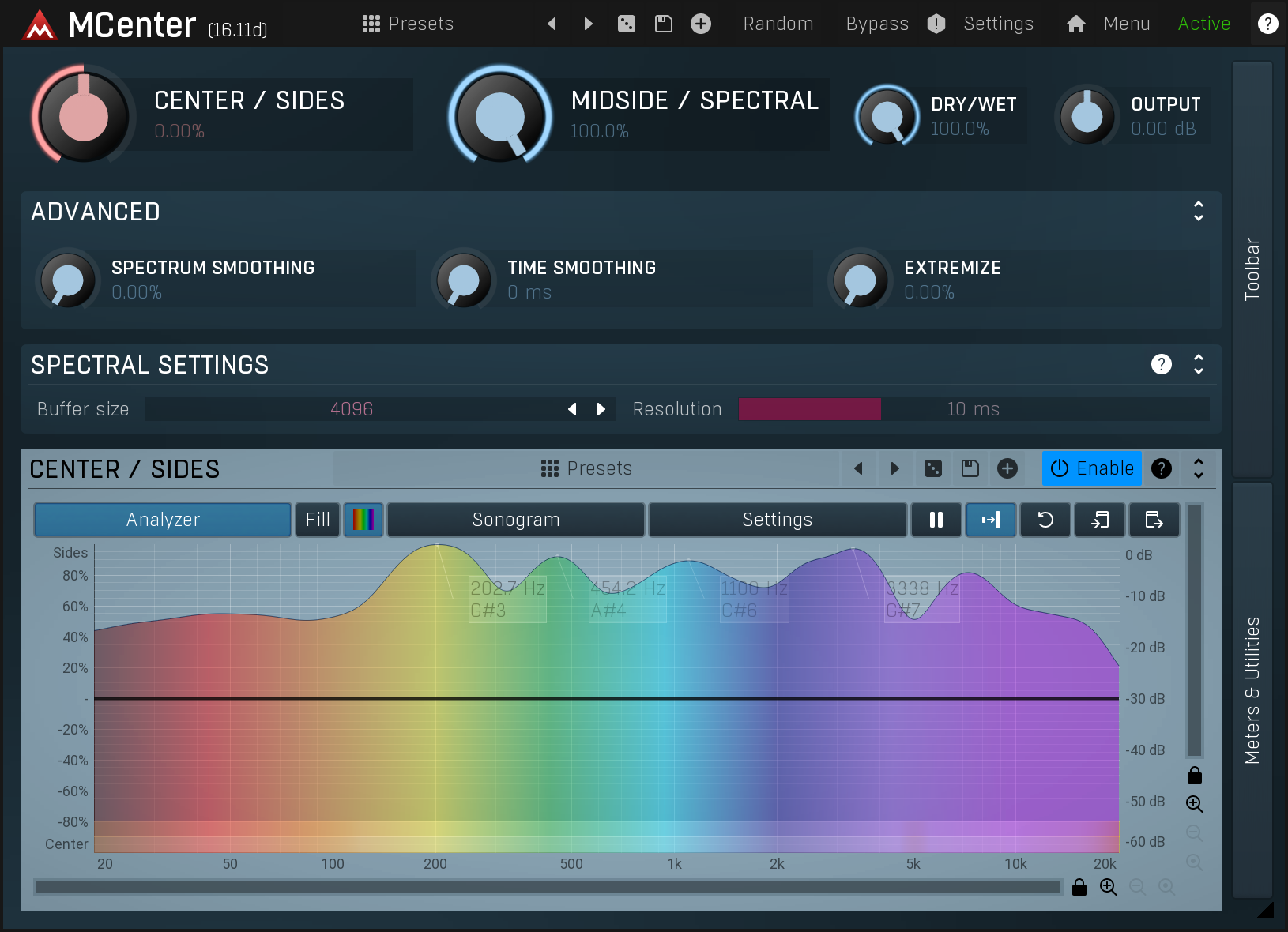
MCenter is a stereo-field processor for balancing the phantom center against the rest of a stereo signal. Its spectral algorithm analyzes the left and right channel spectra to separate content that sounds centered from content that sounds stereo. For a hard-panned sound that should remain in the sides, MCenter's approach may help: conventional mid-side processing assigns the sound 50% mid and 50% side even though it is acoustically off-center.
The controls suit both broad adjustments and frequency-specific work. MeldaProduction describes MCenter for mixing and mastering; its product page offers a single-knob approach, while the manual explains the processing and analysis controls in more detail.
Choose how to separate center and sides
The Center/Sides control adjusts the level of the phantom center and remaining stereo content. A separate MidSide/Spectral control moves between traditional mid-side processing and MCenter's spectral algorithm. The manual warns that spectral separation can introduce unwanted side effects.
Make frequency-specific changes
For a broad rebalance, start with the Center/Sides control. When the adjustment should affect only parts of the spectrum, draw a response on the Center/Sides graph. The graph lets you set the center and side adjustment at individual frequencies. A Dry/Wet control blends the processed and unprocessed signals, and Output adjusts the final level.
MCenter also includes a spectrum analyzer and a sonogram. The analyzer shows frequency levels, while the sonogram shows how they change over time. These views can help you inspect the material while shaping the response. A width meter is available in the metering panel; its interpretation is covered in the FAQ below.
What to expect from spectral processing
Spectral processing works in blocks and adds latency. The buffer-size setting affects latency and CPU use; a larger buffer usually provides more detail at the cost of CPU use and latency, while an excessively large buffer can smear timing. If abrupt changes create artifacts, spectrum smoothing can reduce them, though the manual says this also lowers separation quality. Time smoothing can soften changes over time and may add a reverberant character.
The right settings depend on the source and session. Check the meters and listen for artifacts or timing problems; adjust smoothing or buffer size if either occurs.
Compatibility and trial
The MCenter support page lists 64-bit VST, VST3, and AAX-compatible hosts on 64-bit Windows 10 or 11 systems with an Intel or AMD processor that supports SSE2. For macOS 10.14 or newer, it lists 64-bit VST, VST3, AU, and AAX hosts, with Intel, AMD, or Apple Silicon CPUs. Linux is not directly supported; MeldaProduction says the plugins may work through Wine with Microsoft TrueType fonts installed in Wine's fonts directory.
The product page offers a trial and a purchase option. For systems below the listed minimum requirements, MeldaProduction recommends using the trial to check whether MCenter may work. The MCenter manual says the plugin's licence manager handles activation and deactivation. Check the product page for current purchase and licensing terms, and the manufacturer's system requirements for host details.