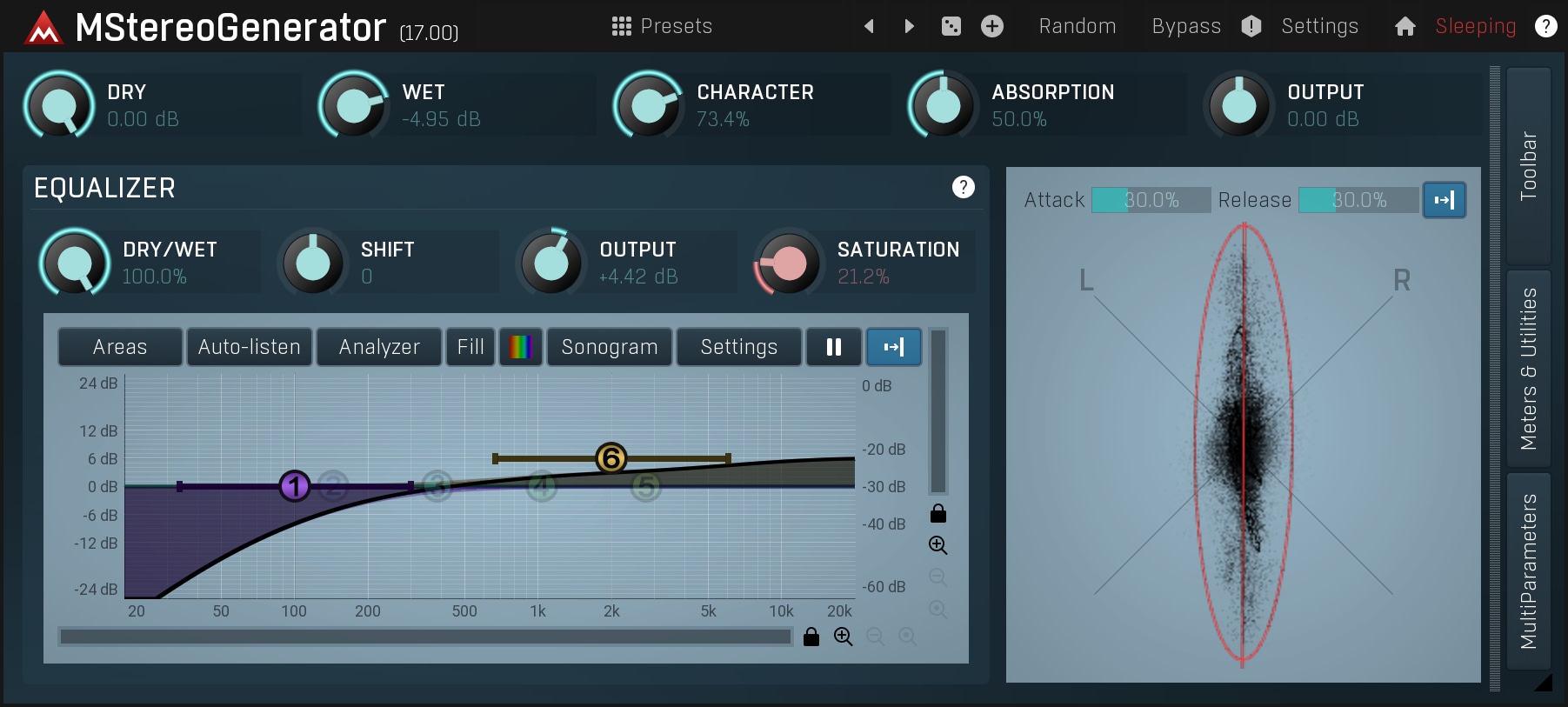
MStereoGenerator adds a generated stereo signal to mono tracks and can also change the stereo image of stereo material. Its quick-start guide describes the effect as a very small artificial space, designed to keep changes to the source's spatial placement restrained. The guide identifies acoustic recordings and tracks that sit slightly back in a mix as useful fits, and says the effect is mono compatible.
Shape the generated stereo signal
The Wet control sets the level of the generated signal. Character sets the artificial space's size, while Absorption controls how quickly it fades. The built-in equalizer processes the generated signal, letting you choose which frequencies contribute to the added width. The stereo width meter needs at least two channels to show output width; the phase scope shows phase distribution.
Focus on Wet first, then adjust Character and Absorption together. They can interact, and increasing Character often calls for more Absorption. Use the equalizer to choose which frequencies expand, and check the result in mono as well as stereo. The quick-start guide warns that heavy use across many tracks can crowd the mix.
Compare settings and manage output
Automatic gain compensation helps keep output loudness closer to the input while you compare settings. A-H slots let you switch between saved states, and the feature page also lists a safety brickwall limiter intended to keep output below 0 dB. These tools are useful when judging changes by their stereo effect rather than by a louder output.
Channels, hosts, and licensing
MStereoGenerator supports mono, stereo, mid-side, separate left and right, and separate mid or side processing. Its feature documentation lists surround processing up to 8 channels and ambisonics up to 64 channels.
The vendor lists Windows 10 or 11, 64-bit, with VST, VST3, or AAX hosts, and macOS 10.14 or later, 64-bit, with VST, VST3, AU, or AAX hosts. It lists Intel or AMD processors with SSE2 for Windows and Intel, AMD, or Apple Silicon CPUs for macOS. Linux is not directly supported; the vendor says the plugins may run through Wine if the .wine/drive_c/windows/Fonts/ directory contains Microsoft True Type Fonts. Check the support page and quick-start guide for compatibility and setup details.
Activation uses a license file and does not require a dongle or internet access. The vendor says a license is assigned to a person, who can use it on their own computers. Purchases include free updates for the life of the software, and a trial is available through the official downloads page.