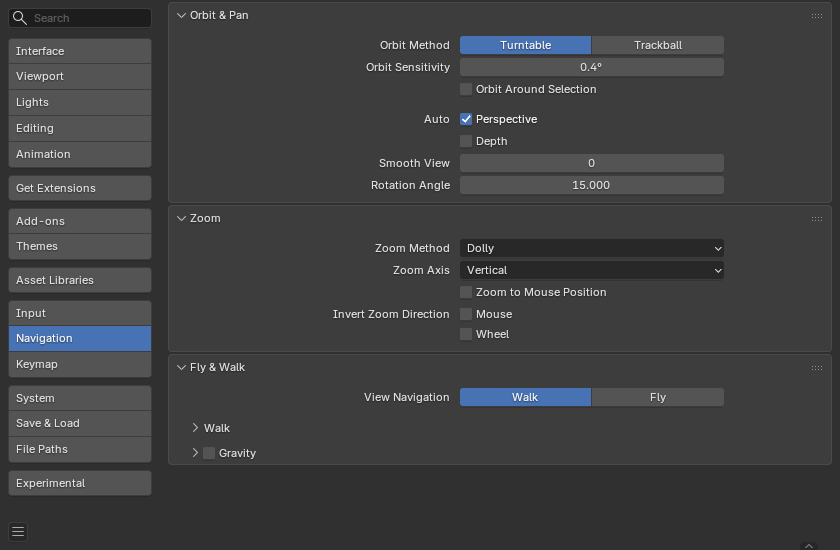
Toggle Orbit Method is a Blender add-on for switching the 3D View between Turntable and Trackball orbit modes. Its default shortcut, Alt+O, changes how the viewport rotates without requiring a trip to Preferences. The Blender Extensions listing identifies ArgelliKa as its developer and describes it as a quick orbit-mode toggle.
How Turntable and Trackball differ
Blender’s navigation documentation says Turntable keeps the horizon horizontal and limits rotation to two axes. That can make it easier to stay oriented while orbiting around a scene. Trackball allows any orientation, giving you more freedom to roll the view around an object. Choose Turntable when keeping a familiar up direction helps; use Trackball when you need to inspect a shape from an unusual angle.
Switch orbit modes with a shortcut
The add-on assigns the toggle to Alt+O by default, and the shortcut is customizable. During modeling or sculpting, an artist may switch from Turntable to Trackball to inspect a shape from arbitrary angles, then return to Turntable for a level horizon. The extension listing also says it has no dependencies and requires no special permissions.
Compatibility and release details
The extension metadata lists Blender 4.2.0 as the minimum version, and the published release is 1.0.0. It is distributed under the GNU General Public License v3.0 or later. Check the current Blender Extensions page before installing for the latest compatibility information.
Check support in your editor mode
One review on the Blender Extensions page reports that the add-on appeared to work only in Object Mode and asks about support for other 3D View modes. That is a reviewer’s report, not a stated compatibility rule from the developer. If you plan to use the toggle in Edit, Pose, or a paint mode, try it in that mode before relying on it in your workflow.