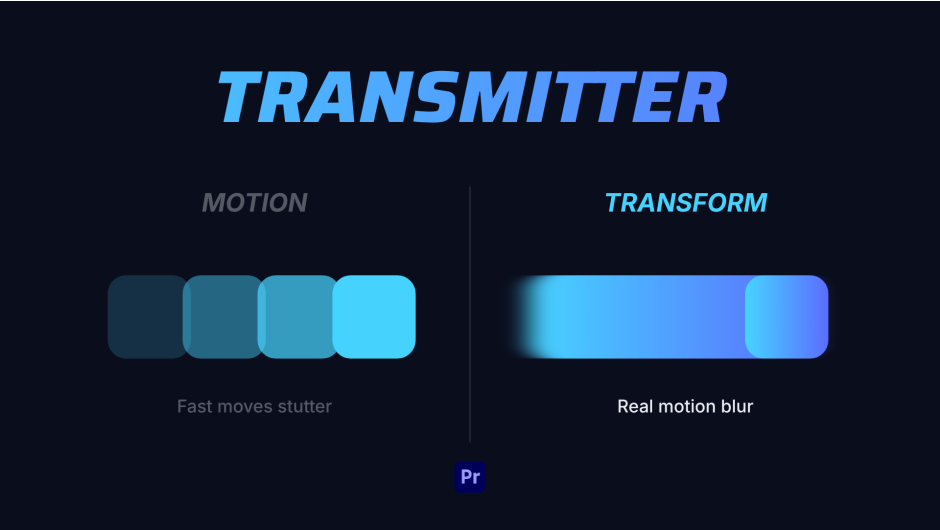
Transmitter by Leyero moves keyframes from Premiere Pro's Motion controls to the Transform effect. It suits editors who like setting movement in the Program Monitor but need Transform features such as motion blur, fixed alpha mattes or adjustment-layer transforms.
Move keyframes from Motion to Transform
Premiere Pro's Motion controls let you set keyframes by dragging a clip in the Program Monitor. The Transform effect offers more controls, though its keyframes are set by entering values in Effect Controls. Transmitter connects these steps: animate with Motion, then click Transmit to move those keyframes to Transform.
The panel also has a Reset Motion command that returns Motion to its defaults.
What Transform adds to an animation
Transform can apply motion blur using its shutter angle. Motion renders each frame sharp, so fast movement can appear to stutter. With Transform, the blur can soften that movement.
Transform also handles alpha mattes differently. The opacity mask stays in place while the clip moves beneath it, which can make a title rise past the edge of a fixed mask. Motion moves the mask along with the clip. On an adjustment layer, Transform can move, zoom or rotate the clips below it together.
Tools for adjusting keyframes
Transmitter includes controls for refining the transferred animation. Add interpolation to fill in keyframes at an interval you choose, or align the anchor point and position inside Transform. After animating, you can move, scale or rotate the clip while its animation follows. The panel also supports horizontal and vertical flips.
When a clip has several Transform effects, the version 1.3.0 notes describe a naming rule: effects named tr or left unnamed receive changes, while effects with other names are ignored. That release also added right-click descriptions for panel elements and a compatibility fix for text and shape graphics.
Compatibility and version
The aescripts product listing names Premiere Pro 2027, 2026, 2025 and 2024 as compatible versions. Its version history lists Transmitter 1.3.1, released December 7, 2024, with bug fixes. Check the listing for current compatibility, trial access and purchase terms.
The listing offers a free trial and shows a $29 price with 25% off at checkout. Editors who only need basic movement may find Premiere Pro's Motion controls sufficient; Transmitter is for workflows that need to move that animation into Transform.