UE Shortcuts is a Blender add-on by Light Sail VR that changes Blender’s keymap to match Unreal controls where possible. It combines a custom keymap with scripted commands for actions that Blender does not include by default.
Navigation and shortcuts
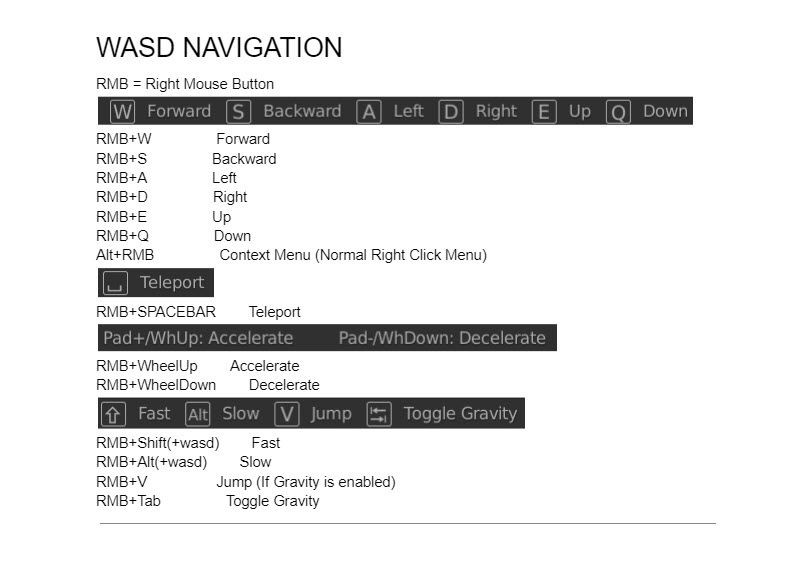
In the viewport, UE Shortcuts uses the right mouse button and WASD for navigation. It also assigns F to Focus, G to Game View, keys 1–9 to stored views, and End to dropping objects to the ground.
In the node editor, dragging with the right mouse button moves around, while the right mouse button adds nodes. The product listing describes these controls and links to product documentation.
Compatibility and license
The Superhive listing names Blender 2.82, 2.83, 2.9, 2.91, 2.92, 2.93, and 3.0. It identifies the license as GPL. The retrieved listing does not specify compatibility with later Blender versions, so check Light Sail VR’s current listing before installing on a newer release.
UE Shortcuts may suit Blender users who prefer Unreal-style navigation or move between the two applications. If you rely on Blender’s usual controls, review the documentation to see how the keymap changes.