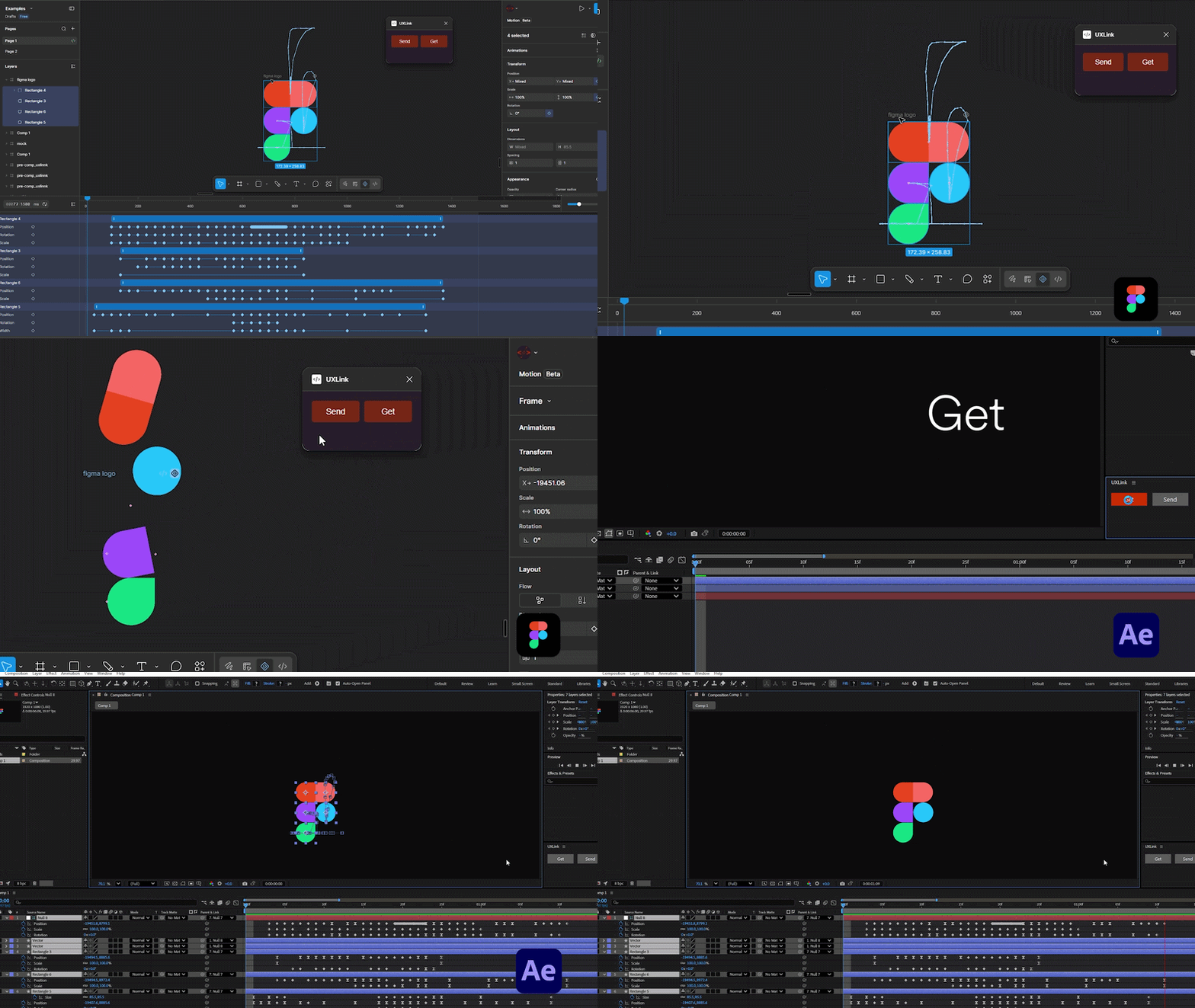
UXLink by Maher Wali transfers designs and animation between Figma and After Effects. It is built for motion designers who want to continue working with editable layers after moving a layout between the two applications.
Move designs while keeping their structure
Send a Figma design to After Effects with UXLink’s Send workflow. The plugin creates a composition sized to the imported design, with a duration that matches its animation. Figma nodes arrive as separate After Effects layers. Frames and groups become guide layers, and their children keep a parenting relationship, so moving a parent moves the elements inside it. Frames with more than four children are precomposed.
Shapes, vectors and compound vectors remain editable shape layers in After Effects. Text properties and mixed-style text runs are preserved, and variable fonts are supported. Images transfer as source files into an Assets folder in the project directory. UXLink also preserves image strokes and image fills on shapes with multiple fills, plus filters such as exposure, saturation and highlights. Imported images can use masks that match their Figma shape, with fill, crop or fit modes. UXLink also carries over gradients, blend modes, masks and component instances with their overrides. Drop shadows and layer blurs are recreated as native effects.
Transfer back to Figma
UXLink also sends work from After Effects to Figma. Precomps become Figma frames, while text, images, shapes, groups and masks arrive as corresponding editable elements. The developer lists support for transferring gradients, blend modes and effects in this direction as well.
Animation support and limits
Supported motion carries keyframes, easing curves and durations between the apps, and remains editable after transfer. The supported properties depend on the element type. In the Figma-to-After Effects direction, text can be animated by character, word, line or paragraph. Path and vector vertex animations are not supported; the developer notes that Figma itself does not support animating them.
The developer's listing identifies After Effects 2026 and 2025, and Figma 126, as compatible. These details can change, so check the UXLink listing before installing. UXLink is most relevant when you need editable design layers and supported motion to travel between Figma and After Effects.