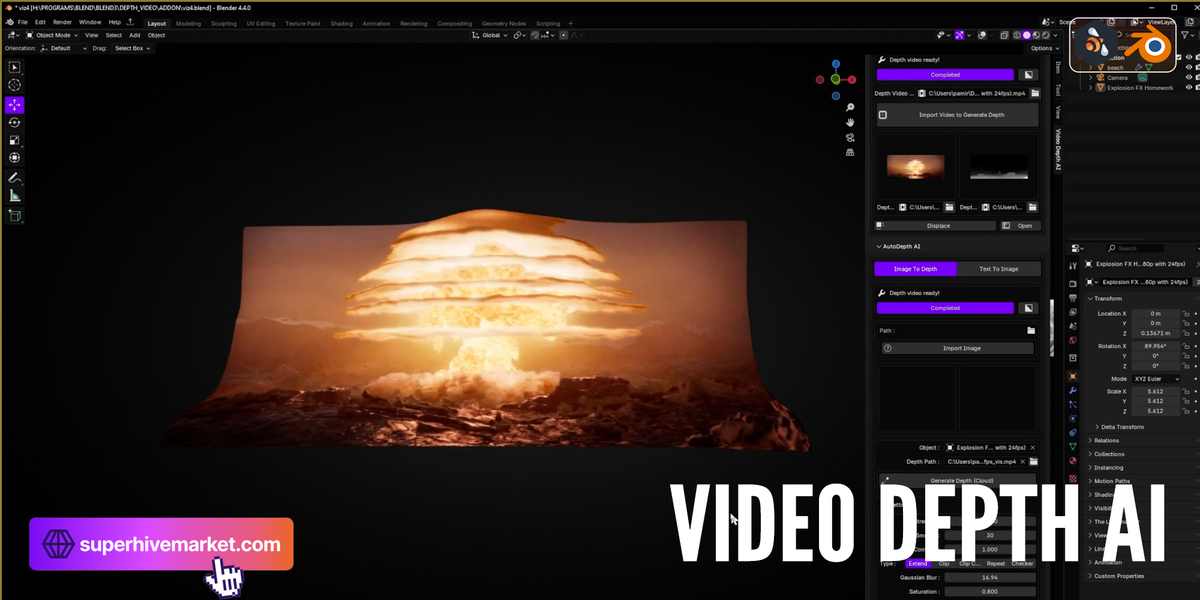
Video Depth AI from Blender Procedural uses AI-generated depth maps to drive animated 3D displacement from video footage in Blender. The listed uses include terrain and environment work, depth-based art experiments, animation, and visual effects. The Superhive product listing warns that its cloud option is not working properly, a limitation to consider before choosing a workflow.
How the video-to-3D workflow works
The feature list describes one-click generation, while the documented steps include checking dependencies, importing footage, waiting for depth maps, and applying displacement:
- Install the add-on and check dependencies in its panel.
- Import footage using Import Video to Generate Depth.
- Wait for depth maps to generate automatically.
- Click Displace to build the animated model.
The add-on also includes a text-to-image generator. The published material does not detail its controls or requirements.
Processing options and hardware
Depending on settings, the AI models may run locally or connect to external services. The Superhive listing says the cloud option is not working properly and that a server update is planned, but gives no date. Optional local processing requires an NVIDIA GPU. Check the add-on panel's dependency status before starting a project. If you plan to use cloud processing, confirm its availability on the product page first.
Blender compatibility and render engines
The supplied listings show different Blender version ranges. Superhive lists Blender 4.2–5.3; the AnyPlugins record lists 4.2–4.5. Check Superhive's current product listing for your exact Blender release before installing. Superhive also marks the add-on as Blender Extension compatible, lists Cycles and Eevee, and gives its license as GPL.
Who may find it useful
Video Depth AI may suit Blender artists who want to turn footage into animated depth-driven geometry for environments, experiments, animation, or VFX. Check the local GPU requirement or current cloud status, along with version compatibility, before building the add-on into a production workflow.