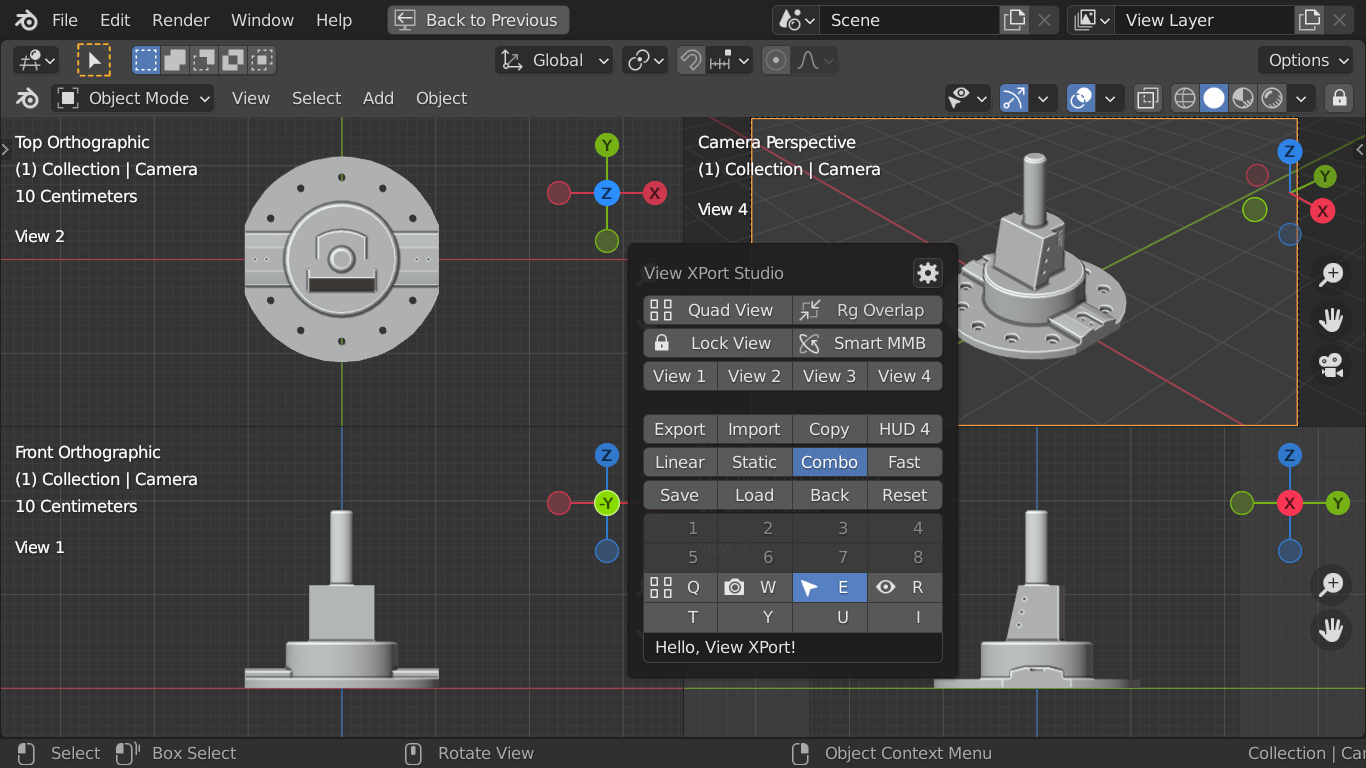
View Xport, also known as VXP, is a Blender add-on for saving viewport states, controlling view rotation, and working with CAD-style quad view. Its product page lists version 3.2.0, released August 12, 2022, and requires Blender 2.93 LTS or 3.2, with the latest update. Check the developer's page for compatibility updates before installing it with a later Blender release.
Save and restore viewport states
View Channels let you save and load a view from a menu, button, or hotkey. The channel label can also appear as HUD information. The Memorize module stores views in Linear, Static, or Combo mode: Linear keeps an ordered sequence, Static allows an arbitrary order, and Combo combines the two. The developer says changing modes does not lose saved data.
Linear mode also has an undo-and-redo-style option that clears obsolete, duplicate, and empty slots and saves the unsaved current view to the first slot. This is useful when you want a tidy sequence of recent viewpoints.
Lock rotation and change middle mouse behavior
Lock View Rotation works differently in mono and quad view. In mono view, its soft lock prevents middle mouse orbit while leaving viewpoint and perspective changes available through the numpad. In quad view, the hard lock acts on region data and disables viewpoint and perspective changes, which suits checking side views.
Smart Middle Mouse pans in a locked view and orbits in an unlocked view. In quad view, it applies this behavior separately to the 3D region and side views. Smart Region Overlap enables region overlap in mono view and disables it in quad view.
Switch between mono and quad view
Toggle Quad View keeps the viewpoint and lock state when switching between mono and quad layouts. When you switch from quad to mono and back, it also retains the selected view channel's position. A saved quad view can include all four subviews, including a camera view when present.
Camera data, compatibility, and upgrades
View Xport can save camera properties in camera view and restore them to the original camera when possible. It also restores the axis name for an orthographic view.
If upgrading from v3.0, export the views memo as JSON with the .memo extension before uninstalling v3.0. After installing the newer version, import that file to recover the saved views. The Studio edition adds export of a single slot in .slot/JSON format and an option to compact the memo on export by removing duplicates and gaps.