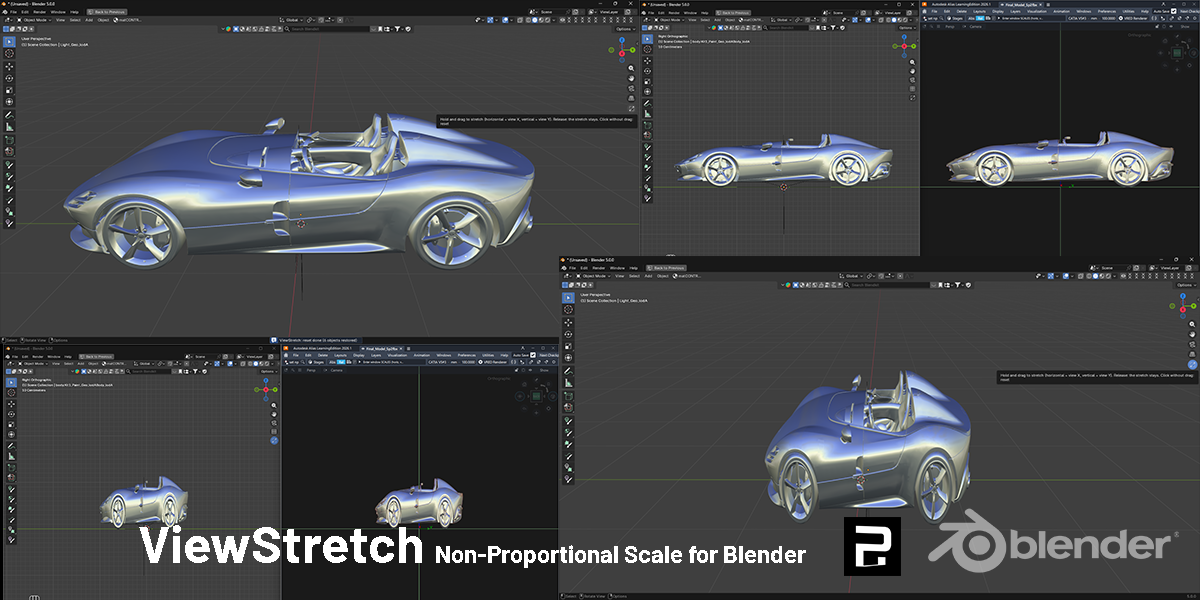
Viewstretch - Non-Proportional Scale brings an Autodesk Alias-style scaling interaction into Blender's 3D Viewport. Drag horizontally to scale along the view's X axis or vertically along its Y axis, then release to keep the stretch active while blocking out proportions. The seller says the extension does not edit mesh data.
ViewStretch is aimed at modelers who want to rebalance a shape from the current view without reaching for numeric fields or a gizmo. Its scaling follows the viewport axes, and its preferences also include a Uniform mode.
How the reversible stretch works
ViewStretch uses a hidden, view-aligned Empty to hold the scale change. The seller describes this sequence:
- The extension creates the Empty under the cursor.
- In Object Mode, it walks visible objects up to their hierarchy roots and parents those roots to the Empty while preserving world transforms.
- Dragging scales the Empty along the view axes.
- A reset restores original transforms and parenting, then removes the Empty.
This setup lets a stretch remain active after the drag ends while keeping the original mesh data intact. Click the viewport button or use Ctrl+Alt+RMB to reset.
Object Mode and Edit Mode
In Object Mode, ViewStretch works across the visible scene and moves hierarchy roots together, so nested chains and rigs follow as a unit. The Include All Object Types preference extends the operation to cameras, lights, and other non-geometry objects.
In Edit Mode, the operation applies only to the object being edited. The seller lists Mesh, Curve, Curves, and Surface objects for this mode, and says it is started with the viewport button. Keyboard shortcuts pass through in Edit Mode so they do not take over editing gestures.
Controls and preferences
- Ctrl+Alt+LMB drag: stretch horizontally along view X and vertically along view Y.
- Ctrl+Alt+RMB: reset everything to its original state.
- Shift while dragging: use precision mode at one-tenth speed.
- Viewport button: hold and drag to stretch, release to keep the result, or click to reset. It turns blue while a stretch is active.
- Scale readout: the viewport header shows the current X and Y scale factors while you drag.
Preferences let you choose View X/Y or Uniform scaling, adjust sensitivity, show or hide the viewport button, set its position, and include additional object types in Object Mode.
Compatibility, installation, and license
The product page describes compatibility with Blender 4.2 and newer, lists Blender versions 4.2 through 5.2, and names Windows, macOS, and Linux. ViewStretch is distributed as a Blender Extension ZIP for installation from disk; the seller says it enables automatically and has no external dependencies. The download includes a README, changelog, GPL-3.0-or-later license, online documentation, and 12 months of support. The seller also lists free 1.x updates.
The SuperHive listing displays one-time prices of $9 for a Single User license and $39 for a Studio license covering up to eight seats. Check the seller's ViewStretch page for current pricing and terms. The online documentation covers installation, usage, and preferences.