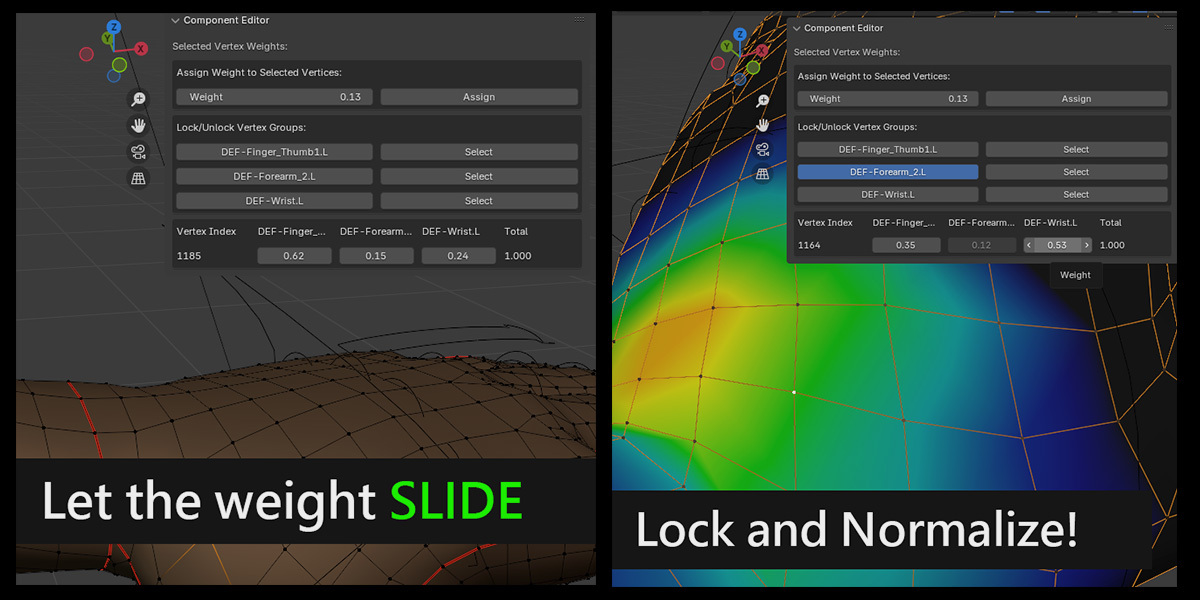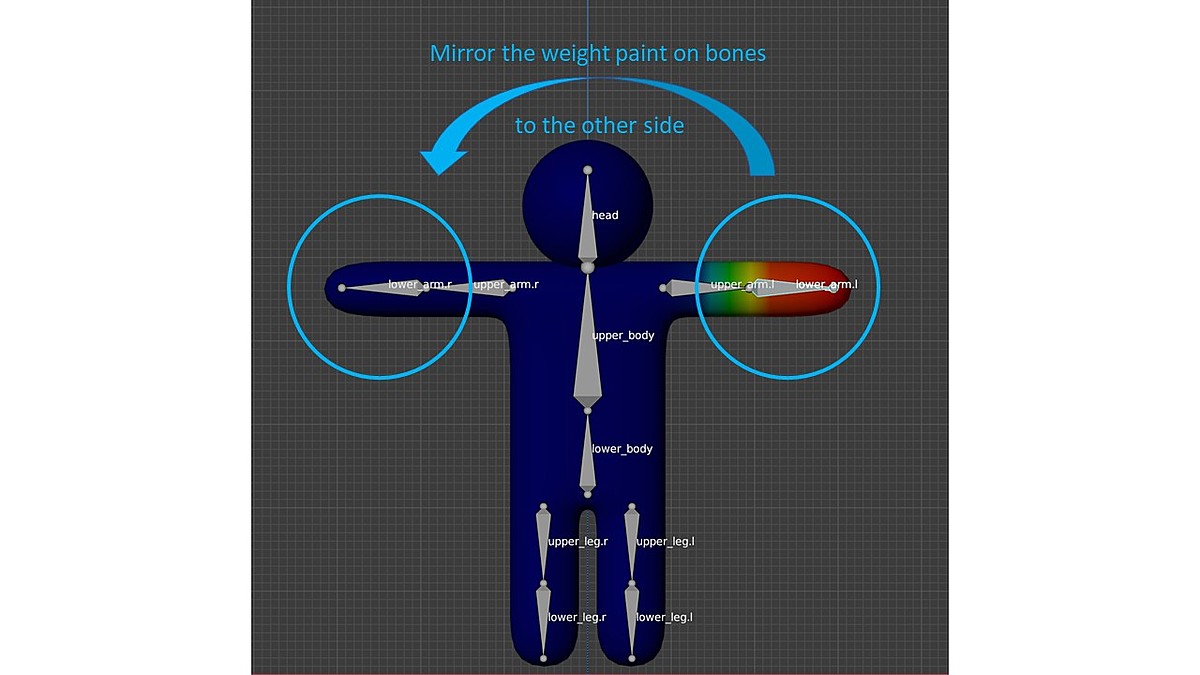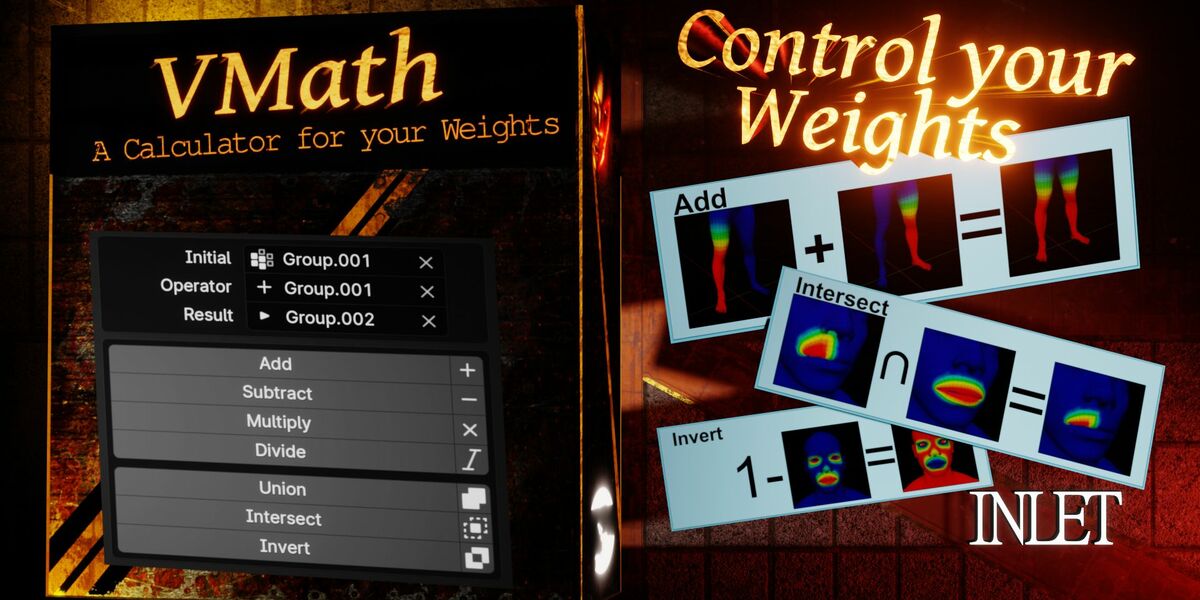
Vmath : Vertex Group Weights adds mathematical operations for Blender vertex groups. Its Superhive listing describes VMath as a calculator for combining groups, adjusting their weights, comparing influences and reversing group values.
Operations for vertex group weights
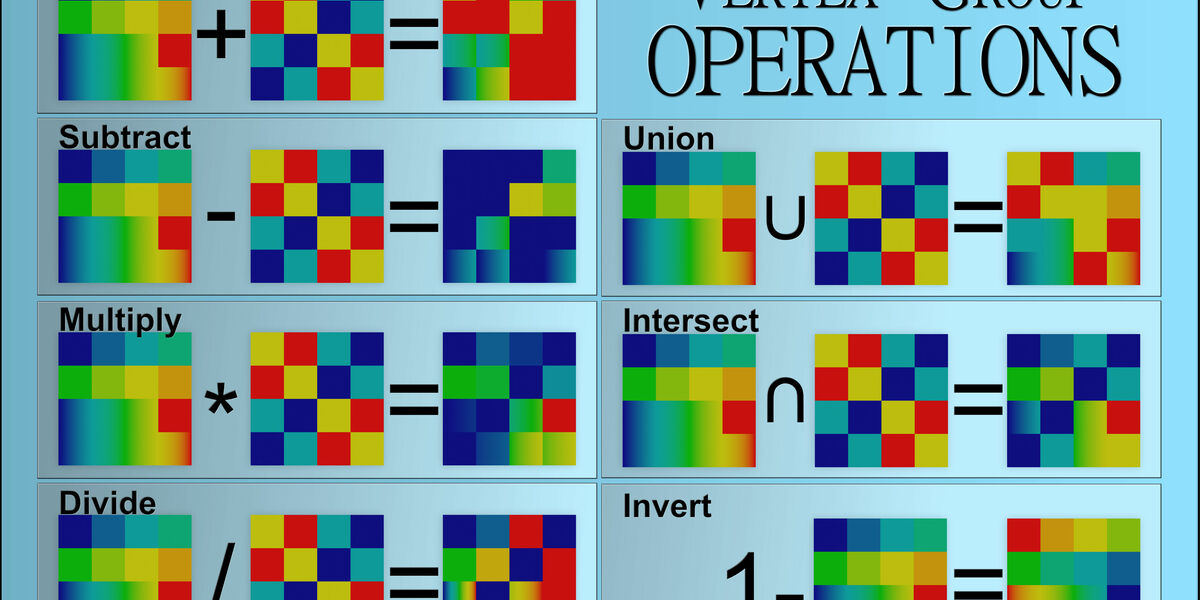
- Add sums the weights of two groups at each vertex, combining their influences.
- Subtract removes one group’s weights from another, giving finer control than Blender’s default option of setting values to zero.
- Multiply and Divide adjust vertex weights, reducing influence where either or both groups have minimal weight while preserving existing weight elsewhere.
- Union keeps the higher weight from the two groups at each vertex.
- Intersect keeps the lower weight, isolating areas where both groups have influence.
- Invert reverses the values in one group, turning high weights into low ones and low weights into high ones.
Additional controls in VMath Pro
VMath Pro adds Batch Editing and Vertex Masking. Batch Editing applies an operation across unlocked vertex groups at once, skipping locked groups. In the 1.1 changelog, the batch controls are toggles beside the Initial, Operator and Result selectors; batch use is no longer limited to Initial. Setting both Initial and Result to batch applies the operation to all unlocked groups.
Vertex Masking limits an operation to part of a mesh. Select the vertices in Edit Mode, then enable the paint mask in Weight Paint Mode. VMath Pro also supports assigning keyboard shortcuts: right-click an operation button and choose “Assign Shortcut.”
Version and Blender compatibility
The catalog lists version 1.1. The listing gives an overall Blender compatibility range of 2.93 to 5.0; for Blender 4.4, it lists VMath Pro as compatible and standard VMath as untested. The VMath Pro 1.1 changelog also says that release was updated for Blender 4.4. Check the current product listing for compatibility details for the build you plan to use.