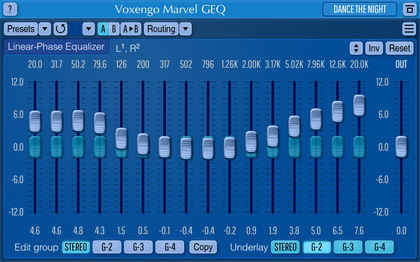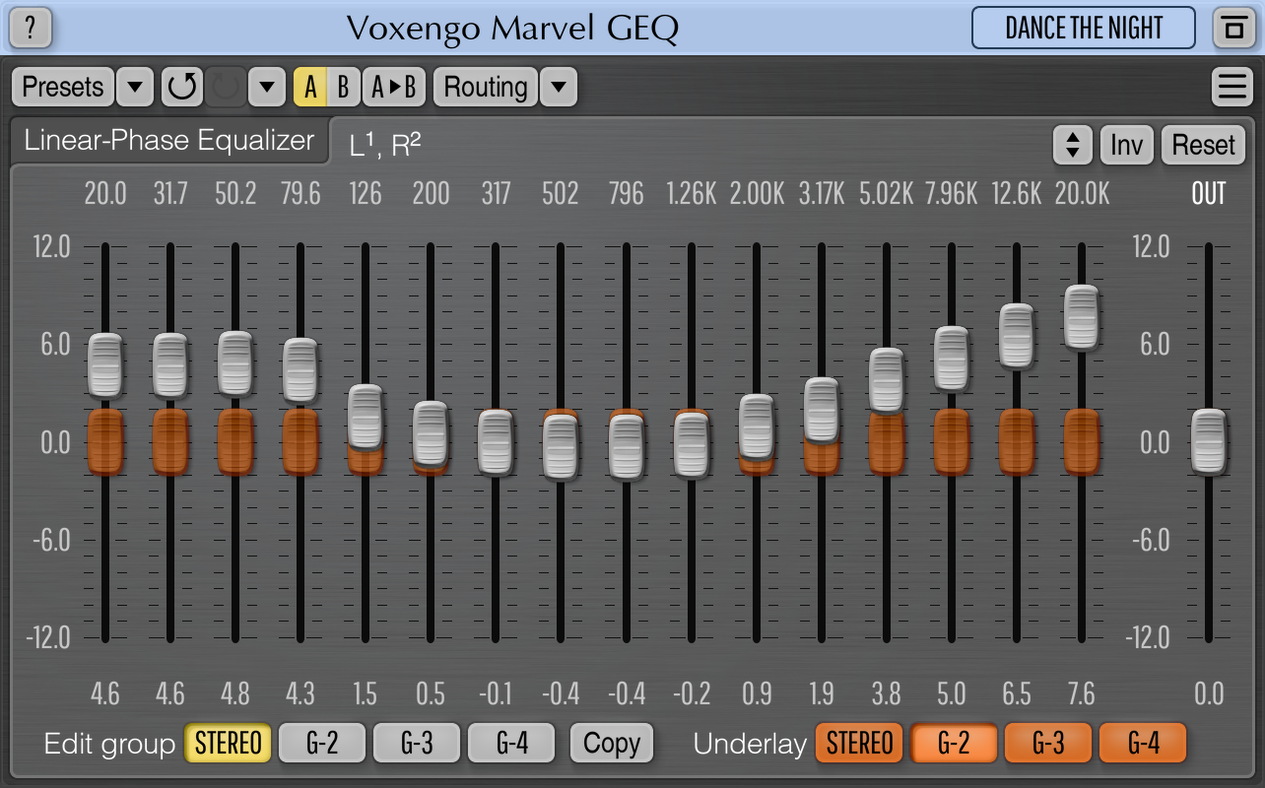
Voxengo Marvel GEQ is a free, linear-phase graphic equalizer for audio tracks and full mixes. Its 16 bands span 20 Hz to 20 kHz on a logarithmic scale, with a gain range of ±12 dB per band. It suits producers and engineers who want to shape an EQ curve directly on a graph, including for stereo and multichannel material.
Draw and refine an EQ curve
Hold the right mouse button on the graph to sketch a curve, then refine individual bands by dragging their readouts, using the mouse wheel, or double-clicking a readout to enter a value. The graph also has controls to reset the current channel group, invert its curve, or scale the curve up or down. A preset manager, undo and redo history, and A/B comparisons support trying and comparing changes.
Marvel GEQ creates a continuous curve rather than using per-band Q or slope controls. The manual notes that its finite impulse response filter has limited precision at low frequencies. For example, boosting only the 126 Hz band may produce less gain than specified, so adjusting neighboring bands may be necessary.
Use it with stereo and multichannel audio
The plugin supports stereo, mid-side, and multichannel processing. Voxengo specifies up to eight input and output channels, depending on the audio host, and lists 5.1 and 7.1 equalization among its applications. In grouped setups, select the group to edit; an underlay can show another group’s curve for comparison, and the Copy control transfers its EQ settings to the selected group.
Formats, latency, and access
Voxengo lists Marvel GEQ as free. The Mac download includes AudioUnit, AAX, and VST3 formats. The Windows download includes VST, VST3, and AAX versions for 32-bit and 64-bit audio hosts. The Mac guide lists support for 64-bit Intel and Apple Silicon processors. Marvel GEQ must run inside a compatible audio host, and Voxengo lists 9 ms of compensated processing latency, a factor to consider for latency-sensitive monitoring. If the plugin does not appear after installation, rescan plugins in the host or restart it.