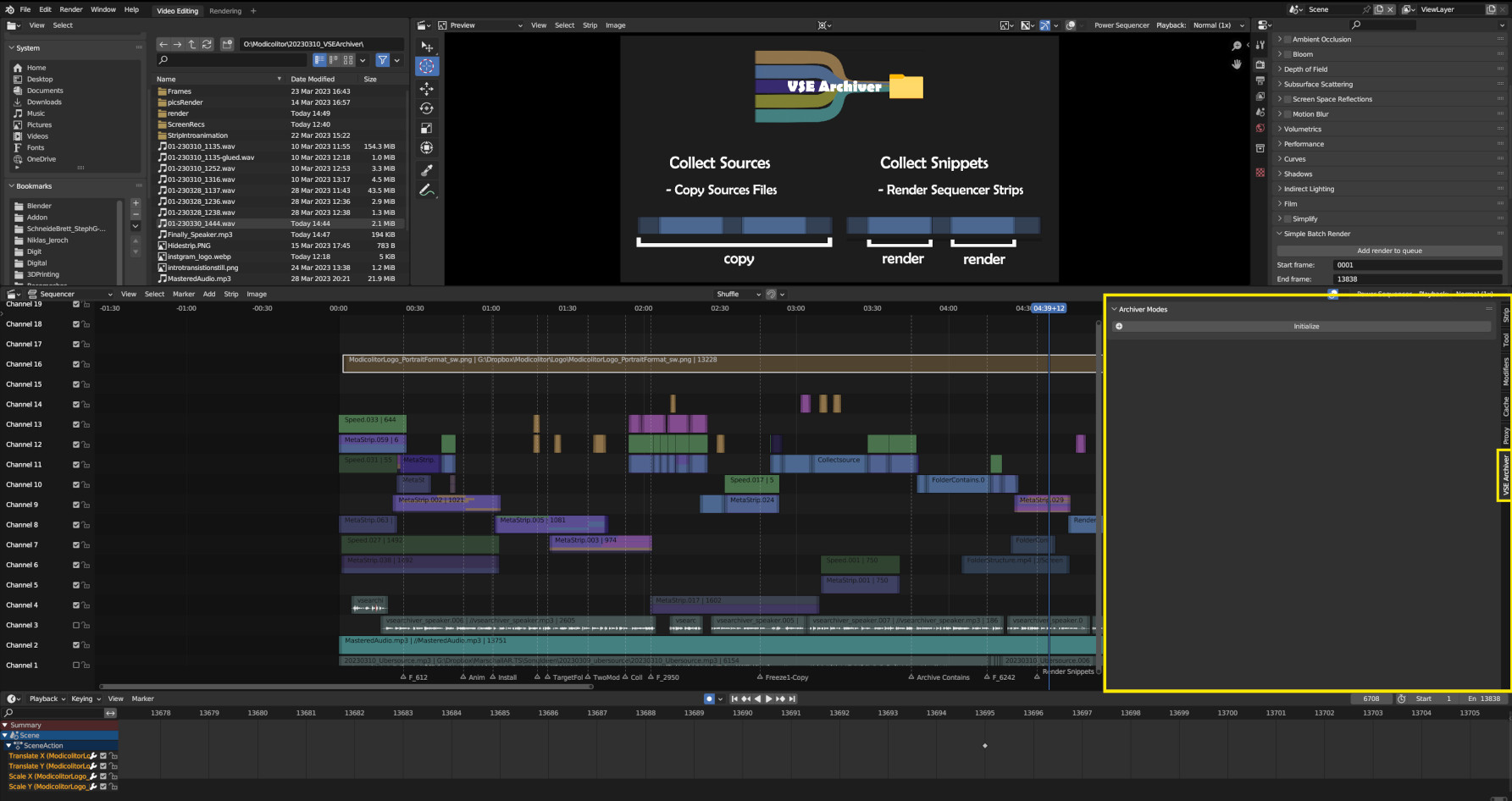
Vse Archiver - The Videoproject Back Up Kit is a Blender add-on for collecting media used by Video Sequence Editor (VSE) projects into an archive folder. It can copy original files or render strips; saving the active blend file with relinked footage depends on Rebuild Blend File. This can help when moving a project to storage or preparing its files for a customer.
Choose between original files and rendered strips
Collect Sources copies original media into the archive and relinks it. When several strips use the same source file, it is copied once. Since the add-on copies rather than renders the source, this mode avoids quality loss from rendering and leaves effect strips adjustable. A long video may take up more archive space even when the edit uses only a short section.
Collect Snippets renders individual strips into video files. You can choose copying or rendering by media type or for an individual strip, so one archive can combine both approaches. Type settings cover images, image sequences, movies and audio.
Choose what to save from Blender
With Rebuild Blend File enabled, the active blend file is saved in the archive and its footage is relinked. When this option is off, the add-on copies source material without saving the blend file.
Include Blend Data tells the add-on to look for images, image sequences, video, audio and fonts referenced in the blend data. This can capture media beyond VSE strips, such as assets used for compositor work in another scene, a non-default font or image textures in a scene strip.
Control strip rendering
Metastrips can be rendered as one strip or processed as individual strips. Scene strips can be rendered or ignored. The Full Opacity during Render option removes alpha fades for rendering and applies alpha keyframes back to the rendered replacement; the product listing notes that this can include all alpha keyframes, not only fades.
The add-on records sequence information when initialized. If you add or remove sequences afterward, use Update Sequence Data before archiving. Reset Sequence Data clears individual strip choices and restores the settings defined by type.
Prepare an archive
- Open VSE Archiver from the VSE toolbar and initialize it.
- Choose a target folder for the archive.
- Select Collect Sources or Collect Snippets, then adjust any type or strip settings you need.
- Run the matching archive command. The add-on processes sequences across the blend file's scenes and copies or renders the selected media. With Rebuild Blend File enabled, it saves an archived blend file and relinks its footage.
- When Rebuild Blend File is enabled, open the archived blend file and check that the media needed for your handoff is available.
Check compatibility and documentation
The Superhive product listing reports Blender compatibility from 3.4 to 4.4. Check the listing and its documentation page for current compatibility and setup details before installing.