Wall Worm Model Tools (WWMT) is a 3ds Max toolset for preparing models and level assets for Goldsrc, Source and Source 2 games. It brings importers, exporters and production utilities into Max, including tools for QC setup, collision models, level export and asset browsing. The developer's overview says WWMT can generate QC and VMT files in many cases, reducing the need to prepare them by hand.
Formats for Source game pipelines
For Source 2, WWMT includes VMDL, VMAT and VMAP import and export. Its Source toolset lists DMX, SMD, VTA, QC, VTF, VMT, VMF, MAP and RMF workflows, along with a native MDL loader, a VMT browser and wrinklemap export. WWMT can export models and textures in batches, generate QC files, and run the model compiler when Compile Models on Export is enabled.
For model preparation, WWMT can generate convex collision hulls or use a custom collision model. It can create LOD models or use ones you provide, and its Source tools include controls for surface properties, sequences, $masscenter and $illuminationorigin.
WWMT also supports level work in 3ds Max. The VMF exporter can export models and a level together. WWMT also imports and exports VMF, MAP and RMF files for level work.
Browse game assets inside 3ds Max
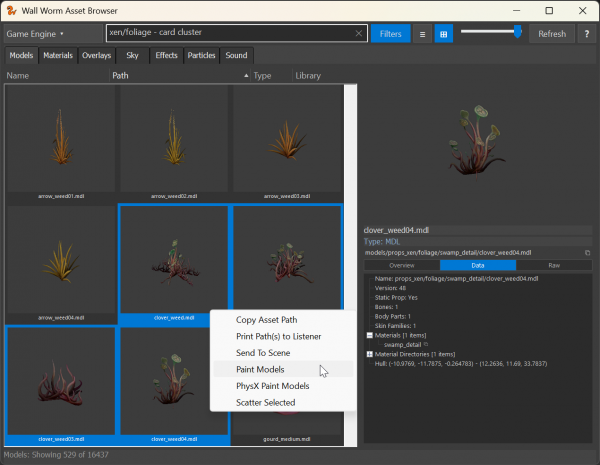
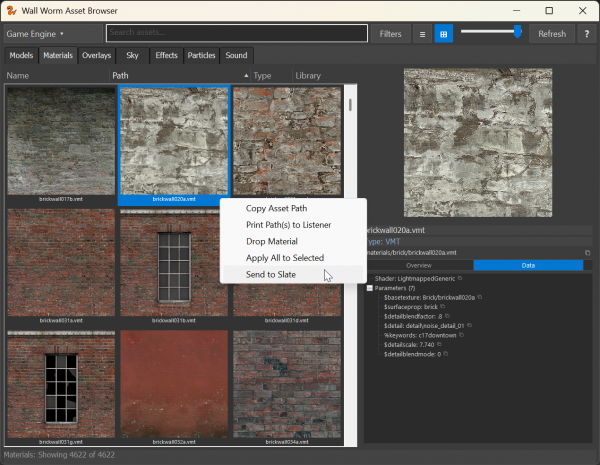
The Wall Worm Asset Browser reads models, materials, textures, particles, sounds and sky assets from Source 1 and Source 2 game directories, including VPK archives. Wall Worm's 7.8.4 changelog adds Goldsrc models, materials and textures to the Asset Browser; its Goldsrc page says browsing and loading models, materials, skies and sounds is available as of 7.13.6. Its developer documentation describes eight asset tabs, searchable paths and names, library filters, and property filters for types such as models and textures.
Choose a list or thumbnail view, inspect model and material previews, then drag assets into a 3ds Max viewport or materials into the Slate Material Editor. The browser can also show an asset's properties and raw data, which helps when checking a game asset before using it in a scene.
Compatibility and availability
ScriptSpot's May 21, 2026 listing for version 7.8.4 gives a 3ds Max range of 2015 to 2027 and says older releases may work without official support. The developer's changelog records version 7.49.0, released October 18, 2026. Its current Pro Pack installer is for 3ds Max 2018 through 2027; versions 2012 to 2017 require the 7.34 Legacy snapshot, last tested for those releases and unlikely to receive updates. Wall Worm recommends 3ds Max 2022.3 or later. The Native MDL Loader is separately listed with a minimum of 3ds Max 2015 or later; this feature minimum does not change the current installer range. For current installation and configuration information, consult the developer's overview which links to WWMT installation instructions.
Wall Worm's EULA, updated October 16, 2025, classifies WWMT as a free product and requires credit to Wall Worm in finished products, including commercial ones. Accepted credit includes a mention in game credits or a link to Wall Worm in official product documentation. WWMT is aimed at 3ds Max artists building models or levels for Valve game engines; its export, QC and asset-browser features are most useful when those formats are part of the project.